
Remember when people were joining virtual rooms just to listen to entrepreneurs, celebrities, creators, and strangers talk about their interests? That was the moment Clubhouse caught the internet’s attention.
The Clubhouse app introduced a different way to socialize online. Instead of posting photos, writing long updates, or recording videos, users could join live audio conversations and participate in discussions with people from around the world.
The idea was simple: enter a room, listen to a conversation, and raise your hand if you wanted to speak.
Clubhouse became particularly popular during the pandemic, when people were looking for new ways to connect. Over time, however, the social media landscape changed, and the app evolved beyond its original live-room experience.
So, what is Clubhouse today? Is it still worth using? How do its rooms, voice messages, communities, and other features work? And can creators or businesses use it to build meaningful connections?
This guide explains the Clubhouse app in practical terms, including its features, benefits, limitations, safety considerations, and steps for getting started.
What Is the Clubhouse App?
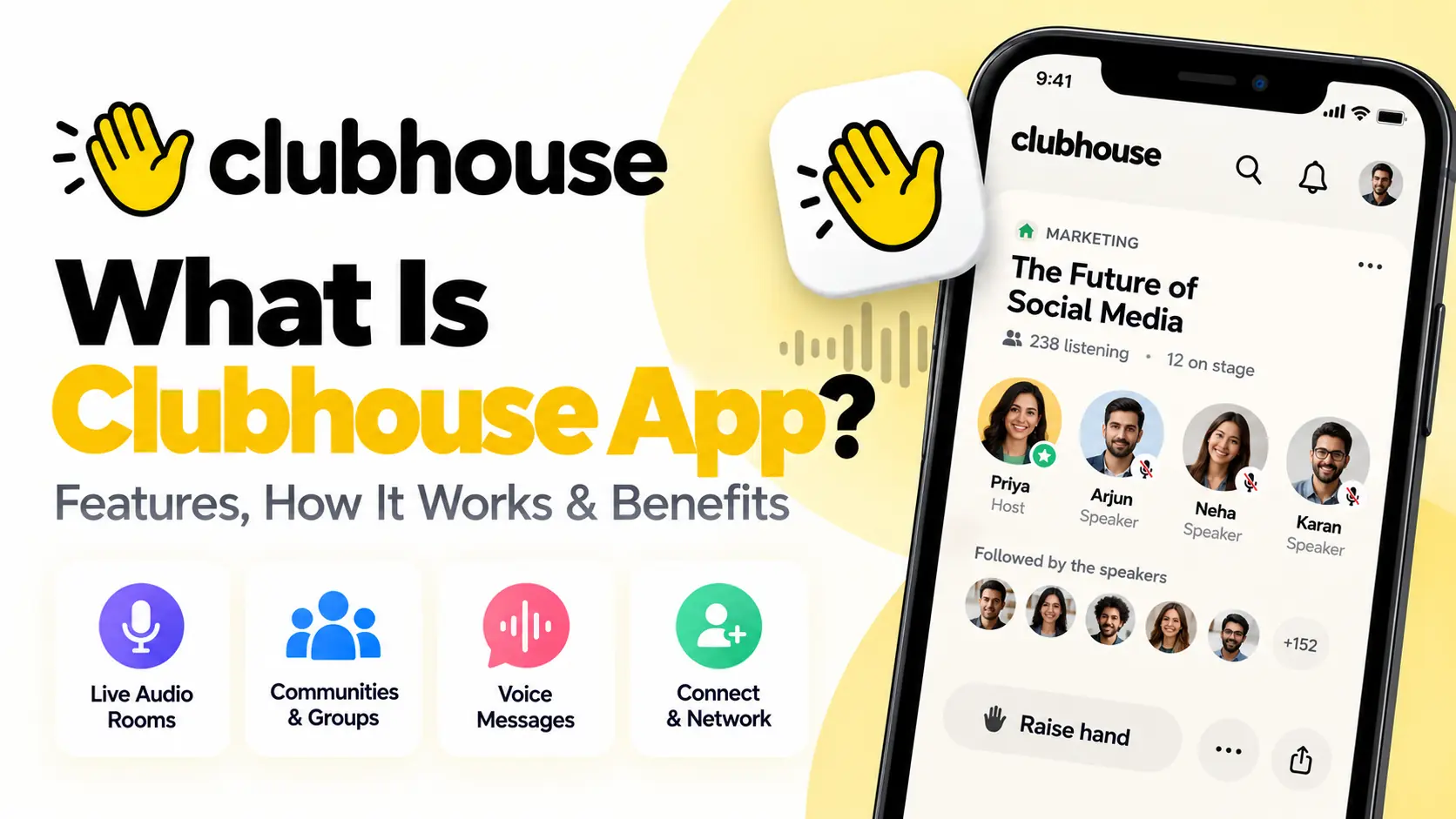
Clubhouse is a social communication app built around voice conversations. It allows people to discover discussions, join live audio rooms, communicate with friends, exchange voice messages, and connect with communities that share their interests.
Unlike traditional social media platforms, where text, photos, and videos dominate the feed, Clubhouse puts spoken conversation at the center of the experience.
You can use it to listen to a discussion about technology, join a conversation about entrepreneurship, meet people with similar interests, or create a room to discuss a topic of your own.
The app has changed considerably since its early days. Clubhouse originally became famous for its live, drop-in audio rooms and invitation-based growth. Its newer experience also emphasizes friend connections, voice messages, communities called Houses, and ways to continue conversations beyond a single live session.
According to the official Clubhouse website and its Google Play listing, the app continues to focus on live voice chats and connecting people through shared interests.
In simple terms: Clubhouse is a place to talk, listen, and meet people through voice rather than relying entirely on written posts or visual content.
How Does Clubhouse Work?
Clubhouse is designed to make conversations feel more spontaneous than traditional social media posts.
Imagine you are interested in digital marketing. Instead of searching for a written article, you might find a live discussion where marketers are sharing their experiences. You can enter the room, listen to the speakers, and potentially participate if the room’s settings allow it.
A typical Clubhouse experience works like this:
- Create an account. Set up your profile and connect with people or communities that interest you.
- Explore conversations. Browse your feed, search for people or topics, or discover available rooms.
- Join a room. Enter a conversation that is open to you or that you have been invited to join.
- Listen or participate. You can listen quietly or use the available controls to request permission to speak.
- Connect with people. Follow users, join relevant communities, or continue a conversation through supported messaging features.
- Start your own conversation. Create a room or community activity around a subject you want to discuss.
The exact interface and available features may vary by app version, device, and account.
Clubhouse is not limited to scheduled events or professional panels. Conversations can range from informal chats with friends to discussions about business, culture, technology, education, and entertainment.
For a detailed explanation of live rooms, see the official Clubhouse guide to Live Rooms.
Key Features of the Clubhouse App
Clubhouse has developed beyond the original concept of entering a room and listening to people speak. Here are the features worth understanding.
1. Live audio rooms
Live audio rooms are one of Clubhouse’s defining features.
A room is a space where people gather to discuss a subject in real time. Depending on the room’s settings, it may be open to a wider audience, limited to friends, or available to members of a particular community.
For example, a room might focus on:
- Search engine optimization and digital marketing
- Artificial intelligence and emerging technology
- Entrepreneurship and small businesses
- Books, films, and entertainment
- Personal development and education
- News, culture, and current issues
- Casual conversations and social meetups
People in a room may have different roles. Speakers participate in the conversation, listeners follow along, and moderators help manage the discussion.
The ability to listen without appearing on camera is a major difference between Clubhouse and many video-first platforms.
It can be especially useful when you want to learn from a conversation while commuting, walking, or doing another task that does not require your full visual attention. As always, avoid using the app while driving or doing anything that requires concentration.
2. Raise your hand to speak
Listening is not the only way to participate.
In supported rooms, you can raise your hand to request a place among the speakers. The moderator can then decide whether to invite you onto the stage.
This creates a more organized discussion than allowing every listener to speak at once.
For example, imagine a room discussing the future of search engines. You may begin as a listener, hear a point you disagree with, and request permission to explain your perspective.
The moderator’s controls help keep the conversation manageable, particularly when a room has many participants.
If you create your own room, you can use the available moderation settings to control participation and keep the discussion focused.
3. Voice messages and chats
Live conversations are useful, but not everyone is available at the same time.
Clubhouse also supports voice messaging and other chat features that let people communicate outside a live room. This makes the experience more flexible than a platform based entirely on real-time audio.
You might send a voice message to a friend, continue a discussion after a room ends, or respond when you have time rather than trying to join a scheduled conversation.
Voice messages also offer a more personal alternative to text. Tone, emphasis, and pauses can make it easier to communicate certain ideas than a short written message.
However, voice messages are not always more convenient. A text message can be easier to scan, search, or read in a quiet environment.
4. Houses and interest-based communities
Clubhouse uses Houses as a way for people to gather around shared interests and build ongoing communities.
Think of a House as a place where people who care about a similar topic can connect repeatedly instead of meeting only once in a public room.
A community might focus on technology, business, music, books, personal development, or a local interest.
Depending on the House and its settings, members may discover conversations, participate in live rooms, and engage with other community features.
For creators, a focused community can be more valuable than attracting a large number of unrelated followers. People who return to discuss the same subject are more likely to develop familiarity and trust over time.
Before joining a community, look at its topic, activity, rules, and the quality of its conversations.
5. Discover people and conversations
Clubhouse provides ways to discover users and conversations based on your interests and connections.
You may find rooms in your feed, receive invitations from other users, or discover discussions through search and community pages.
The quality of your experience depends partly on the people you follow and the subjects you explore.
If you are interested in technology, for example, following relevant creators and joining technology communities may make your feed more useful than following accounts without a clear connection to your interests.
A practical approach is to explore several topics at first, then focus on the communities that consistently offer useful discussions.
6. Create and host your own room
You do not need to be a celebrity or an established creator to start a conversation.
Clubhouse lets users create rooms and choose available settings for their discussions. Depending on the current interface, you may be able to set a title, select the audience, manage speakers, and configure options such as chat or replays where supported.
To start a room, the official instructions generally involve opening the relevant area of the app, tapping the microphone or room-creation control, choosing the audience or community, configuring the available options, and starting the conversation.
For the latest steps, consult Clubhouse’s official room-creation guide.
A well-planned room usually has a clear subject, a reason for people to attend, and someone responsible for keeping the discussion on track.
7. Replays and continued engagement
Some Clubhouse rooms and community experiences support replays when the relevant options are enabled.
A replay can help people catch up on a discussion they missed or revisit information later. Availability depends on the room type and settings, so do not assume every conversation will be recorded.
If you are hosting a room, tell participants when recording or replay features are enabled. This is a sensible practice for transparency, particularly when discussing personal or business matters.
Live conversation can create an engaging experience, but replay availability should be checked before promising attendees that a recording will be available.
8. Monetization and Clubhouse Plus
Clubhouse offers paid features through Clubhouse Plus in supported markets. The app’s official listings also promote ways for hosts to earn from conversations.
Paid features, prices, eligibility, and availability can change, so check the app itself and the official support documentation before making a purchasing decision.
You should not assume that every user needs a paid subscription to participate in ordinary conversations. The app offers free access, while optional purchases may provide additional capabilities.
If your goal is to make money as a creator, focus first on offering something valuable to an audience. A paid feature does not automatically create listeners, customers, or revenue.
How to Download and Use Clubhouse
Getting started is straightforward. The following steps provide a general guide; the precise screens may differ depending on your device and app version.
Step 1: Download the official app
Visit the official Clubhouse website or use the app store on your device.
You can also find Clubhouse on Google Play and the Apple App Store.
Check the developer name and app details before installing. Avoid unofficial versions that claim to unlock paid features or provide special access.
Step 2: Create your account
Open the app and follow the registration instructions.
Depending on the current signup flow, you may be asked to provide a phone number or other account information, verify your details, and choose a username.
Use account information you are comfortable associating with your profile. Review the app’s privacy policy if you want to understand how your information is handled.
Step 3: Complete your profile
Add a recognizable profile photo or avatar, choose a display name, and write a short description of your interests.
A useful bio answers a simple question: why would someone want to connect with you?
For example, a digital marketer could mention SEO, content strategy, and helping small businesses improve their online presence.
You do not need to fill your bio with keywords. A clear description is more helpful than a list of unrelated phrases.
Step 4: Explore the feed and search
Once you have access to the app, browse the available conversations and communities.
Look for topics you genuinely care about rather than joining every room you see.
If you find a useful discussion, pay attention to the speakers, the way the conversation is moderated, and whether the participants exchange meaningful information.
Following relevant people and communities can help make future discovery more useful.
Step 5: Join a live room
Tap a room that interests you and enter the conversation.
You can generally listen without speaking. If you want to participate, use the available hand-raise or speaking controls and follow the room’s rules.
Give the conversation some time before deciding whether to speak. Listening first can help you understand the topic and avoid repeating a point that has already been covered.
Step 6: Connect with other users
If you find someone whose contributions you value, consider following them or using the available messaging features.
A thoughtful connection is more likely to lead to a useful conversation than sending the same promotional message to dozens of strangers.
If you are using Clubhouse professionally, explain why you want to connect and avoid immediately asking for a sale or a favor.
Step 7: Host a room
When you are ready, create a room around a specific topic.
Choose a title that communicates the value of the conversation. Invite relevant people if appropriate, and think about how you will manage questions and participation.
You do not need a large audience to start. A focused conversation with a handful of engaged participants may be more useful than a crowded room where nobody contributes.
Step 8: Review your privacy and safety settings
Take time to understand the app’s current privacy and account controls.
Review who can contact you, how your profile is displayed, and what information you share. Use the available block and report features if someone behaves abusively or makes you uncomfortable.
For further guidance, visit the Clubhouse Knowledge Center.
Why Did Clubhouse Become Popular?
Clubhouse attracted attention because it offered a social experience that felt different from conventional feeds.
During the pandemic, many people were spending more time at home and looking for ways to interact with others. Live audio provided an alternative to video meetings and written social posts.
Several factors contributed to its early popularity.
A new way to socialize: People could listen to discussions and meet others without turning on a camera.
Access to interesting speakers: Some rooms brought together entrepreneurs, creators, specialists, and public figures who might not ordinarily participate in the same conversation.
A sense of immediacy: Live discussions created a feeling that something was happening in the moment. People could join and contribute while the conversation was unfolding.
Community building: Users could gather around shared interests and return to conversations with familiar participants.
Word-of-mouth growth: Invitations and social sharing helped people discover the app through friends and professional networks.
The app’s popularity also benefited from timing. When people were looking for new ways to communicate, an audio-first social network offered something fresh.
However, the initial excitement did not guarantee permanent dominance. Other platforms introduced or expanded audio features, user habits changed, and the novelty of live rooms naturally faded for some people.
The important lesson is that a social app’s early popularity and its long-term usefulness are not the same thing.
Is Clubhouse Still Worth Using?
Clubhouse is still available, and its official app listings continue to describe live audio rooms, community conversations, and voice-based connections. Its current product should not be confused with the much narrower image of an invite-only app from its early days. See the official Clubhouse website and its current app listing.
Whether it is worth using depends on what you want from a social platform.
Clubhouse may be useful if you enjoy live discussions, want to discover people with similar interests, prefer voice conversations to video, or want to build a focused community.
It may be less useful if your priority is reaching a large general audience, publishing searchable written content, distributing visual posts, or managing a business through sophisticated marketing tools.
Before investing significant time in the platform, ask yourself three questions:
- Are people in my niche active on Clubhouse?
- Can I offer or discover conversations that are difficult to find elsewhere?
- Do the connections and discussions produce enough value to justify my time?
You can test the platform without committing to a complicated strategy. Join a few relevant rooms, follow useful participants, and observe whether the community is active and welcoming.
The best measure of value is not how much attention the app received years ago. It is whether it helps you accomplish something useful today.
Clubhouse vs. Other Social Media Apps
Clubhouse is part of a much larger social media ecosystem, but it serves a different purpose from platforms centered on photos, videos, public posts, or private messaging.
| Platform type | Main purpose | Example use |
|---|---|---|
| Audio-first social app | Spoken conversations and community interaction | Join a live discussion or host an audio room |
| Traditional social network | Profiles, feeds, groups, and social connections | Share updates and connect with friends |
| Video-sharing platform | Publish and discover video content | Create tutorials, entertainment, or short clips |
| Private messaging app | Direct and group communication | Send personal messages or make private calls |
| Professional network | Career and business connections | Network with professionals and share work updates |
If you are comparing platforms for your own use, explore our overview of Facebook demographics to understand how audience characteristics can influence social media choices.
For private, encrypted communication, you may also want to read What Is Signal App? Features, Privacy & How to Use It. Signal and Clubhouse have different purposes: Signal focuses on private messaging and calls, while Clubhouse emphasizes social voice conversations and community discovery.
No single app needs to serve every purpose. You might use one platform for public content, another for professional networking, and a separate service for private communication.
Benefits of Clubhouse for Creators and Businesses
Clubhouse can be more than a place to spend time listening to conversations. Used thoughtfully, it can support community building, professional networking, and audience research.
1. Build relationships through conversation
Audio discussions give people an opportunity to hear how you think, explain ideas, and respond to questions.
For a creator or business owner, this can help establish familiarity with an audience. A helpful discussion may create a stronger connection than a generic promotional post.
However, participation should be genuine. People can usually recognize when a conversation exists only to sell something.
2. Learn directly from your audience
A live room can help you understand what people are interested in, which questions they ask, and what problems they are trying to solve.
For example, a small business could host a discussion about common customer challenges and listen to the questions that emerge.
These conversations can provide useful ideas for blog posts, product improvements, tutorials, or future campaigns.
Do not treat a handful of participants as a representative survey of your entire market. Use what you hear as qualitative feedback and validate important decisions with additional research.
3. Network with people in your industry
Clubhouse may help you meet professionals who share your interests.
Instead of immediately promoting your services, contribute useful insights, ask thoughtful questions, and follow up when there is a genuine reason to continue the discussion.
Relationships built through consistent, relevant participation are generally more valuable than collecting large numbers of contacts without meaningful interaction.
4. Explore content ideas
Questions raised in audio conversations can reveal subjects worth exploring in other formats.
A discussion about search engine changes, for example, might inspire a detailed blog post, a short social media update, or a tutorial.
You can use Clubhouse as one source of audience insight while publishing the resulting content on platforms that better suit your long-term goals.
For more ideas, see our guide to social media campaign ideas.
5. Support a broader social media strategy
Clubhouse should not necessarily be your entire marketing strategy.
Businesses often benefit from combining several activities: publishing useful content, engaging with their audience, developing communities, and reviewing performance.
Our guide to the main pillars of social media marketing explains how different activities can work together rather than relying on a single platform.
The goal is not to be everywhere. It is to choose channels that fit your audience, resources, and objectives.
How to Grow Your Presence on Clubhouse
If you decide to use Clubhouse regularly, focus on being useful and consistent rather than chasing attention.
Choose a clear subject area
People should have a reason to follow you. You might focus on technology, entrepreneurship, books, marketing, design, or another subject you know well.
You can discuss related topics, but a recognizable focus makes it easier for others to understand what you contribute.
Participate before promoting yourself
Spend time listening and contributing to existing discussions before hosting rooms or promoting a business.
Thoughtful participation helps you learn how the community works and what members value.
Avoid repeatedly interrupting speakers or turning unrelated conversations into sales pitches.
Host focused discussions
A good room has a clear topic and a reason for people to participate.
Instead of a vague title such as “Let’s Talk Business,” try something more specific, such as “How Small Businesses Can Improve Their Website Traffic.”
Specific topics set expectations and make it easier for the right people to decide whether to join.
Invite relevant participants
Invite people who have a genuine interest in the topic or can contribute useful perspectives.
A smaller discussion with knowledgeable, engaged participants can be more rewarding than a large room without a clear direction.
Follow up thoughtfully
When someone shares a helpful idea, you can thank them or continue the discussion through the available messaging features.
Keep follow-up messages relevant and respectful. Avoid automated or repetitive outreach that feels like spam.
Measure results that matter
If you use Clubhouse for professional reasons, decide what success looks like before investing substantial time.
Useful measures might include:
- Relevant new connections.
- Meaningful conversations.
- Repeat participation from community members.
- Questions or insights that improve your content.
- Qualified business inquiries, where appropriate.
- Time spent compared with the value received.
Our guide to the social media audit process and metrics can help you think more systematically about evaluating social channels.
Do not rely only on follower counts or room attendance. A large audience is not necessarily an engaged audience, and engagement does not automatically translate into business results.
Privacy and Safety: What Should You Know?
Like any social platform, Clubhouse requires sensible privacy and safety practices.
Voice conversations can feel personal, but they are still online interactions. You may be speaking with people you have never met, and you cannot always know who is listening or what someone might do with information you share.
Keep the following precautions in mind.
Think before sharing personal information. Avoid disclosing passwords, financial information, private contact details, or confidential business information in public conversations.
Understand recording and replay settings. Some rooms may offer replay features. Check the room’s settings and be clear about recording when you host. Do not assume a live conversation is automatically confidential.
Use moderation tools. If you host a room, learn how to manage speakers and respond to disruptive behavior.
Be cautious with unsolicited offers. Treat unexpected requests for money, investments, account access, or sensitive information carefully.
Review privacy controls. Check who can contact you and how your profile or activity is presented. Settings may change as the app evolves.
Block or report abusive users. Use the platform’s available safety tools when someone harasses you or violates its rules.
For current policies and account guidance, visit the Clubhouse Knowledge Center and its Trust & Safety resources.
Common Questions About Clubhouse
Is Clubhouse free to use?
Clubhouse offers free access to its core social and voice-chat experience. Optional paid features and in-app purchases may be available, depending on your location and account.
Is Clubhouse still available?
Yes. The official website and app-store listings continue to offer Clubhouse. Its features and experience have evolved since the platform first became popular, so older articles may not accurately describe the current app.
Is Clubhouse only for celebrities?
No. Anyone who can access the app and meets its current account requirements can explore conversations and participate in communities. You do not need to be famous to host a useful discussion.
Can I use Clubhouse for business?
Yes. Businesses and professionals can use it to network, share expertise, learn from customers, and host discussions. Results depend on audience fit, the quality of participation, and how well the activity supports your goals.
Can I listen without speaking?
Yes. Listening is a normal part of the Clubhouse experience. In live rooms, you can generally listen without requesting a speaking role.
Does Clubhouse record every conversation?
You should not assume every conversation is recorded or saved. Replay options depend on the room type and settings. Check the available controls and explain recording arrangements clearly when hosting.
Is Clubhouse similar to Signal?
They serve different purposes. Clubhouse focuses on social voice conversations, rooms, and communities. Signal is designed primarily for private messaging and encrypted voice and video calls.
How do I find interesting rooms?
Explore your feed, search for relevant topics, follow people who share useful information, and join communities related to your interests. The more deliberately you choose what to follow, the more relevant your experience may become.
Can I make money on Clubhouse?
The platform promotes monetization options for eligible hosts and offers paid features in supported markets. Earnings are not guaranteed, and availability and terms can change. Check the official app and support resources for current details.
Is Clubhouse worth downloading?
It may be worth trying if you enjoy spoken conversations and want to discover people with similar interests. If you mainly need public video publishing, private encrypted messaging, or broad audience reach, another platform may be a better fit.
Final Thoughts
Clubhouse introduced a distinctive idea to social media: instead of making every interaction a post, photo, or video, let people connect through conversation.
Its evolution shows why social platforms need to adapt as user habits and expectations change. The original live-audio experience attracted attention, but the app has continued developing features for voice messaging, communities, and everyday connections.
Today, Clubhouse may be useful for people who enjoy discussions, want to learn from others, or prefer audio-first interaction. Creators and businesses can also experiment with it as one part of a wider community and content strategy.
The key is to evaluate the platform based on what it offers now, not simply on its past popularity.
Try a few conversations, explore the communities that interest you, and decide whether the experience is worth your time. If you use it professionally, focus on meaningful connections and measurable outcomes rather than attention alone.
Ready to explore? Visit Clubhouse.com or check the official app listing for your device.
Helpful sources
These sources are useful for readers who want to verify current features and learn how to use the app:
- Clubhouse official website — current product overview and download options.
Clubhouse
- Clubhouse Knowledge Center — account settings, privacy, messaging, and safety guidance.
support.clubhouse.com
- What are Live Rooms? — how to find and join conversations.
- Creating Live Rooms — steps and moderation options for hosts.
- Clubhouse on Google Play — current Android listing and feature description.
Apps on Google Play
- Clubhouse on the Apple App Store — current iOS listing, compatibility, and in-app purchase information.