
TL;DR: The Social Media Design Cheat Sheet
- The Secret Sauce: Use the 80/20 rule (80% value, 20% promo) and the 5-3-2 rule for a balanced feed.
- The Standard: 1080x1350px (Portrait) is the king of engagement on Instagram and Facebook.
- The Future: Social media design AI tools like Adobe Firefly and Canva Magic Studio are now essential for scaling.
- The Core: Authentic, human-centered visuals beat “perfect” stock photos every time in 2026.
Stop the Scroll: Why Your Social Media Design is Your Digital Handshake
Have you ever been mindlessly scrolling through your feed at 11 PM, and suddenly, a post just… stops you? You don’t even know why yet. You haven’t read the caption. But the colors, the layout, and that one striking image grabbed your brain by the lapels and said, “Look at me.”
That, my friend, is the power of intentional social media design.
In 2026, we are living in the “Attention Economy.” With over 5.4 billion people active on social media, your brand isn’t just competing with your business rivals; you’re competing with a cousin’s wedding photos, a viral cat video, and a breaking news update. So, what is social media design? It isn’t just about making things look “pretty.” It’s the strategic use of visual elements to communicate your brand’s story, solve a problem for your audience, and—ultimately—drive them to take action.
Whether you are a solo creator or a marketing lead, mastering the different types of graphic design, from motion graphics to minimalist typography—is what separates the brands that get “likes” from the brands that get “loyalists.”
Let’s dive into 30 battle-tested tips to ensure your designs don’t just fill space, but actually move the needle.
1. Mastering the Fundamentals & Strategy
Before you even open Photoshop or Canva, you need a game plan. Design without strategy is just art; design with strategy is marketing.
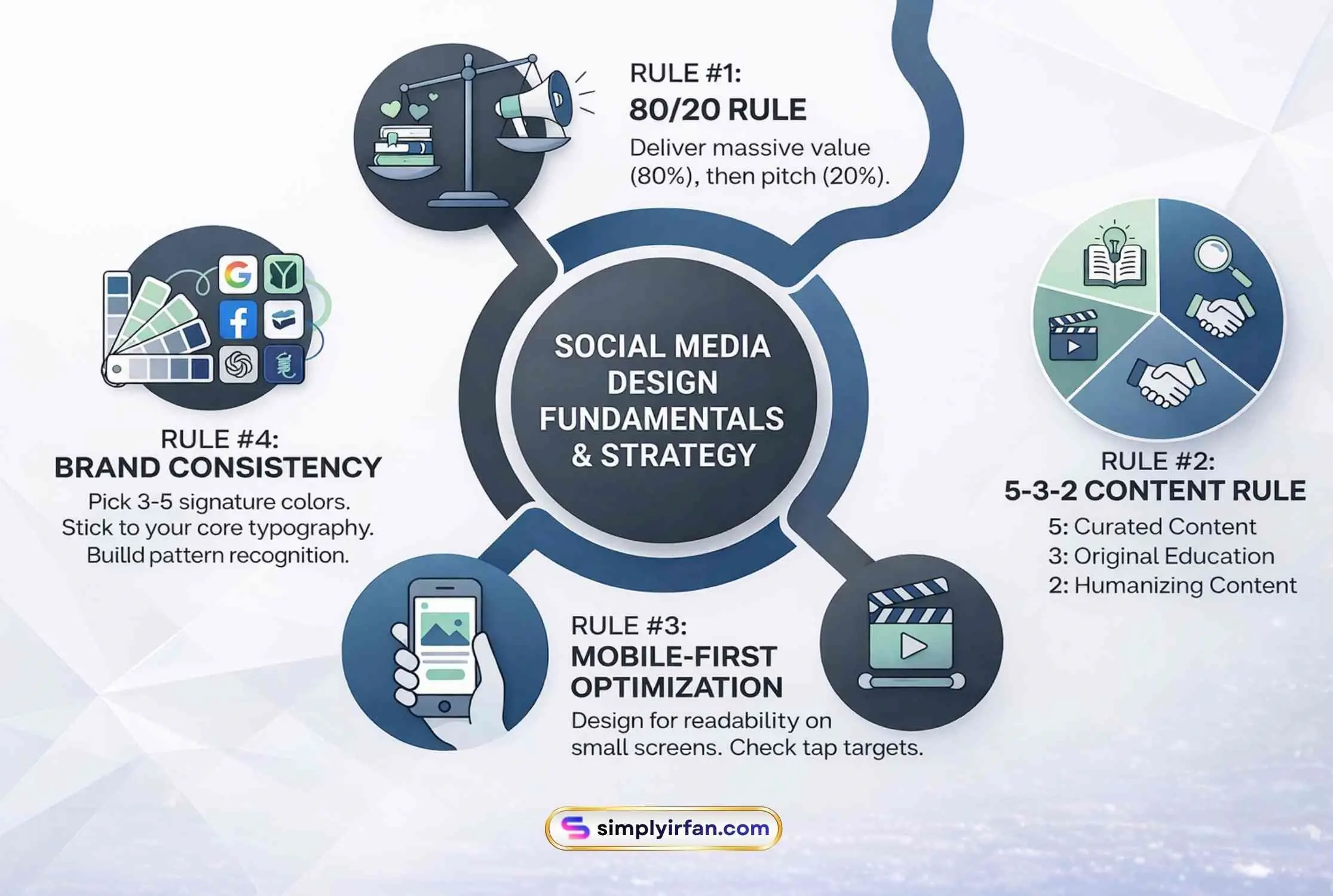
1. Embrace the 80/20 Rule: What is the 80/20 rule in social media? Simply put, 80% of your designs should provide pure value (education, inspiration, or entertainment), while only 20% should be a direct “buy this” pitch. People come to social media to be social, not to be sold to.
2. Implement the 5-3-2 Content Rule: If you’re struggling with variety, what is the 5-3-2 content rule? For every 10 posts: 5 should be curated content (valuable info from others), 3 should be original educational content, and 2 should be humanizing, “behind-the-scenes” glimpses.
3. Optimize for Mobile-First: 98.5% of users access social media via mobile. If your text is too small to read on a 6-inch screen, your design has failed.
4. Use a Consistent Color Palette: Pick 3–5 brand colors and stick to them. Consistency builds “pattern recognition,” so followers know it’s your post before they even see your handle.
5. Master Typography Hierarchy: Your headline should be the loudest thing on the page. Use a bold, large font for the “hook” and a cleaner, smaller font for the supporting details.
6. Understand Social Media Design Sizes: Using the wrong aspect ratio is the quickest way to look like an amateur.
7. Leverage Negative Space: Don’t clutter! “White space” isn’t wasted space; it’s breathing room that directs the eye to what actually matters.
8. Focus on Faces: Humans are biologically hardwired to look at faces. Whenever possible, include real people in your designs to boost trust and engagement.
Recommended: 30 Free Social Media Marketing Tools
9. High-Quality Imagery Only: In 2026, grainy photos are unforgivable. Use high-res exports (double the display size) to avoid platform compression artifacts.
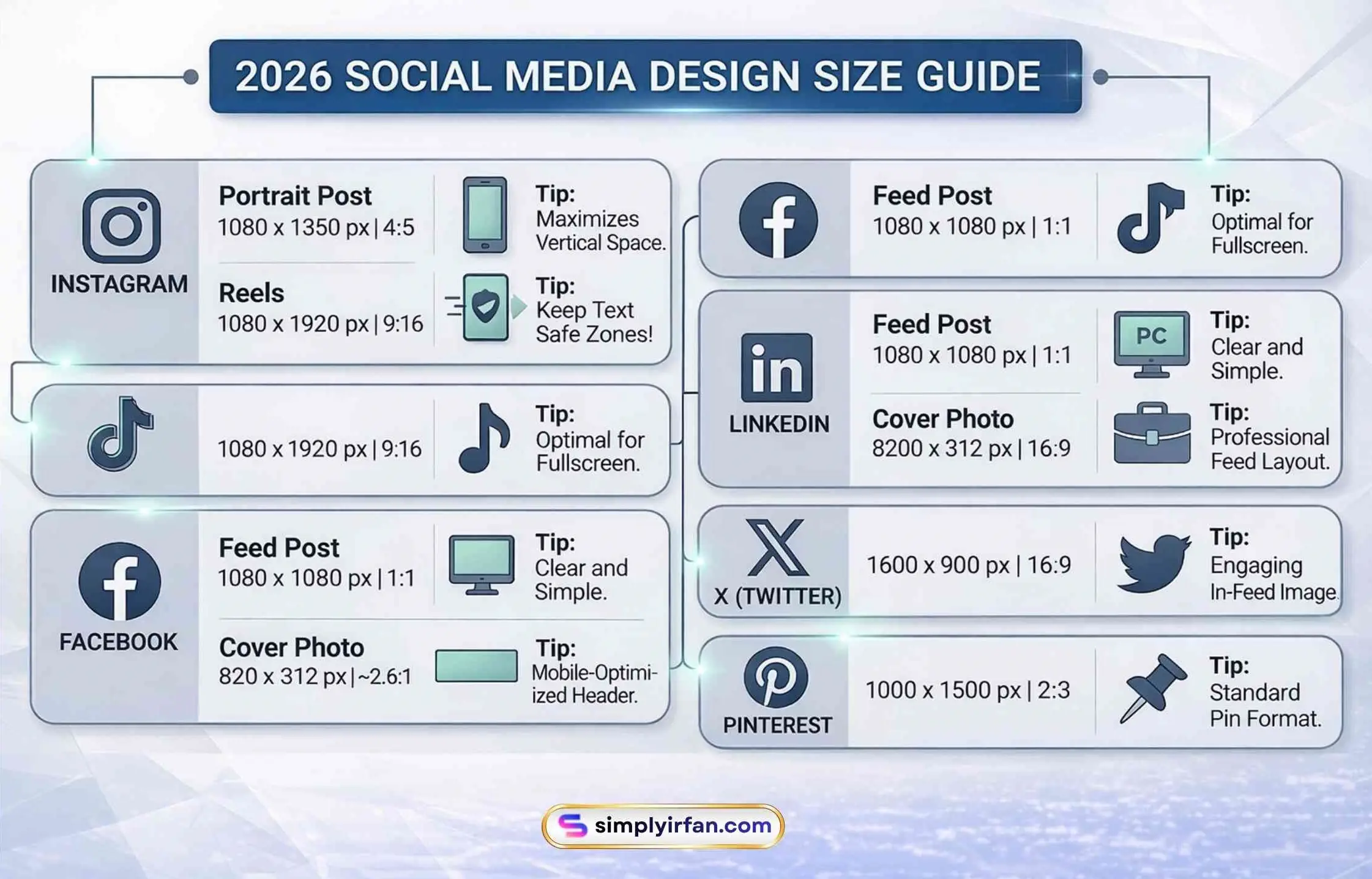
Quick Reference: 2026 Social Media Design Size Guide
| Platform | Format | Recommended Size (Pixels) | Aspect Ratio |
| Portrait Post | 1080 x 1350 | 4:5 | |
| Instagram/TikTok | Reels/Video | 1080 x 1920 | 9:16 |
| Feed Post | 1080 x 1080 | 1:1 | |
| Single Image | 1200 x 1200 | 1:1 | |
| X (Twitter) | In-Feed Image | 1600 x 900 | 16:9 |
| Standard Pin | 1000 x 1500 | 2:3 |
2. Advanced Visual Techniques & Trends
Now that the basics are down, let’s talk about the specific social media design ideas that are winning the feed right now.
10. Design for “Dark Mode”: Many users use dark mode by default. Ensure your logos and graphics have transparent backgrounds (PNG) so they don’t look like awkward white boxes on a dark screen.
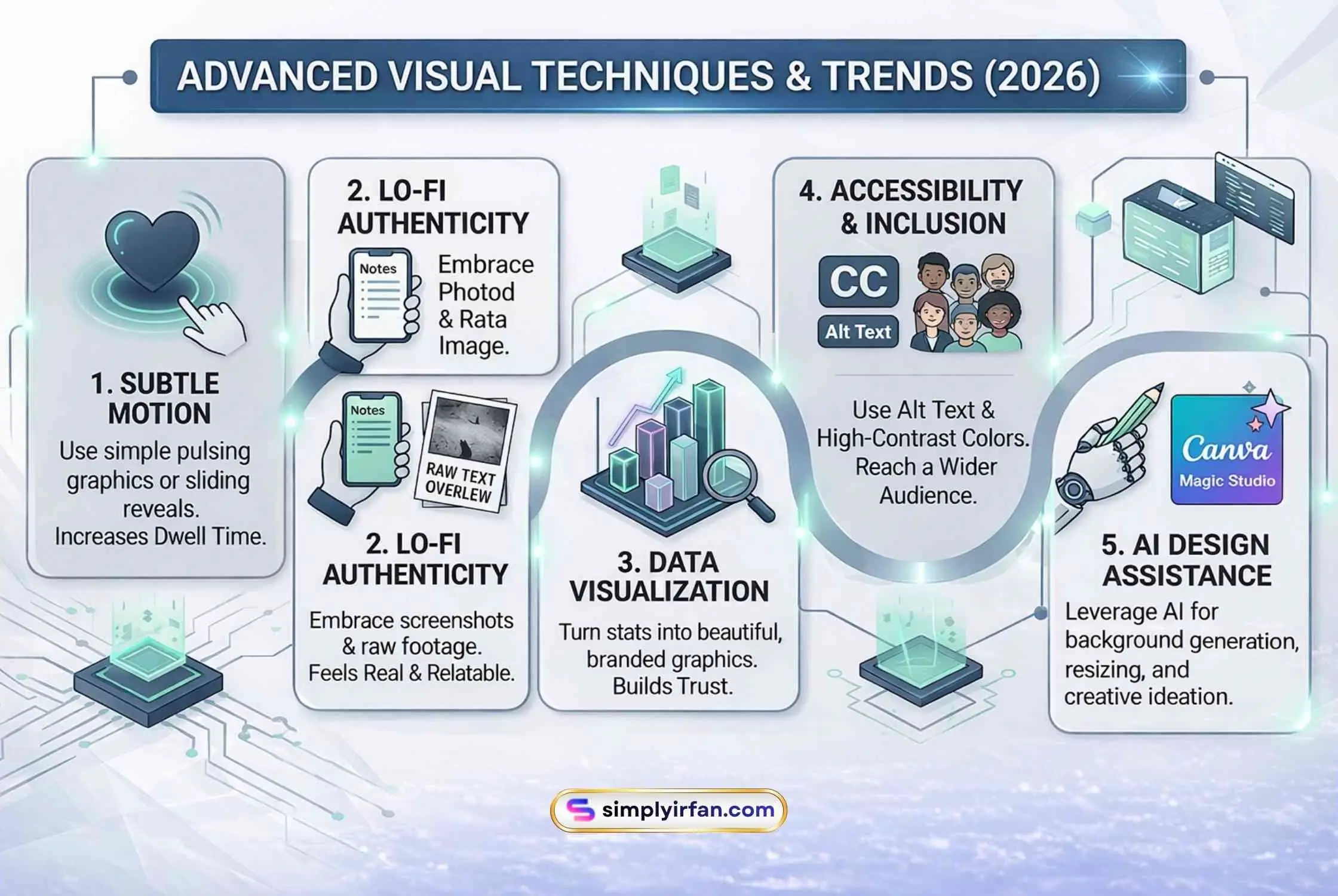
11. Use Subtle Motion: You don’t need a Pixar-level animation. A simple pulsing headline or a sliding text reveal can increase “dwell time” on your post significantly.
12. Embrace “Lo-Fi” Authenticity: Surprisingly, 2026 is seeing a shift away from over-polished designs. Sometimes a screenshot of a “Notes” app or a raw photo with a simple text overlay feels more “real” and converts better.
13. Create “Saves” with Infographics: Educational charts and “how-to” graphics are gold. If someone saves your post, the algorithm thinks, “Wow, this is valuable,” and shows it to more people.
14. Master the Carousel Slide-Through: The first slide hooks them; the second slide provides the “meat”; the last slide has the Call to Action (CTA).
15. Use High-Contrast Pairs: Think yellow text on a black background or neon green on deep purple. High contrast makes text legible even in bright sunlight.
16. Add Accessibility Features: Include Alt Text for images and ensure your color contrast meets WCAG standards for visually impaired users.
17. Tell a Story with “Data Visualization”: Instead of saying “Our sales grew,” show a beautiful, branded bar chart. People love seeing proof.
18. Use Text as a Design Element: Don’t just type it; treat the letters as shapes. Overlap text behind a person’s head or use “kinetic typography” to create energy.
19. Be Purposeful with Icons: Icons are universal shorthand. Use them to break up long lists or to make your CTA more “clickable.”
20. Leverage Social Media Design AI: Don’t work harder, work smarter. Tools like Adobe Firefly can generate custom backgrounds, while Canva’s AI can instantly resize one design for 10 different platforms.
Design Pro-Tip: When using social media design AI, never use the “first result” raw. Always tweak the colors or add your brand fonts to keep it from looking like “AI slop.”
3. Psychology, Conversion, and The Final Polish
The last 10 tips are about the “why” behind the “what.” This is how you turn a viewer into a customer.
21. Visual Hierarchy (The “F” Pattern): People scan social posts in an “F” or “Z” pattern. Place your most important info (The Hook) at the top left.
22. Limit Your Fonts: Stick to two fonts maximum per post—one for the headline and one for the body. Too many fonts create “visual noise.”
23. Use “Directional Cues”: If you have a photo of a person, make sure they are looking at your CTA button or text. Our eyes naturally follow the gaze of others.
Related: Key benefits of social media for business
24. Match the Vibe of the Platform: LinkedIn designs should be professional and “insight-heavy,” while TikTok-style graphics should be high-energy and colorful.
25. A/B Test Your Designs: Don’t guess. Post two different versions of a graphic and see which one gets more clicks. Data doesn’t lie.
26. Don’t Forget the Logo: Keep your logo subtle—usually in a corner. It shouldn’t be the main event, but it should be there for brand recall.
27. Use Emotional Color Psychology: Red for urgency/passion, blue for trust/calm, and green for growth/health. Pick colors that match your message.
28. Keep the “Safe Zones” Clear: On Reels and TikTok, the bottom and right sides are covered by UI elements (like your name and the “Like” heart). Don’t put important text there!
29. Seasonal Relevance: Refresh your templates for holidays or seasonal trends. It shows your brand is “awake” and active.
30. End with a Clear Visual CTA: Don’t just hope they click. Use a button-like design or a clear arrow pointing to your link.
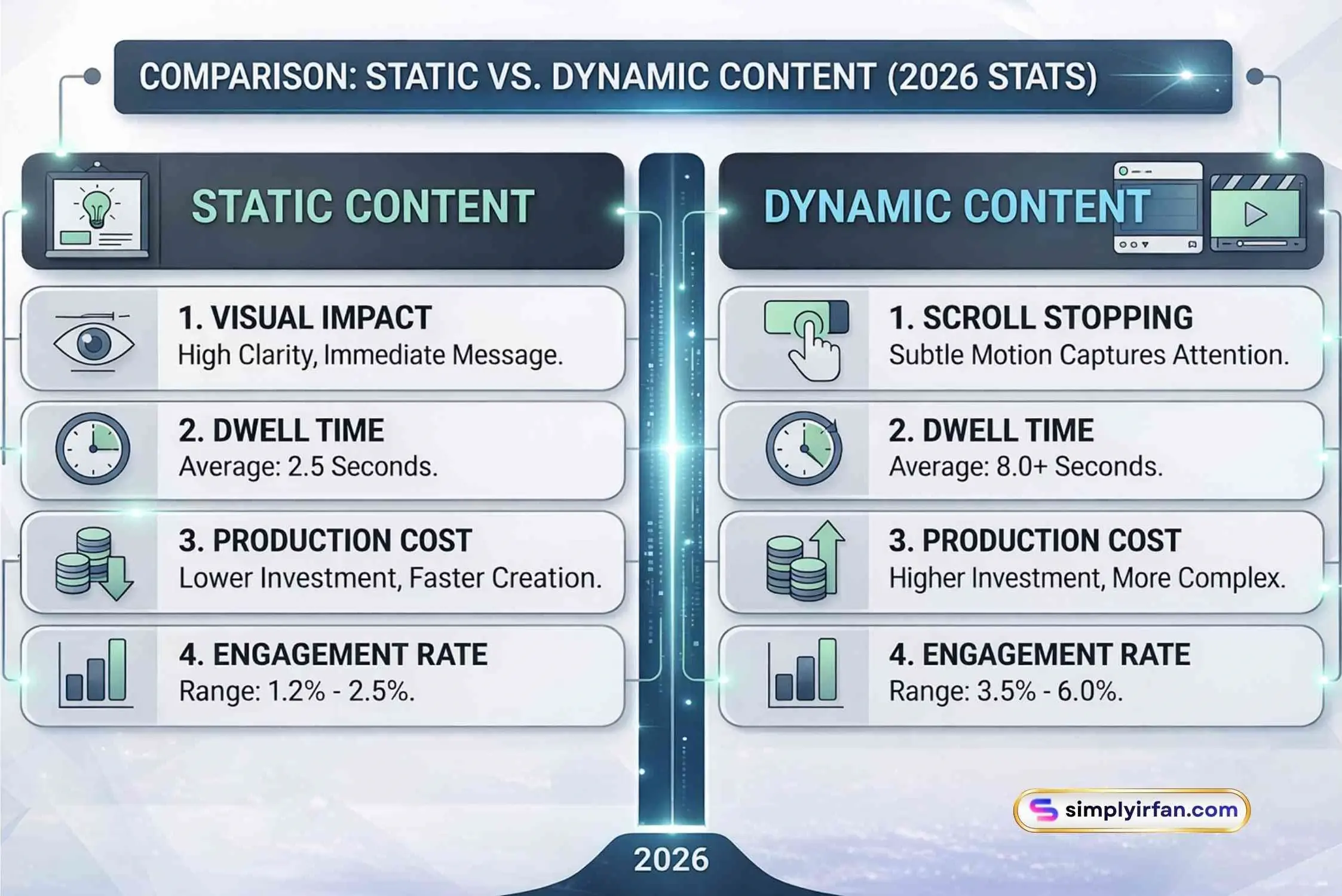
The Comparison: Static vs. Dynamic Content (2026 Stats)
| Feature | Static Images | Motion/Video Graphics |
| Best For | Infographics, Quotes, Quick Tips | Storytelling, Tutorials, Product Demos |
| Engagement Rate | 1.2% – 2.5% | 3.5% – 6.0% |
| Average Dwell Time | 2.5 seconds | 8.0+ seconds |
| Production Cost | Low | Medium-High |
Conclusion: Your Design is a Journey, Not a Destination
Social media moves fast. What worked in 2024 is ancient history in 2026. However, the core principles of social media design—clarity, consistency, and value—never change. By mixing the science of the 80/20 rule with the creative power of social media design AI, you create a brand that doesn’t just look good but actually builds a community.
Remember, your designs are the “wrapper” for your expertise. If the wrapper looks cheap or confusing, no one will ever care how good the “candy” inside is.
Ready to transform your feed? Start by picking just three of these tips to apply to your next week of content. You’ll be amazed at how a few small tweaks can lead to a massive jump in engagement.
FAQ: Everything You Need to Know About Social Media Design
1. What is social media design exactly?
It is the process of creating visual content (images, videos, layouts) specifically tailored for social media platforms. It combines traditional graphic design with marketing psychology to stop users from scrolling and encourage engagement.
2. Is there a difference between “graphic design” and “social media design”?
Yes. While they share the same DNA, social media design is highly reactive and platform-specific. It focuses on mobile optimization, short attention spans, and algorithm-friendly formats rather than static, long-term assets like billboards or brochures.
3. What are the most common types of graphic design used on social?
The main types include Brand Identity (logos/colors), Marketing & Advertising Design (ads), User Interface (UI) Design (for interactive posts), and Motion Graphics (animated videos).
4. How can I use AI for social media design without looking “fake”?
Use AI tools for the heavy lifting—like removing backgrounds, generating textures, or brainstorming layouts. Always overlay your own brand fonts, real human photos, and unique brand voice to ensure the final product feels authentic.
5. Why is the 1080x1350px size better than square (1080x1080px)?
The portrait (4:5) ratio takes up more vertical real estate on a phone screen. By occupying more of the screen, you literally push other distractions out of the way, giving your content a better chance to be seen.
You may also like to explore: Tips for using social media