
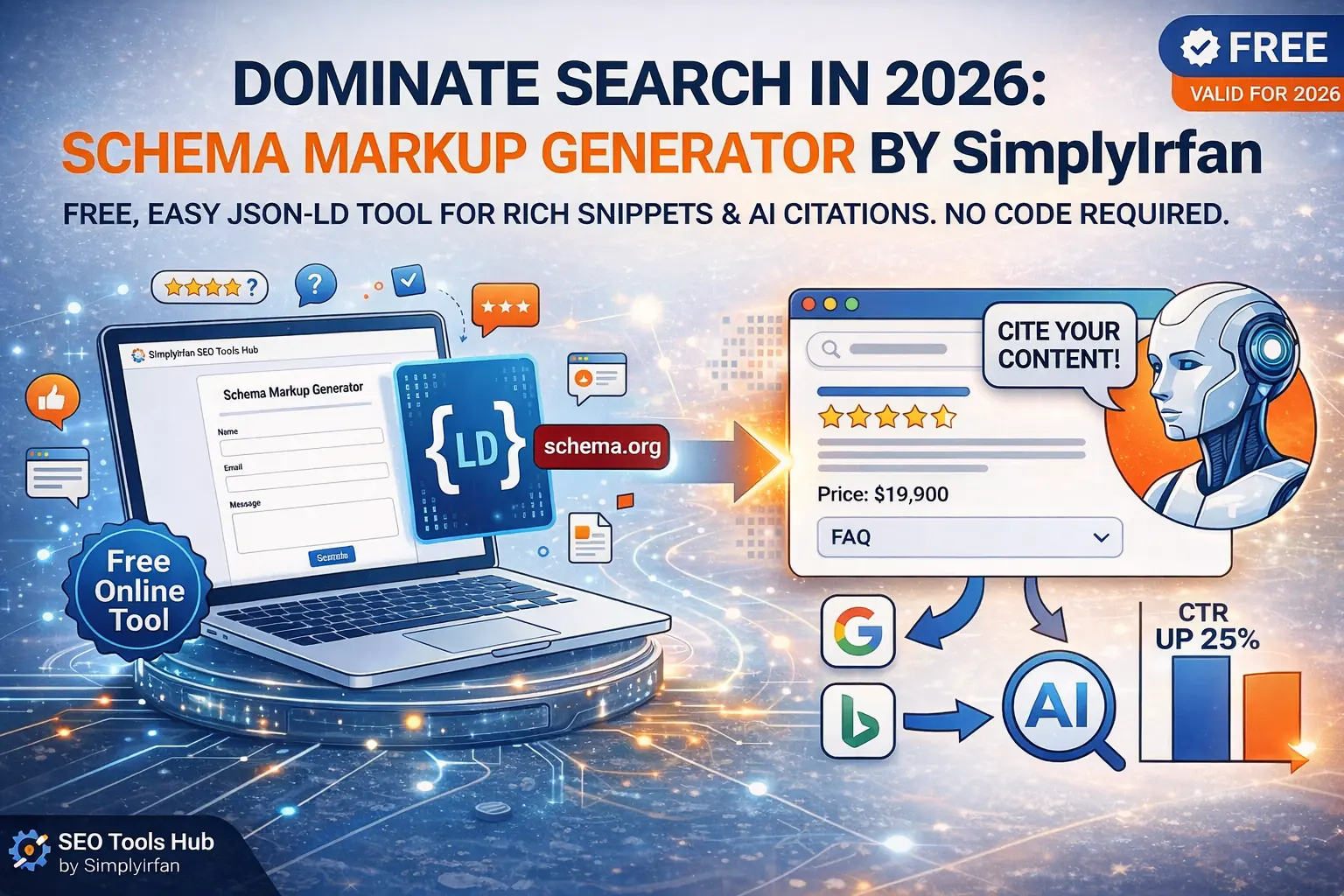
TL;DR: Why This Tool Matters
- What it is: A free, web-based tool within the SEO Tools Hub by SimplyIrfan that builds “machine-readable” code (JSON-LD) for your website.
- Why use it: It helps you get those “Rich Snippets” (stars, FAQ boxes, prices) on Google and makes your site 3.7x more likely to be cited by AI search engines.
- The Best Part: You don’t need to know a single line of code. Just fill in the blanks, copy, and paste.
The Secret Language of Google: Why Your Website Needs a “Translator”
Have you ever wondered how Google knows exactly which part of your blog post is a “Frequently Asked Question” or why some search results have those shiny gold stars while yours is just a plain blue link?
It feels like magic, but it’s actually a conversation happening behind the curtain. Search engines are brilliant, but they are still machines. When they crawl your site, they see a mess of text and images. They have to guess what’s a price, what’s a review, and who the author is.
What is schema markup? Think of it as a VIP translator. It takes your human-written content and turns it into a structured “cheat sheet” that Google, Bing, and even AI models like Gemini and ChatGPT can read instantly.
Back in the day, you had to hire a developer or spend hours staring at curly brackets to get this right. But in 2026, things have changed. With the Schema Markup Generator at the SEO Tools Hub by SimplyIrfan, you can speak Google’s language in about thirty seconds. Whether you’re a local business owner or a professional web developer, this tool is your “easy button” for technical SEO.
What is Schema Markup Used For? (And Why 2026 is Different)
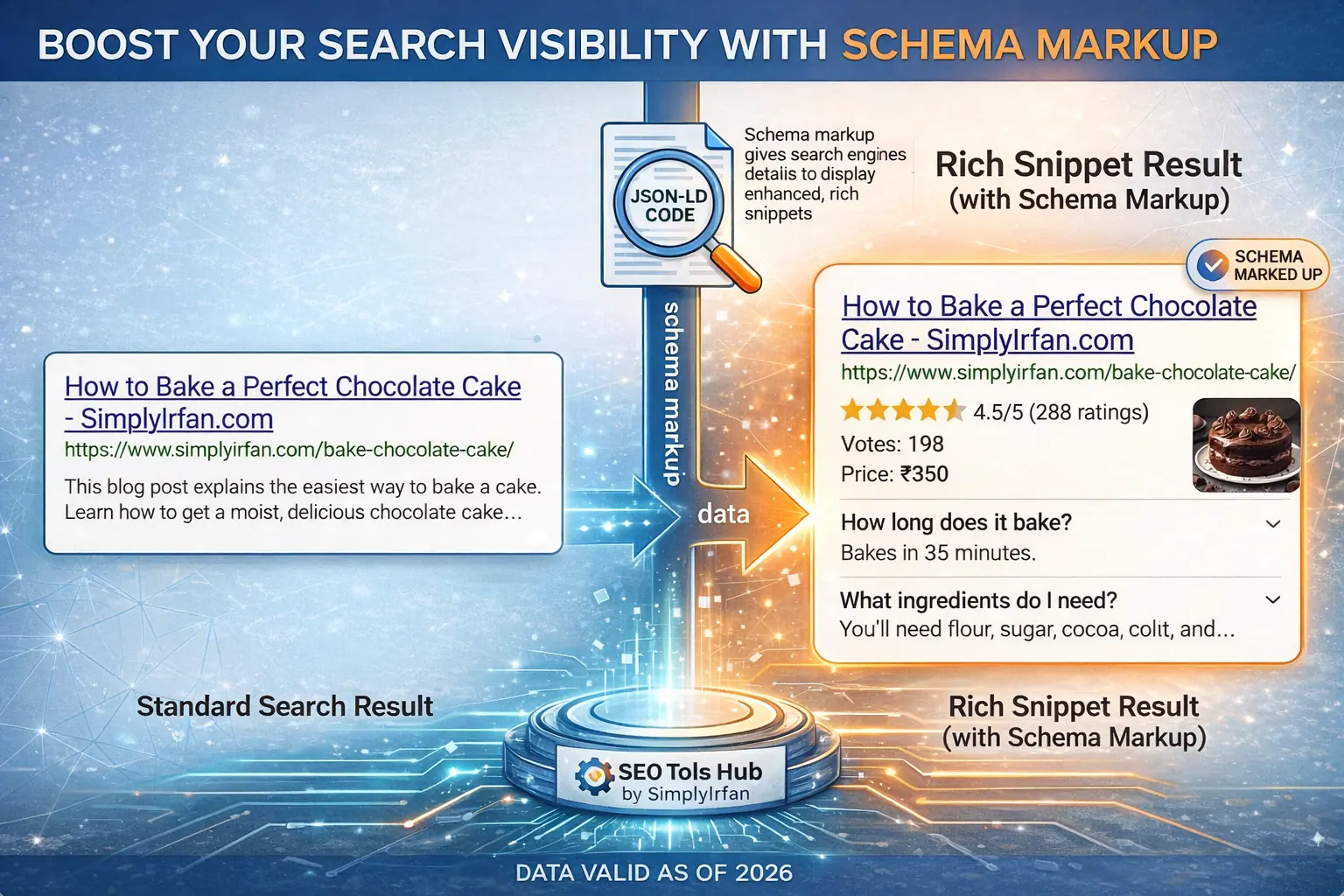
In the past, we used schema mostly for “vanity.” We wanted the stars; we wanted the FAQ dropdowns because they looked cool and took up more space on the screen. While that’s still true—pages with rich results see a 20-40% increase in click-through rates (CTR)—the game has shifted.
We are now in the era of “Generative Search.” When someone asks an AI, “What is the best budget motorcycle in India for 2026?”, the AI doesn’t just look for keywords. It looks for entities.
What is schema and its types in SEO? It’s a way to define “entities”—people, places, products, and facts. By using a google schema markup generator, you aren’t just helping Google rank you; you are feeding the AI the structured data it needs to cite you as a source. If you don’t have schema, you’re basically invisible to the AI “brain” that now powers the top of the search results.
Schema Markup Types You Should Know
- Article Schema: Perfect for blog posts. It tells Google the headline, the author, and the date it was last updated.
- FAQ Schema Generator: This is the “secret sauce” for dominating the SERPs. It lets you put your answers directly on the search page.
- Local Business Schema: Essential if you have a physical shop. It pins your address, hours, and phone number into the “Knowledge Graph.”
- Product Schema: Shows prices, availability, and those all-important review stars for e-commerce.
How to Use the SimplyIrfan Schema Generator: A Step-by-Step Guide
I built this tool because I got tired of messy code. As a web developer, I wanted something clean, fast, and 100% free. Here is how you can use it to level up your site today:
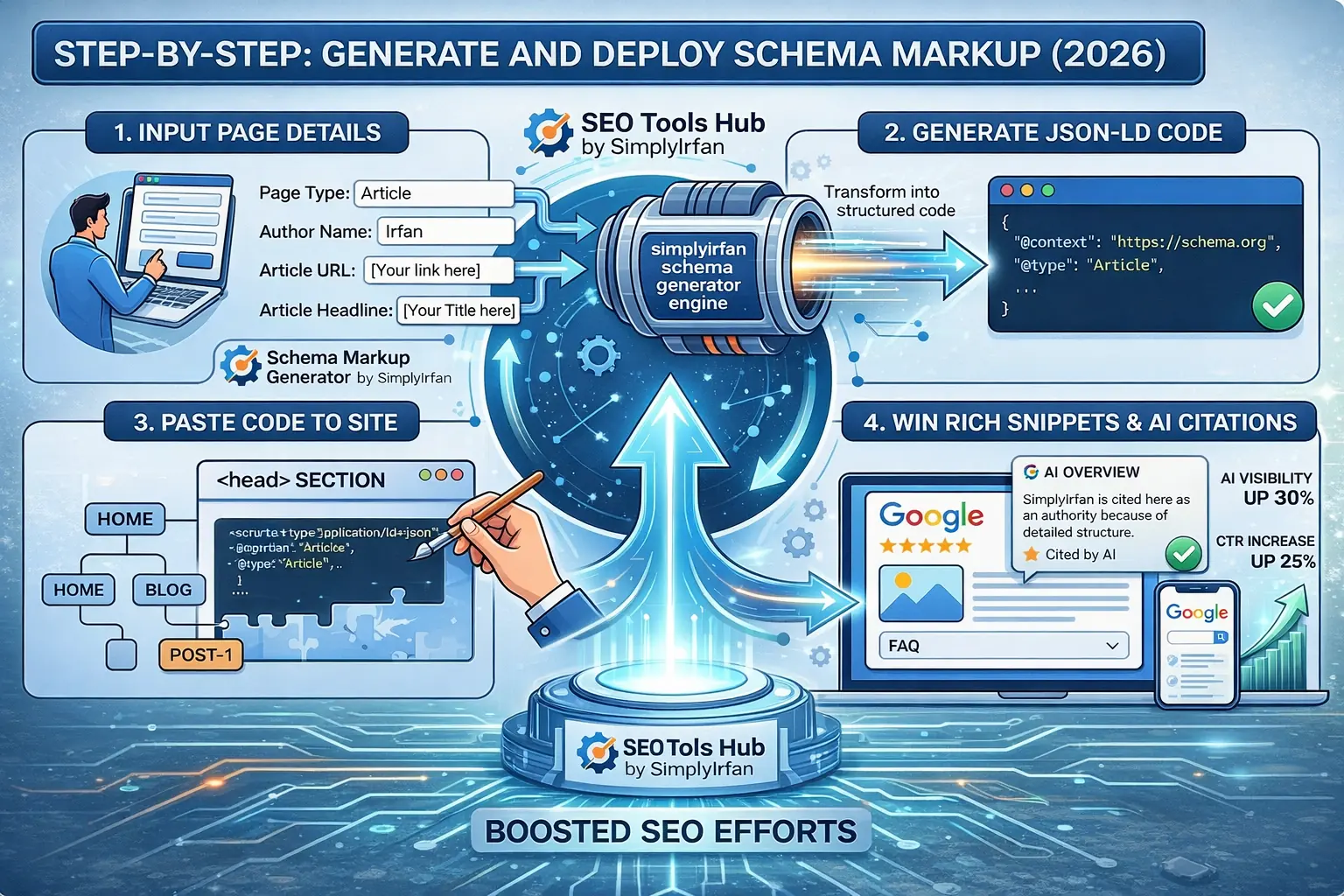
- Select Your Type: Open the SEO Tools Hub by SimplyIrfan and pick your schema type (e.g., FAQ, Article, or Product).
- Fill in the Details: Enter your info. If it’s an FAQ, type in your questions and answers. If it’s an article, add the URL and author name.
- Copy the JSON-LD: The tool generates a block of code on the right. This is called JSON-LD, and it’s Google’s favorite format.
- Paste into Your Site: You can paste this code into the
<head>section of your WordPress site, or use a “Custom HTML” block if you’re using Gutenberg.
Always validate! Once you’ve generated your code, click the “Test with Google” button in our tool. It will open the Google Rich Results Test to make sure everything is perfect before you go live.
The Statistics: Why You Can’t Ignore This
| Feature | Impact (2026 Data) |
| Visibility | 72% of first-page results now use some form of Schema. |
| Trust | Sites with “Organization” schema are 3.7x more likely to get a Knowledge Panel. |
| Traffic | FAQ schema can increase “on-SERP” engagement by over 25%. |
| AI Citations | Structured data is the #1 signal used by AI Overviews to verify facts. |
Comparison: Manual Coding vs. SimplyIrfan’s Generator
| Feature | Manual Coding | SimplyIrfan Generator |
| Speed | 15-30 minutes | 30 seconds |
| Accuracy | High risk of syntax errors (missing commas) | 100% valid JSON-LD structure |
| Cost | Free (but costs time/stress) | Free & Instant |
| Difficulty | Technical (Requires coding knowledge) | Beginner-friendly (Fill-in-the-blanks) |
FAQ: Everything You Need to Know About Schema
1. What is schema markup?
It is a specific vocabulary of tags (or code) that you add to your HTML to improve the way search engines read and represent your page in SERPs. It’s like a digital ID card for your content.
2. How do I add schema markup to my site?
The easiest way is using a google schema markup generator to create JSON-LD code. You then paste that code into the header of your website or use a plugin like “Header and Footer Scripts” in WordPress.
3. Does schema markup improve rankings?
Not directly. Google says schema isn’t a “ranking signal” like backlinks. However, it does improve your Click-Through Rate and help Google understand your content better, which indirectly leads to better rankings and more traffic.
4. What is the best schema for a blog?
You should definitely use Article Schema for the post itself and Breadcrumb Schema to show the site structure. If your post answers common questions, use the FAQ schema generator too!
5. Is the SimplyIrfan tool really free?
Yes! It’s part of my mission to make high-end SEO accessible to everyone. No signups, no hidden fees—just pure value.
Final Thoughts: Don’t Leave Your SEO to Chance
We’ve reached a point where “good content” isn’t enough. You could write the most amazing article in the world, but if the machines can’t parse it, you’re leaving money—and traffic—on the table.
Using a Schema Markup Generator is the fastest way to bridge the gap between human creativity and machine understanding. It’s the difference between being “just another link” and being a “featured authority.”
Ready to see your site stand out? Head over to the SEO Tools Hub by SimplyIrfan and generate your first schema today. Your future self (and your Google Search Console) will thank you.
Explore the Schema Generator & 20+ Other Free SEO Tools Here
Types of Schema You Can Generate
We’ve included the most widely used schema types so everyone can benefit. Whether you’re a blogger, local business owner, product seller, or event organizer, this tool has you covered.
📝 Schema Markup Generator
Select schema type below and fill in your details directly inside the JSON-LD template.
📄 Article Schema
{
  "@context": "https://schema.org",
  "@type": "Article",
  "headline": "Your Headline Here",
  "author": "Author Name",
  "datePublished": "2024-01-01",
  "description": "Short description of your article."
}
🏪 Local Business Schema
{
  "@context": "https://schema.org",
  "@type": "LocalBusiness",
  "name": "Business Name",
  "address": "123 Street, City",
  "telephone": "+1-555-555-5555",
  "url": "https://example.com"
}
👤 Person Schema
{
  "@context": "https://schema.org",
  "@type": "Person",
  "name": "Full Name",
  "jobTitle": "Job Title",
  "url": "https://example.com/profile"
}
🌐 Website Schema
{
  "@context": "https://schema.org",
  "@type": "WebSite",
  "name": "Website Name",
  "url": "https://example.com",
  "description": "Your website description."
}
❓ FAQ Schema
{
  "@context": "https://schema.org",
  "@type": "FAQPage",
  "mainEntity": [
    {
      "@type": "Question",
      "name": "Question 1?",
      "acceptedAnswer": {
        "@type": "Answer",
        "text": "Answer 1 here."
      }
    },
    {
      "@type": "Question",
      "name": "Question 2?",
      "acceptedAnswer": {
        "@type": "Answer",
        "text": "Answer 2 here."
      }
    }
  ]
}
🛠️ HowTo Schema
{
  "@context": "https://schema.org",
  "@type": "HowTo",
  "name": "HowTo Title",
  "step": [
    {"@type": "HowToStep", "text": "Step 1"},
    {"@type": "HowToStep", "text": "Step 2"},
    {"@type": "HowToStep", "text": "Step 3"}
  ]
}
📦 Product Schema
{
  "@context": "https://schema.org",
  "@type": "Product",
  "name": "Product Name",
  "description": "Product description",
  "sku": "12345",
  "brand": "Brand Name",
  "offers": {
    "@type": "Offer",
    "price": "99.99",
    "priceCurrency": "USD"
  }
}
🎤 Event Schema
{
  "@context": "https://schema.org",
  "@type": "Event",
  "name": "Event Name",
  "startDate": "2024-06-01",
  "endDate": "2024-06-02",
  "location": "Event Venue",
  "description": "Event details here."
}
✍️ Tip: Click inside any box above, edit your info, then copy the JSON-LD code and paste it into your website’s <head>.
1. Article Schema
Best for: Bloggers, news publishers, and content creators.
Article schema tells search engines the key details of your content:
- Headline
- Author
- Publish date
- Description
Example use:
If you publish a blog post titled “10 Best SEO Tools in 2024”, adding article schema helps Google display your article more accurately in search, sometimes even in Top Stories.
2. Local Business Schema
Best for: Shops, restaurants, service providers, local companies.
LocalBusiness schema helps your business show up in local search results and Google Maps. It includes:
- Business name
- Address
- Phone number
- Website URL
Example use:
If you run “Sunrise Café”, schema tells Google your café’s location, contact details, and website — boosting your chance of showing up in local pack results.
3. Person Schema
Best for: Professionals, authors, influencers, public figures.
Person schema highlights individual profiles with:
- Full name
- Job title
- Profile URL
Example use:
If you’re a freelance designer, schema helps Google show your name, role, and portfolio link in search results when someone looks you up.
4. Website Schema
Best for: Any website (corporate, personal, e-commerce).
Website schema describes your site’s identity:
- Website name
- URL
- Description
Example use:
For TechWorld.com, schema tells search engines it’s a tech news site, making it easier to display site links and brand details.