
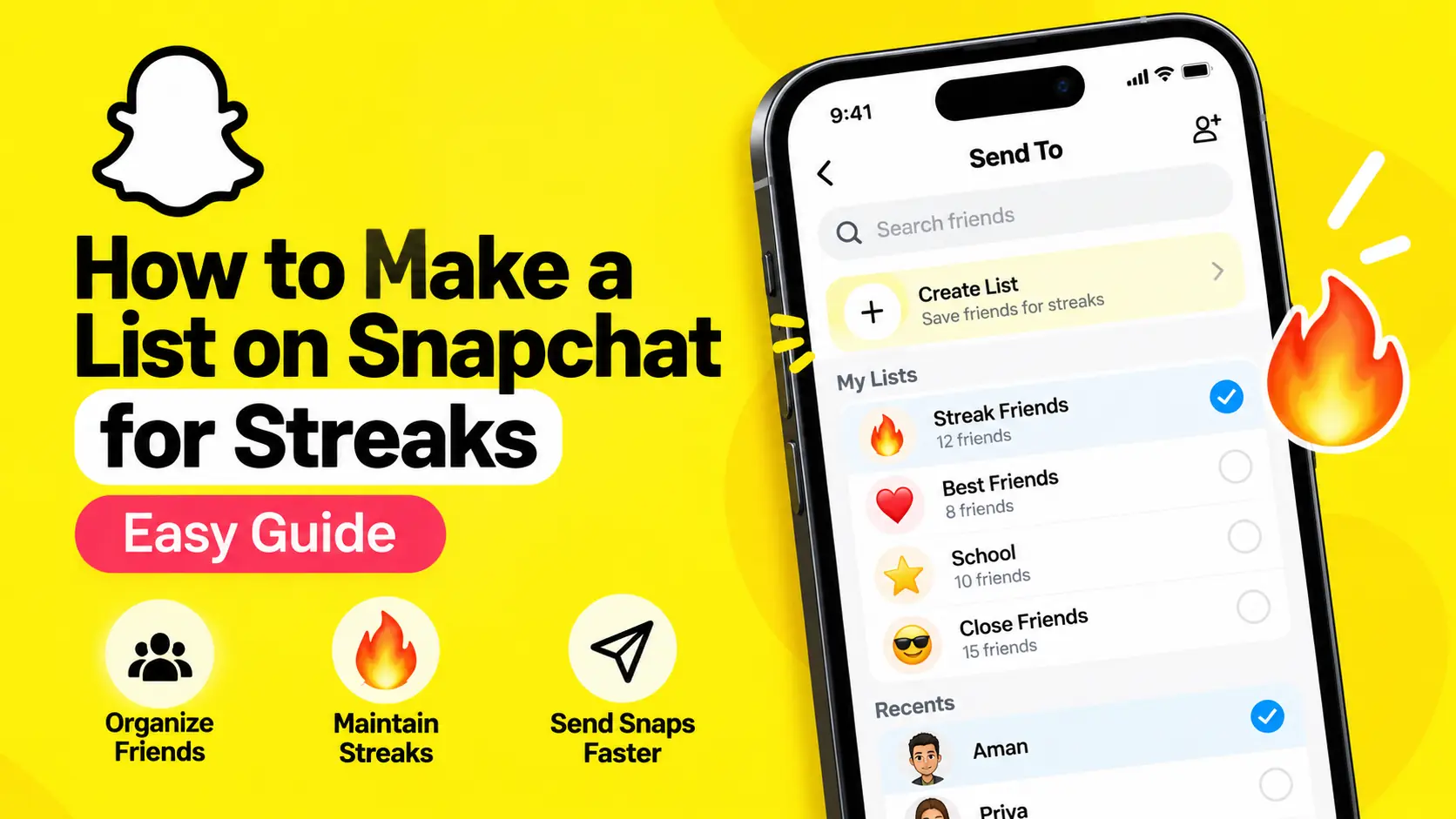
Snapchat Streaks can be fun to maintain, especially when you have several friends with whom you exchange Snaps every day. But as your friend list grows, remembering everyone and sending daily Snaps individually can become a little time-consuming.
That is where a Snapchat Shortcut or List can help. Instead of searching for the same friends every day, you can save a group of recipients and select them more quickly whenever you want to send a Snap.
In this guide, you will learn how to make a list on Snapchat for streaks, how to use it to send Snaps to multiple friends, how to manage your saved recipients, and what you need to know to keep your streaks active.
One important detail before we begin: Snapchat’s interface may offer both Shortcuts and Lists. These are recipient-selection tools, not automatic streak generators. You still need to send Snaps yourself and exchange qualifying Snaps with each friend to maintain individual streaks.
What Is a Snapchat Streak List?
A Snapchat streak list is a convenient way to group friends with whom you regularly exchange photo or video Snaps. Instead of selecting the same people individually every day, you can save them in a Shortcut or List and reuse that group when sending a Snap.
For example, imagine you have 15 friends with whom you maintain daily streaks. Searching for all 15 names every time you take a Snap can become repetitive. A saved group makes it easier to find and select those friends in one place.
Depending on the version of Snapchat available to you, you may see an option to create a Shortcut or create Lists from the Send To screen.
Snapchat’s official support documentation explains how to create a Shortcut and how to create Lists of friends and groups. You can find the instructions here:
- How to create a Shortcut on Snapchat — Official Snapchat Support
- How to send Snaps and create Lists — Official Snapchat Support
How to Make a List on Snapchat for Streaks
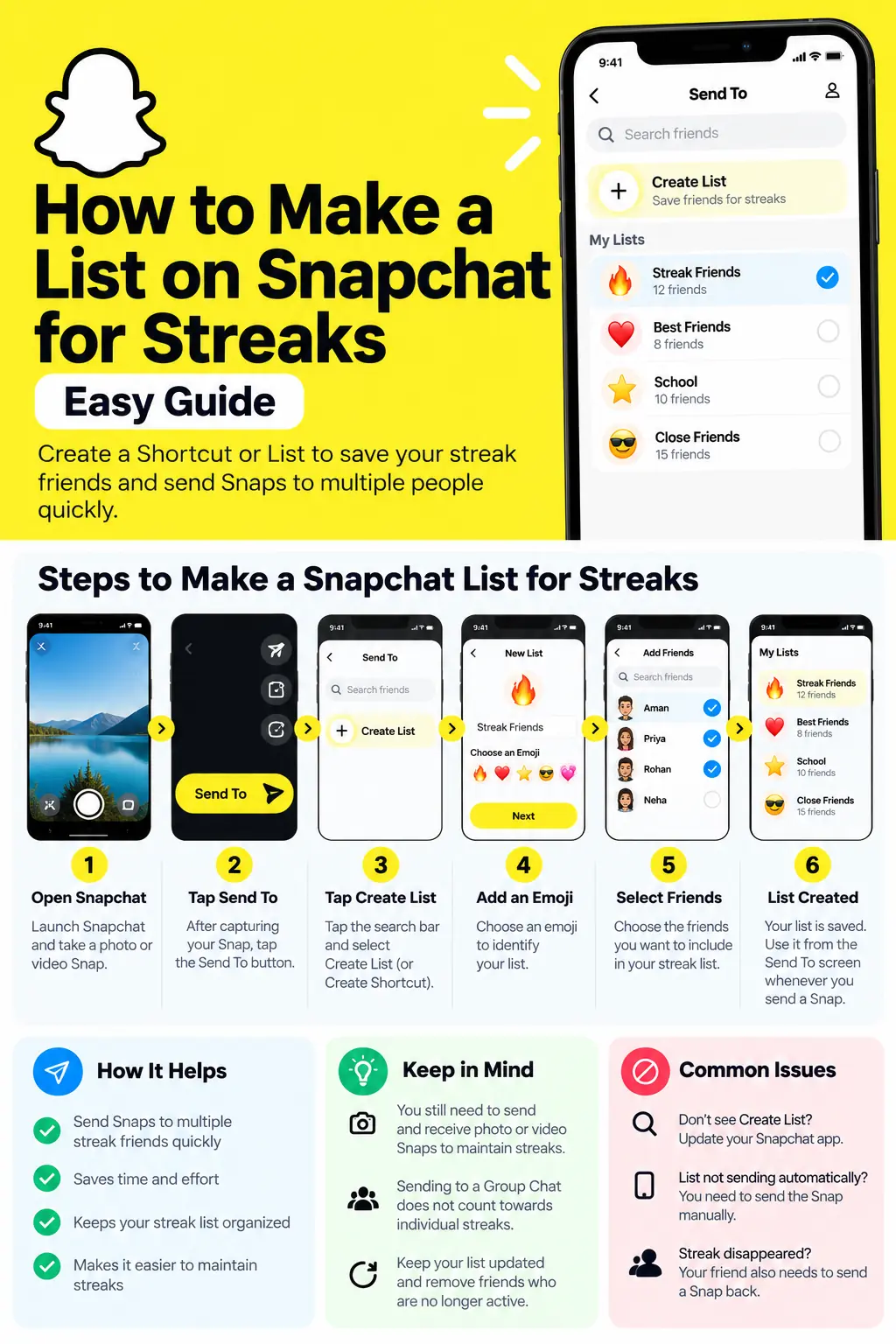
The following steps explain the built-in methods. Follow the option that appears in your Snapchat app.
Method 1: Create a Snapchat Shortcut
A Shortcut is useful when you regularly send Snaps to the same group of friends. Snapchat lets you select friends and assign an emoji to the Shortcut so you can recognize it later.
Step 1: Open Snapchat
Open Snapchat on your iPhone or Android phone and go to the Camera screen.
Step 2: Take a photo or video Snap
Capture a photo or record a short video that you want to send to your streak friends.
You do not need to create a special streak image every day. An ordinary photo or video Snap can work, provided it meets Snapchat’s streak requirements.
Step 3: Tap Send To
After capturing your Snap, tap the Send To button at the bottom of the screen.
This opens the recipient-selection screen, where you can choose friends, groups, or other available destinations.
Step 4: Tap the search bar
Look for the search bar on the Send To screen. Depending on your app version, the option to create a Shortcut may appear underneath it.
Tap Create Shortcut if you see it.
Step 5: Select your streak friends
Search for your friends or scroll through the list and select the people you want to include.
Take your time here. Add the friends with whom you actually want to exchange daily Snaps rather than selecting everyone in your contact list automatically.
Step 6: Choose an emoji
Snapchat asks you to choose an emoji to represent the Shortcut. Select something easy to recognize, such as 🔥, ❤️, or ⭐.
The emoji acts as a visual identifier for your saved recipient group.
Step 7: Create the Shortcut
Tap Create Shortcut to save it.
You can then access the Shortcut from the Send To screen and, according to Snapchat’s support instructions, at the top of the Chat screen.
Your saved Shortcut should make it easier to find your regular streak partners the next time you send a Snap.
Method 2: Create a List on Snapchat
Some Snapchat interfaces provide a separate Lists feature. If your app displays Create Lists, you can use that option to organize your friends and groups.
Here is how the documented workflow works:
- Open Snapchat and capture a photo or video Snap.
- Tap Send To.
- Tap the search bar.
- Select Create Lists, if the option appears.
- Choose an emoji to identify your list.
- Select the friends or groups you want to include.
- Save the list.
- When sending future Snaps, open the Send To screen and select the saved list if it is available.
Snapchat’s support documentation also describes managing saved lists through My Lists on the Send To screen.
If your app displays Create Shortcut instead of Create Lists, use the Shortcut method above. Do not worry if your screen looks slightly different from a tutorial recorded on another phone; app layouts and available controls can change.
How to Send a Snap to Your Streak List
Once you have created a Shortcut or List, using it is straightforward.
- Open Snapchat and take a photo or video Snap.
- Tap Send To.
- Find your saved Shortcut or List.
- Select the group or the recipients you want to send the Snap to.
- Review the selected friends before sending.
- Tap the blue send arrow.
If your version of Snapchat offers a way to select all members of the saved group, you can use it after opening that group. However, do not assume that every version provides a separate Select All button.
You can send the same Snap to multiple selected friends without creating a Group Chat. This is useful when you want to send an ordinary daily update to several people.
Remember: Sending one Snap to multiple friends does not automatically guarantee that all your streaks will continue. Each friend must also send you a qualifying photo or video Snap within the required daily period.
How to Keep Your Snapchat Streaks Alive
Creating a list makes sending Snaps easier, but maintaining a streak depends on the exchange between you and each friend.
Snapchat explains that a Snapstreak continues when both people send each other photo or video Snaps every day. The fire emoji appears when a streak has started, and the number beside it shows how many days it has lasted.
Here are a few practical habits that can help.
1. Send a qualifying Snap every day
Make a habit of sending a photo or video Snap to each friend with whom you want to maintain an individual streak.
A normal text message in Chat is not a substitute for the required photo or video Snap exchange.
2. Check that your friends respond
Your Snap alone is not enough to maintain an individual streak. Your friend must also send a qualifying Snap back within the daily period.
A saved list helps you send your side of the exchange, but it cannot control whether another person replies.
3. Watch for the hourglass emoji
If an hourglass appears beside a conversation, Snapchat is warning that the streak is close to expiring.
Try to exchange the required Snaps promptly. Do not assume that sending a Snap to your entire saved list will solve every streak issue if some recipients do not respond.
4. Keep your list updated
Friends may stop using Snapchat, change accounts, remove you, or decide not to maintain a streak anymore.
Review your saved group occasionally and remove people who no longer belong in it. This keeps the list manageable and reduces the chance of sending unnecessary Snaps.
5. Create a routine that works for you
Some people send their daily Snaps in the morning, while others prefer the evening. Choose a time that fits your routine, but avoid waiting until the last minute if you have several streaks to maintain.
You can also keep your list small and organized instead of trying to maintain streaks with every person you have ever added.
For more information, read Snapchat’s official guide: How do Streaks work and when do they expire?.
Can You Send a Snap to All Your Snapchat Friends at Once?
You can select multiple friends on Snapchat’s Send To screen and send them the same Snap. A Shortcut or List makes it easier to reuse a group of recipients.
However, this is different from a universal button that automatically sends a Snap to every friend in your account. Snapchat’s official sending instructions explain how to select recipients and create saved groups, but they do not establish a universal send-to-every-friend feature.
It is also important to distinguish between these three options:
- Sending to multiple friends: One Snap can be sent to several individually selected recipients.
- Sending to a Group Chat: The Snap goes into a shared group conversation.
- Posting to a Story: The Snap is shared with the audience permitted by your Story settings.
These options are not interchangeable when it comes to maintaining individual streaks. Snapchat specifically notes that Snaps sent to a Group Chat do not count toward individual Snapstreaks with each member, although a Group Streak may be maintained separately.
For individual streaks, use your saved list to send directly to the relevant friends.
Snapchat Shortcut vs. List: Which Should You Use?
Both approaches can help you organize recurring recipients. The right choice depends on which feature is available in your app and how you prefer to manage your friends.
| Feature | Shortcut | List |
|---|---|---|
| Main purpose | Quickly select recurring recipients | Organize friends and groups |
| Setup | Select friends and choose an emoji | Create a list and choose an emoji |
| Reuse | Available from the Send To screen and Chat screen | Managed through My Lists when available |
| Automatic sending | No | No |
| Guarantees streaks | No | No |
The labels and controls may vary, so use the option Snapchat actually shows on your account rather than relying on a particular button being present.
Common Problems When Making a Snapchat Streak List
I cannot find the Create Shortcut option
Open the Camera screen, take a Snap, tap Send To, and check underneath the search bar. Snapchat’s documented Shortcut workflow starts there.
If the option is missing, update Snapchat through your phone’s official app store and check again. The feature’s placement or availability may differ by version.
I cannot find Create Lists or My Lists
Snapchat documents a Lists workflow, but the available interface can vary. Check the Send To screen and its search bar for the relevant option. If your app only offers Create Shortcut, use that feature to group streak partners.
My list does not send Snaps automatically
That is expected. A Shortcut or List is a recipient-selection tool, not an automated messaging system. You must create or select your Snap and send it yourself.
Avoid third-party services that claim they can automatically maintain streaks by asking for your Snapchat password. Such services can put your account and personal information at risk.
My streak disappeared even though I sent a Snap
An individual streak requires both people to exchange qualifying photo or video Snaps daily. Sending your Snap does not guarantee that the streak will continue if your friend does not send one back.
If a streak has expired, check Snapchat’s official support information to see whether a restoration option is available.
More Snapchat Guides Worth Reading
If you use Snapchat regularly, these guides can help you understand other features and common expressions on the platform.
- What Is Snapchat? How It Works and What Is It Used For? — Learn about Snapchat’s main features, messaging tools, Stories, and how the app works.
- What Does SMH Mean on Snapchat? Meanings of SMH, ROFL, and OMFG — Understand popular abbreviations you may encounter in chats.
- How to Get Verified on Snapchat — Explore Snap Star verification, eligibility considerations, and the official application process.
- What Does MHM Mean on Snapchat? — Find out what MHM means and how people use it in conversations.
- How to Get Dark Mode on Snapchat — Learn about Snapchat’s dark appearance options and how to check the settings available on your device.
Frequently Asked Questions
1. Can I create a list specifically for Snapchat streaks?
Yes. You can use Snapchat’s built-in Shortcut or Lists feature to group friends with whom you regularly exchange Snaps. The feature is designed to make selecting recurring recipients easier.
2. Do I need Snapchat+ to create a streak list?
Snapchat’s documented Shortcut and Lists workflows do not state that a Snapchat+ subscription is required. If the feature is missing from your app, check the current interface and official support instructions.
3. Can I add or remove friends from my list?
You can manage your saved recipients using the available Shortcut or Lists controls. The precise editing steps depend on the feature and interface your account displays.
4. Does sending one Snap to everyone maintain all my streaks?
No. Sending a Snap to multiple selected friends can save time, but each individual streak requires the appropriate daily photo or video Snap exchange between you and that friend.
5. Do text messages count toward Snapstreaks?
No. Snapchat’s official rules require photo or video Snaps exchanged between the participants. Ordinary Chat messages alone do not maintain an individual Snapstreak.
6. Can a Group Chat maintain my individual streaks?
No. Snapchat treats individual Snapstreaks and Group Streaks separately. A Snap sent to a Group Chat does not count toward your individual streak with every member.
7. Is there a way to automate streaks completely?
A saved Shortcut or List does not automate sending or replying. It simply makes recipient selection easier. Be cautious about third-party tools that promise automatic streaks or request your login credentials.
Final Thoughts
Learning how to make a list on Snapchat for streaks can save time if you exchange daily Snaps with several friends. The easiest approach is to create a Shortcut from the Send To screen, select your regular streak partners, choose an emoji, and save it. If your app offers Create Lists, you can use that workflow instead.
Once your group is ready, select it whenever you send a Snap and review the recipients before tapping the blue arrow. Just remember that a list makes sending easier; it does not maintain streaks automatically. You and each friend must continue exchanging qualifying photo or video Snaps every day.
For the most accurate instructions, refer to Snapchat’s official Shortcut guide and official Snapstreak rules.
Helpful official sources
- Snapchat Support: How do I create a Shortcut?
Snapchat Support
- Snapchat Support: How do I send Snaps?
- Snapchat Support: How do Streaks work and when do they expire?
- Snapchat Support: Group Chats