
The way we use the internet could be changing. For years, browsers have helped us visit websites, search for information, compare products, read articles, and switch between dozens of open tabs. But finding information is only one part of getting something done. We often need to turn that information into a plan, a comparison, a schedule, or a tool we can actually use.
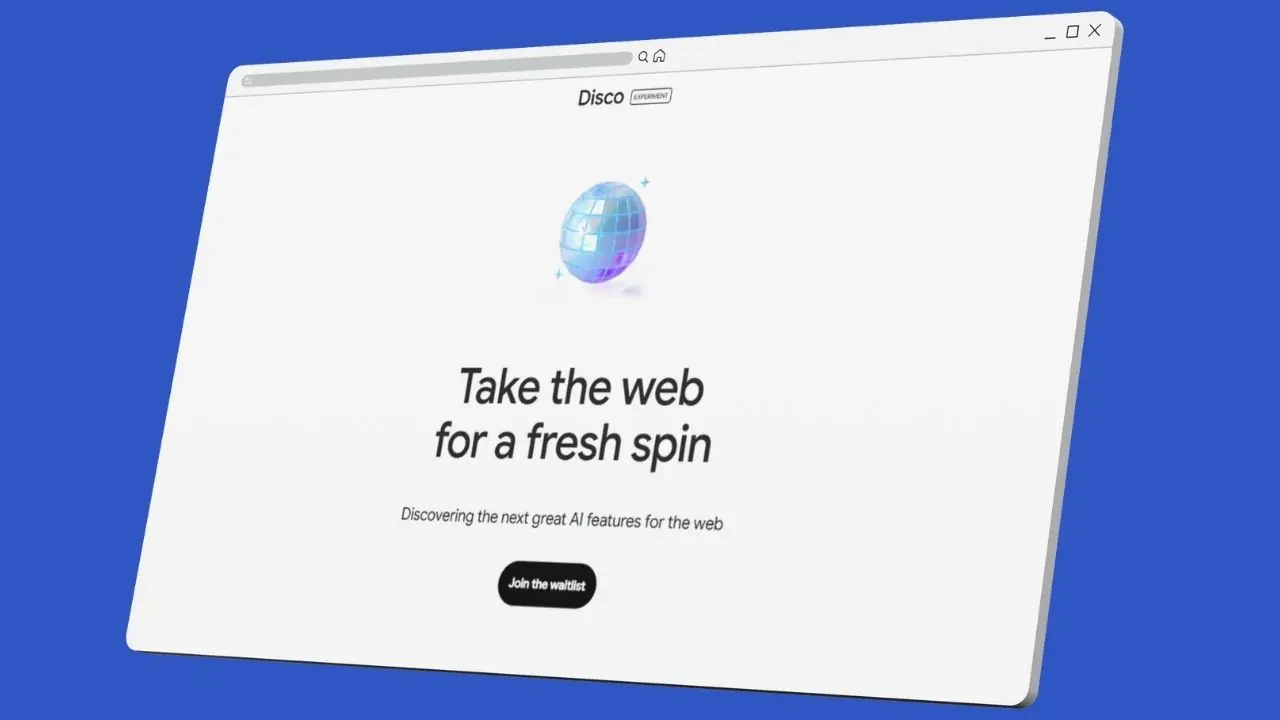
Google is exploring a different approach with Disco, an experimental AI browsing experience that can build interactive applications from the information you discover online.
Powered by Google’s Gemini AI, Disco introduces a feature called GenTabs. It can turn your open browser tabs and your goal into a custom, interactive experience without requiring you to write code.
Imagine researching a holiday and getting a personalized travel planner, comparing recipes and receiving an interactive meal planner, or studying science and creating a visual learning tool from the pages you have already opened.
Instead of making you jump between websites and applications, the browser attempts to bring the information together in one useful place.
So, what exactly is Google Disco, how does it work, and could it change the way we use the internet?
Let’s explore.
What Is Google Disco?
Google Disco is an experimental browsing experience developed by Google Labs to explore new ways of combining web browsing with generative AI.
Unlike a traditional browser, which primarily displays websites, Disco explores how AI can help users transform information from multiple web pages into interactive tools.
Its first major feature, GenTabs, is designed to understand what you are trying to accomplish and generate a custom application to support that task.
For example, suppose you open several websites to research a trip to Japan. You might have pages about flights, hotels, attractions, local transport, weather, and seasonal events.
A conventional browsing experience leaves you to collect the information, compare options, and create your own itinerary.
With Disco, the idea is to use that browsing context to generate an interactive travel planner tailored to your research.
Google announced Disco on December 11, 2025, as a Google Labs experiment. Its initial access was offered through a waitlist, starting with macOS. It was not announced as a general replacement for Google Chrome.
You can explore the official project here: Google Labs Disco.
What Is GenTabs, and How Does It Build Apps?
GenTabs is the central idea behind Disco. It uses information from your open tabs, your goal, and relevant chat context to generate a custom interactive experience.
The important distinction is that the result is intended to be more than a summary of the websites you have visited.
A summary tells you what the pages say. An interactive application can help you organize, compare, calculate, plan, or explore that information.
Here is how the process works conceptually.
1. Browse the web as you normally would
Start by opening websites relevant to your task.
You might research a destination, read educational articles, compare products, explore recipes, or collect information for a project.
Each page contributes information that can help the AI understand the broader task.
2. Tell the AI what you want to accomplish
Rather than asking only for a summary, describe the outcome you need.
For example:
- Create a travel planner from these websites.
- Build an interactive comparison of these products.
- Turn these science articles into a visual learning tool.
- Organize these recipes into a weekly meal plan.
Your goal helps shape the kind of application the system generates.
3. Let GenTabs create a custom application
GenTabs uses Gemini 3 to generate an interactive experience based on your browsing context and instructions.
Depending on the task, that experience might include structured information, visualizations, interactive controls, or other elements that make the information easier to use.
The generated application is intended to fit the task rather than force you into a generic, prebuilt interface.
4. Refine the result using natural language
The first version may not be exactly what you need.
You can continue refining it with instructions such as:
- Add a budget comparison.
- Organize the information by date.
- Show the most important differences first.
- Add a checklist for each stage.
- Make the layout easier to understand.
This makes the process more conversational. Instead of manually building every component, you describe the changes you want.
5. Follow the original sources
Google says GenTabs links generative elements back to their original web sources.
This is important because the generated experience should not become an isolated replacement for the information that informed it. Source links can help users return to the original pages and examine the underlying material.
However, source links alone do not guarantee that every generated statement is accurate. Important details should still be verified.
Google Disco vs. a Traditional Browser
The biggest difference is the role of the browser itself.
| Feature | Traditional browser | Google Disco with GenTabs |
|---|---|---|
| Main purpose | Access and display websites | Explore task-focused AI browsing |
| Working with multiple tabs | Users organize and compare pages | AI can use browsing context to create a unified experience |
| Creating a tool | Usually requires another application | Can generate an interactive mini-app |
| Customization | Mostly manual | Natural-language refinement |
| Source material | Original websites | Generated experiences can link to original sources |
| Coding required | Depends on the tools you use | GenTabs is designed to create apps without requiring users to write code |
Traditional browsers are not incapable of performing these tasks. You can already use spreadsheets, AI assistants, note-taking applications, and website builders alongside your browser.
Disco’s experiment is about reducing the distance between finding information and using it.
What Can You Build With Google Disco?
The possibilities depend on the task, the available information, and the quality of the generated experience. Google has highlighted examples including meal planning, trip planning, gardening, and educational tools.
Here are some practical applications.
1. Build a personalized travel planner
Planning a trip can involve researching dozens of websites.
You may need to compare hotels, identify attractions, understand transport options, check opening hours, estimate expenses, and organize everything into a schedule.
A generated travel planner could bring relevant information into one interactive experience.
You could use it to organize destinations by day, compare estimated expenses, and refine your itinerary as your plans change.
You would still need to confirm important details, such as prices, availability, visa requirements, and opening hours, with authoritative sources.
2. Turn research into a learning application
Students often read several articles or watch videos before understanding a difficult subject.
GenTabs could transform relevant research into an interactive learning experience with organized explanations, visual aids, and ways to explore a concept.
For example, a student studying the solar system might create a learning tool that organizes planets by size, distance, composition, and other characteristics.
This approach could make research more active instead of requiring students to move repeatedly between unrelated pages.
3. Create a weekly meal planner
Finding recipes is easy. Turning them into a practical weekly plan is more complicated.
You need to consider preparation time, ingredients, dietary preferences, serving sizes, and grocery requirements.
A custom meal-planning application could organize recipes from your open tabs into a weekly schedule and generate a combined shopping list.
The usefulness of the result would depend on whether the source information is correctly understood and whether the application handles quantities and dietary requirements accurately.
4. Compare products before buying
Imagine researching laptops, smartphones, cameras, or home appliances.
You might open manufacturer pages, independent reviews, specification sheets, and retailer listings.
An AI-generated comparison tool could organize the information into a structured view, helping you compare specifications, prices, advantages, and limitations.
For purchasing decisions, verify current prices, warranty terms, and technical specifications directly with the relevant sources.
5. Organize a personal project
Suppose you are planning a home renovation, researching a business idea, or preparing for a professional certification.
Your browser may contain tutorials, checklists, guides, cost estimates, and reference documents.
A custom application could turn those resources into a project dashboard, breaking the work into stages and helping you track the information you need.
The browser becomes more than a place to collect links. It becomes a workspace for turning research into action.
How Google Disco Could Change the Future of Web Browsing
The more interesting question is not simply whether AI can build a mini-app. It is what happens when this capability becomes a regular part of browsing.
From searching for pages to completing tasks
The traditional web experience usually follows a familiar pattern:
- Search for information.
- Open multiple websites.
- Read and compare the results.
- Move the useful information into another application.
- Organize it into something actionable.
An AI-powered browser attempts to reduce the number of steps between research and completion.
Instead of manually assembling the result, users can ask the browser to generate a suitable tool from the information they have already gathered.
This does not eliminate the need to evaluate sources or make decisions. It changes how much manual organization may be required.
The browser could become a personal workspace
Most people use several applications to complete a single task.
Someone planning a trip might use a search engine, spreadsheet, map, calendar, booking service, and notes application.
A generated interface could bring some of the planning process together, giving users a task-specific workspace rather than another generic application.
The important idea is personalization. A person planning a family holiday needs a different tool from someone organizing a business trip, even if both start with similar websites.
Software could become more adaptable
Traditional software is built around predefined features and interfaces.
An AI-generated application explores a different model: create an interface around the user’s immediate needs.
Someone who needs a temporary comparison table may not want to install a dedicated product comparison application. A student who wants to explore a particular topic may not need an entire learning platform.
In some cases, a lightweight, task-specific application could be enough.
However, complex or recurring workflows may still benefit from established software with reliable data storage, integrations, permissions, and support.
Natural language could become a new interface
People do not always know which buttons, menus, or features they need.
They often know what they want to achieve but not how to configure the software to achieve it.
Natural-language interaction can help bridge that gap.
Instead of learning an application’s interface, a user might describe the desired outcome and refine it through conversation.
This could make certain digital tasks more accessible to beginners, provided the generated applications remain understandable and easy to control.
What Does Google Disco Mean for Website Owners and Publishers?
For website owners, SEO professionals, bloggers, and publishers, AI-generated browsing introduces an important question: if a browser can transform information into an application, how will users discover and interact with the original websites?
There are several implications worth considering.
Original sources still matter
Google says GenTabs links generative elements to their original sources.
That creates a potential pathway back to the websites that supply useful information. Publishers that provide accurate, relevant, and well-organized content can remain valuable resources within AI-assisted workflows.
However, a source link is not a guarantee of a visit. A generated application may satisfy some of a user’s needs without requiring them to open every source page.
Website owners should avoid assuming that AI browsing will automatically increase traffic.
Useful content may become more important than content volume
A website can publish hundreds of pages without providing a genuinely useful resource.
For AI-assisted research, content that clearly explains a topic, provides reliable details, answers specific questions, and supports its claims may be easier for people and AI systems to use effectively.
This is not a guarantee of selection by GenTabs or any other AI product. Google has not established that following a particular content formula guarantees inclusion.
Still, producing genuinely useful content remains a sensible editorial strategy.
Structured information can improve usability
Clear headings, descriptive tables, concise explanations, accurate specifications, and accessible page layouts help people find information.
Structured data can also help search engines understand eligible content types when implemented correctly, although it does not guarantee that a page will be used by an AI-generated application.
Website owners should focus on making information understandable and verifiable rather than trying to optimize for an unconfirmed GenTabs ranking factor.
Publishers should monitor referral traffic
If AI-powered browsing becomes more widely used, publishers will need to understand how it affects discovery and referral visits.
Track available analytics, referral sources, engagement, conversions, and changes in how visitors arrive at your website.
The effect may vary by content type. A detailed tutorial, a product specification page, a recipe, and an opinion article may serve different purposes in an AI-assisted browsing session.
For now, these are considerations for the future rather than proven traffic outcomes from Disco.
Is Google Disco Replacing Chrome?
No. Google introduced Disco as an experimental Google Labs project designed to explore new possibilities for browsing.
It should not be confused with a confirmed replacement for Chrome or a universally available browser product.
Google’s stated approach is to experiment with new ideas, gather feedback, and learn which features are useful. The company has said that compelling ideas from Disco could eventually make their way into larger Google products, but that is not a guarantee that every feature will be released.
You can find the latest project information on the official Google Labs Disco page.
Is Google Disco Available to Everyone?
Disco was initially introduced through a waitlist, with early access starting on macOS.
Because it is an experimental product, availability, supported platforms, and features can change over time. Check the official Google Labs page for the current access process rather than assuming that a public download is available for every device or region.
The experiment also should not be treated as a production-ready replacement for established business applications.
If you need dependable tools for financial records, sensitive business information, or critical operations, verify the product’s current capabilities, privacy terms, data handling, and reliability before relying on it.
Limitations and Concerns to Consider
Building applications with AI sounds convenient, but there are practical issues to consider.
1. Generated information may be wrong
An AI system can misunderstand a page, overlook an important qualification, or produce an incorrect summary.
A polished interface can make incorrect information appear more reliable than it really is.
Always verify important claims against the original sources, especially when dealing with financial, medical, legal, or safety-related decisions.
2. Interactive does not automatically mean functional
A generated interface may look like a complete application without supporting every behavior users expect.
Calculations, filters, schedules, and other interactive elements should be tested before relying on them.
A generated travel planner, for example, is not necessarily connected to live booking systems. A shopping comparison may not reflect the latest prices.
3. Privacy needs careful consideration
Disco’s concept uses browsing context and chat history to personalize generated experiences.
Users should review the product’s current privacy information and understand how browsing activity, prompts, and generated content are handled.
Avoid entering confidential information or sensitive personal data into an experimental tool unless you understand and accept its data-handling practices.
4. Source attribution remains important
Links to original sources are useful, but users should be able to distinguish between information taken from a website and conclusions generated by AI.
When an application combines material from multiple publishers, the ability to trace individual claims back to their sources helps users evaluate accuracy and context.
5. Not every task needs an AI-generated app
Sometimes the simplest solution is still the best.
A basic search, a calculator, a spreadsheet, or a conventional website may be faster and more reliable than generating a new interface.
The value of Disco will depend on whether it saves meaningful effort without adding unnecessary complexity.
Google Disco vs. Other AI Browsing and App-Building Tools
Disco sits within a broader movement toward AI-assisted browsing and software creation.
Several categories of tools are exploring related ideas, but they are not identical.
| Tool category | Primary purpose |
|---|---|
| Traditional web browsers | Access websites and web applications |
| AI-assisted browsers | Help users understand, navigate, and interact with web content |
| AI research assistants | Gather, summarize, and synthesize information |
| AI app builders | Generate applications from natural-language instructions |
| Google Disco with GenTabs | Experiment with generating task-specific interactive applications from browsing context |
The distinguishing idea behind GenTabs is its relationship with the pages already open in the browsing session.
Rather than starting with a blank application builder, the user begins with information they have discovered and a task they want to complete.
The categories can overlap, and competing products may offer similar features. The comparison is therefore about their central approaches, not a claim that only Disco can generate interactive applications.
The Bigger Idea: What If the Web Built the Tool You Needed?
For decades, the web has offered an enormous collection of information and applications. Users have had to learn how to navigate those resources and assemble them into a useful result.
AI introduces the possibility of a more adaptive experience.
Imagine researching a subject and receiving a personalized study tool. Imagine comparing several services and getting an interactive decision matrix. Imagine collecting information for a project and turning it into a dashboard without manually transferring everything into a separate application.
This is the broader idea behind AI-generated browsing: the browser could become a place where information is not only discovered, but also transformed into tools for completing tasks.
There are important challenges to solve, including accuracy, privacy, source attribution, reliability, and the long-term usefulness of generated applications.
Disco is an experiment, not proof that the future of browsing has already arrived. But it offers a useful glimpse of a possible direction for the web.
Frequently Asked Questions
What is Google Disco AI browser?
Google Disco is an experimental AI browsing experience from Google Labs. Its GenTabs feature uses Gemini AI to create interactive applications based on open tabs and the user’s goals.
What is GenTabs in Google Disco?
GenTabs is a feature that transforms browsing context into custom, interactive mini-apps. Examples include travel planners, meal planners, gardening tools, and educational experiences.
Does Google Disco require coding?
GenTabs is designed to let users describe and refine applications using natural language rather than writing code. The complexity and reliability of the generated result can vary.
Is Google Disco free?
Check the official Google Labs page for current access conditions and any applicable requirements. Its initial announcement described a waitlist-based experiment, so availability should not be assumed.
Can Google Disco build a complete website?
GenTabs focuses on creating task-specific interactive applications within the browsing experience. It should not be assumed to replace a full website development workflow, production hosting, testing, security reviews, or ongoing maintenance.
Will Google Disco replace Chrome?
Google has not announced Disco as a general replacement for Chrome. It is an experiment exploring potential future browsing features.
How can website owners prepare for AI-powered browsing?
Publish accurate, helpful, well-structured content; make pages accessible; provide clear source information; and monitor referral traffic. Avoid relying on unverified claims about how a specific experimental AI browser selects sources.
Final Thoughts
Google Disco explores an interesting possibility: a browser that does more than display web pages.
With GenTabs, users can describe a goal and generate an interactive tool from the information they have already collected. That could make research, learning, planning, and comparison easier by reducing the need to move information manually between applications.
Whether this approach becomes a mainstream browsing feature depends on how well it handles accuracy, privacy, usability, and real-world tasks.
For now, Disco is best understood as an early experiment in a broader shift toward AI-assisted software: instead of searching for the perfect application, users may increasingly be able to create a tool that fits the task in front of them.
For the latest details and access information, visit Google Labs Disco.
Also Read:
What’s New After ChatGPT 6 ? Latest Updates Everyone Is Talking About
Grok AI Guide 2026: Features, Benefits & ChatGPT Compared
Bing AI Image Creator (2026): Create Professional Art for Free