
TL;DR: Can You Actually Do It?
Yes, but with a catch. ChatGPT cannot click “Install” on your hosting dashboard, but it acts as a world-class architect and lead developer. In 2026, it can write entire WordPress themes, debug complex PHP errors, and generate SEO-optimized content. You provide the hosting; ChatGPT provides the brains.
The New Reality of WordPress Development
Imagine it’s a rainy Tuesday morning. You’ve finally decided to launch that side hustle, but the quote from the local web agency just hit your inbox: $5,000 and six weeks. Your heart sinks. You have the vision, but you don’t have the “dev-speak” or the deep pockets.
Enter the “Smart Friend” in your browser.
Using ChatGPT for WordPress isn’t just a trend; by mid-2026, it has become the standard “co-pilot” for millions. Statistics show that AI-assisted development has reduced the time to launch a Minimum Viable Product (MVP) by nearly 70%.
But here is the honest truth: ChatGPT is a powerful engine, but you are still the driver. It won’t build the site for you while you sleep, but it will hold your hand through every line of code and every design choice.
The Blueprint: How to Build a WordPress Website with ChatGPT
Building a site with AI is like Lego. You have all the pieces; you just need the instructions. Here is the step-by-step reality of using ChatGPT WordPress workflows today.
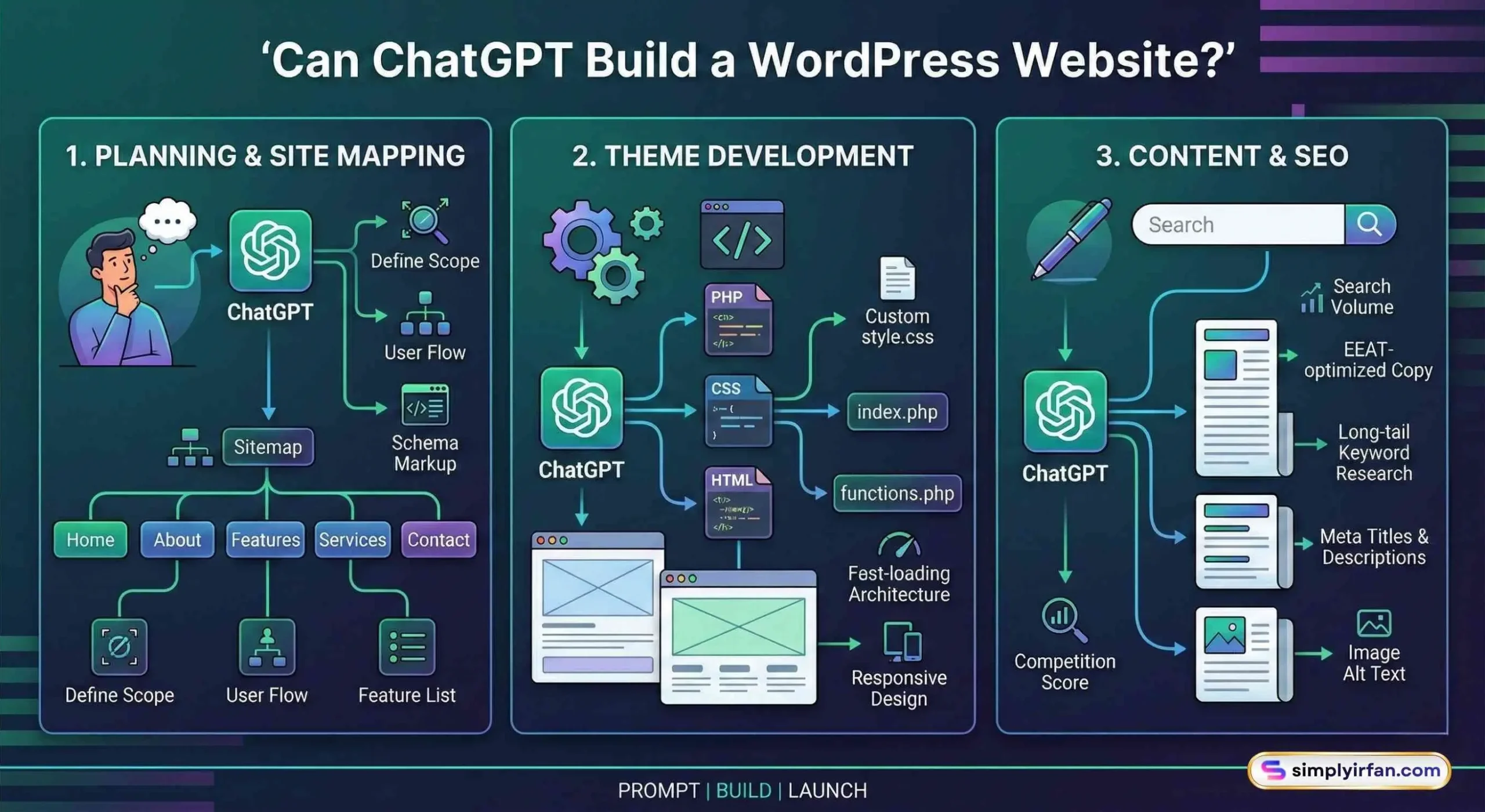
1. Planning and Site Mapping
Before you touch a single plugin, you need a plan. Ask ChatGPT: “I am building a boutique coffee brand website. Give me a 5-page sitemap and the essential features I need to compete in 2026.”
It won’t just say “Home” and “About.” It will suggest:
- A High-Converting Landing Page with specific sections.
- Schema Markup suggestions for local SEO.
- A list of must-have plugins for speed (like WP Rocket or LiteSpeed Cache).
2. Coding a WordPress Theme Using ChatGPT
This is where the magic happens. You no longer need to settle for a bloated, slow-loading pre-made theme. You can build a lightweight, custom WordPress theme using ChatGPT.
Don’t ask it to “write a whole theme” at once. It will time out. Instead, ask for the
style.cssfile first, then theindex.php, then thefunctions.php.
3. Content and SEO Mastery
Writing “fluff” is the death of SEO in 2026. Because ChatGPT now has access to real-time search data, you can ask it to:
- Perform keyword research for your specific niche.
- Write meta descriptions that actually get clicks.
- Draft blog posts that follow the EEAT (Experience, Expertise, Authoritativeness, Trustworthiness) guidelines.
The Hard Data: AI vs. Human Development (2026)
Is it worth the effort to DIY with AI, or should you just pay a pro? Let’s look at the numbers.
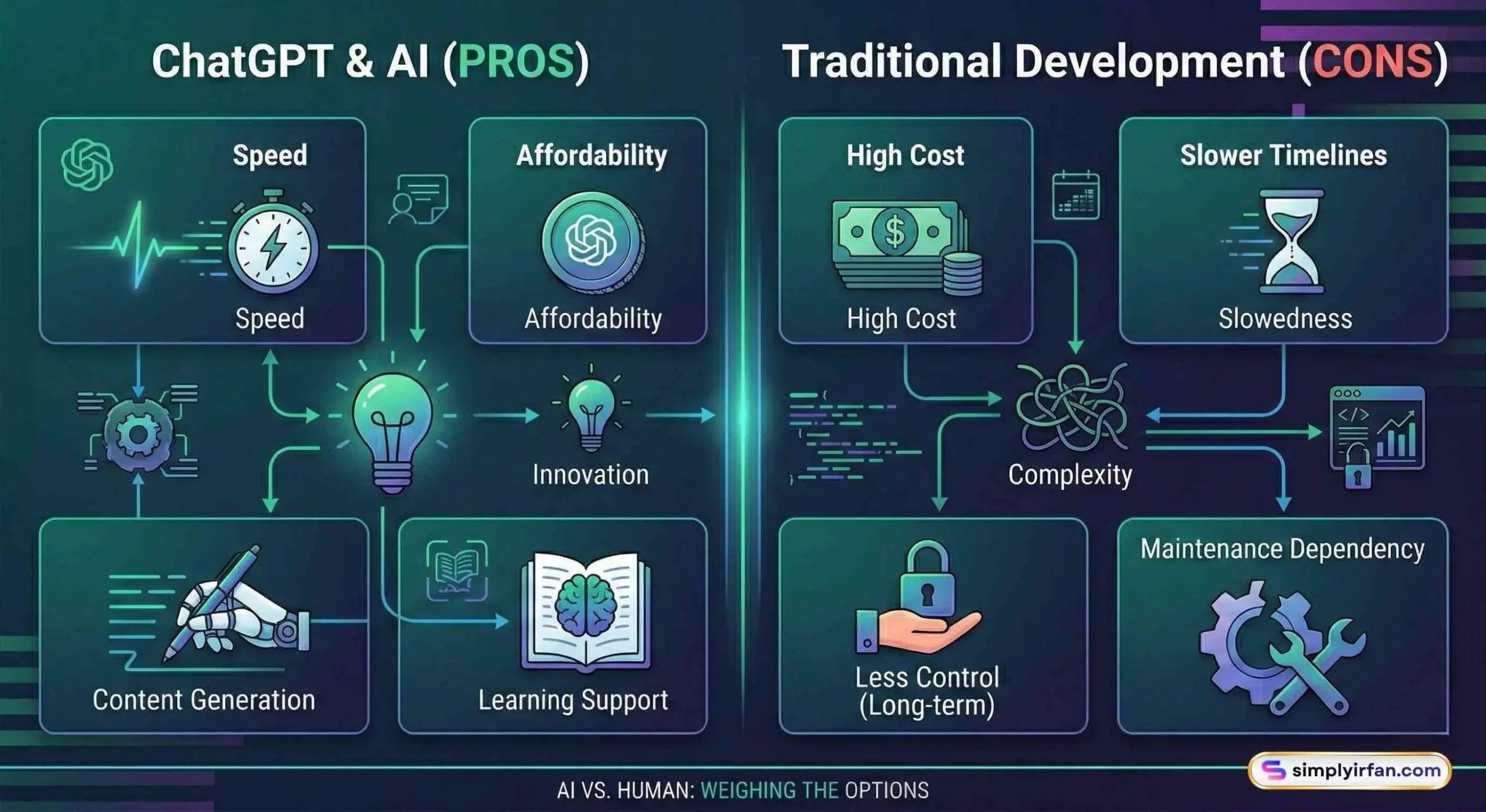
| Feature | DIY with ChatGPT | Professional Agency |
| Cost | $20 – $100 (Hosting + AI Sub) | $2,500 – $10,000+ |
| Time to Launch | 2–5 Days | 4–8 Weeks |
| Customization | High (if you can prompt) | Infinite |
| Maintenance | You are the admin | Managed by Agency |
| Security | Requires manual checking | Guaranteed by Pro |
Statistical Insight: As of 2026, over 190 million people use ChatGPT daily. A significant portion of these are small business owners bypassing traditional development costs to get online faster.
Common Pitfalls: Where AI Can Fail You
I’d be a bad friend if I didn’t tell you the risks. AI isn’t perfect.
- The “Hallucination” Bug: Sometimes ChatGPT suggests a plugin that doesn’t exist or writes code that’s two years out of date. Always test your code in a “Staging Environment” first.
- Security Gaps: AI might write code that works but isn’t “hardened” against hackers.
- The Look and Feel: AI can give you the code for a beautiful layout, but it doesn’t have “eyes.” You still need to tweak the padding, colors, and margins to make it look professional.
Actionable Insights for Success
If you’re ready to start, follow these three golden rules:
- Be Ultra-Specific: Instead of saying “Make a contact page,” say “Write the PHP and CSS for a responsive contact form with three fields: Name, Email, and Project Type, using a minimalist aesthetic.”
- Use “Code Snippets” Plugins: Don’t go hacking your core files. Use a plugin like Code Snippets to safely add the code ChatGPT gives you.
- Audit the Output: Treat ChatGPT like a very fast junior developer. It does the heavy lifting, but you (the Senior Dev) must review the work.
Summary: Your Launch Checklist
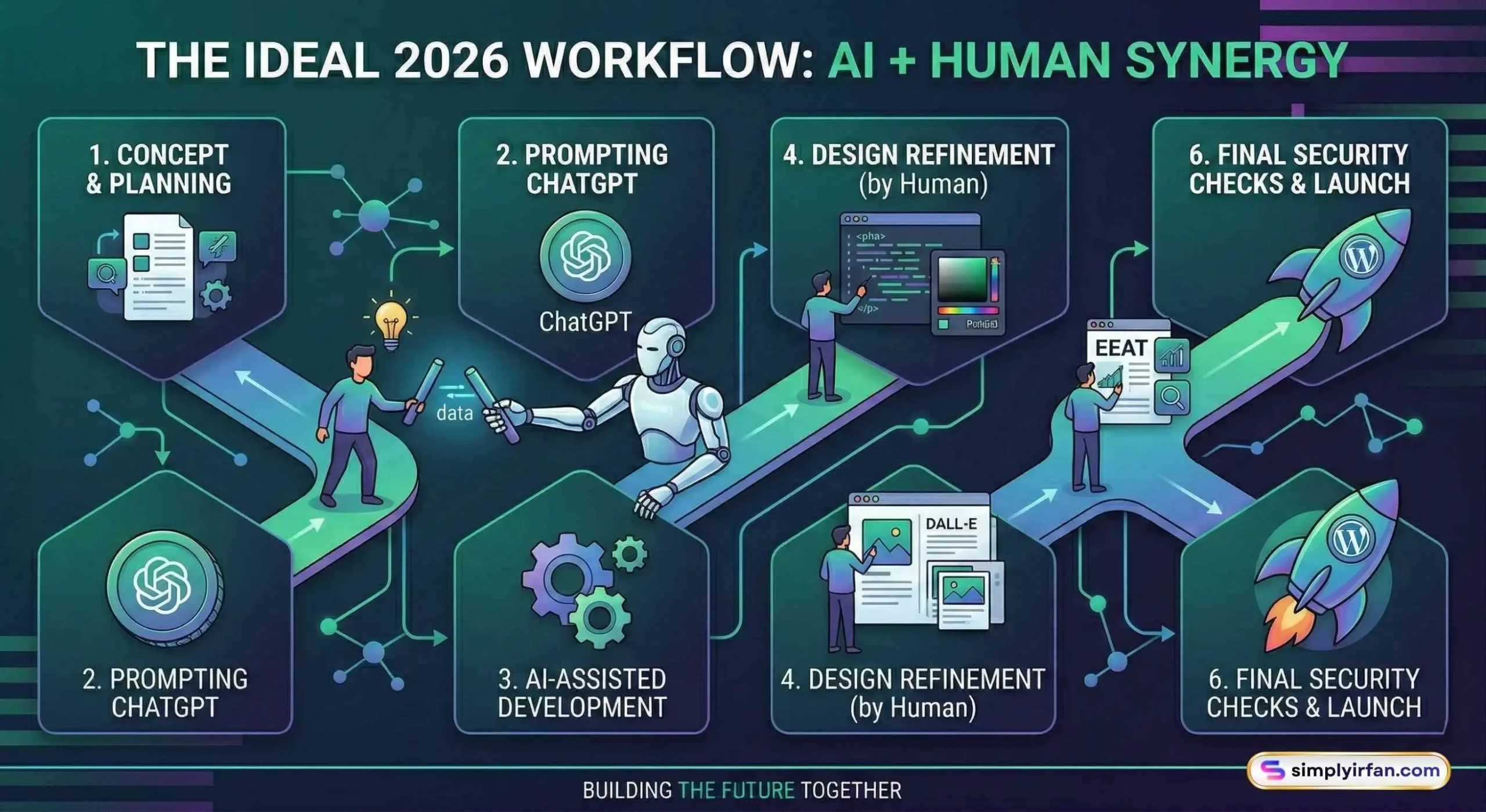
- Hosting: Get a WordPress-optimized host.
- Prompting: Use ChatGPT to define your sitemap and brand voice.
- Development: Build your WordPress theme using ChatGPT piece by piece.
- Plugins: Ask for recommendations but verify them on the WordPress repository.
- Launch: Use AI to generate your final SEO meta tags and launch!
Frequently Asked Questions (FAQ)
1. Is it safe to use ChatGPT-generated code on my website?
Yes, but you should always review it. ChatGPT is excellent at syntax but can sometimes miss security best practices. Use a security plugin like Wordfence to keep things locked down.
2. Do I need to know how to code?
Not necessarily, but it helps. You should be comfortable copying and pasting code into your WordPress files or using a “Custom CSS” editor.
3. Can ChatGPT design the actual images for my site?
In 2026, yes! By using the integrated DALL-E 3 or Nano Banana 2 models, you can generate high-quality, royalty-free images directly within the chat.
4. How does ChatGPT help with WordPress SEO?
It helps by generating keyword-rich headers, optimizing your images’ alt text, and creating sitemaps that search engines love.
The Final Word
Can ChatGPT build a WordPress website? Absolutely. It has democratized the web. The barrier to entry isn’t a $5,000 check anymore; it’s your ability to ask the right questions.
You have the vision. You have the tool. Now, it’s time to stop planning and start building.
Ready to launch? Start by asking ChatGPT: “I want to build a WordPress site for [Your Idea]. What are the first three steps I should take today?”
Disclaimer: AI is a tool, not a replacement for human judgment. Always back up your website before making code changes.
Can ChatGPT create a free WordPress website?
Yes. ChatGPT can guide you through creating a free WordPress site using WordPress.com. It will explain the signup process, how to choose a free theme, and how to customize it. Keep in mind that free plans have limitations, so if you want a professional look and more control, a self-hosted WordPress.org site is a better choice.
Can ChatGPT choose themes and plugins for me?
It cannot install them directly, but it can recommend themes and plugins based on your needs. For example, if you want an e-commerce store, it might suggest WooCommerce for selling products, Astra or GeneratePress for a lightweight theme, and Rank Math or Yoast SEO for optimization.
Can ChatGPT fully replace a web developer?
Not yet. ChatGPT can generate code, suggest fixes, and help you create functionality that works. However, complex projects or advanced customization still benefit from a developer’s expertise, especially when it comes to security and scaling.
Can ChatGPT write SEO-friendly blog posts?
Absolutely. If you provide your keywords and target audience, ChatGPT can draft posts that are structured for readability and search engine optimization. You can then edit and refine them to match your voice perfectly.
Is using ChatGPT for WordPress beginner-friendly?
Yes. Beginners find ChatGPT especially useful because it removes the fear of the unknown. Instead of Googling every step, you get clear answers in simple language, making the learning curve far less intimidating.
Also Read: