
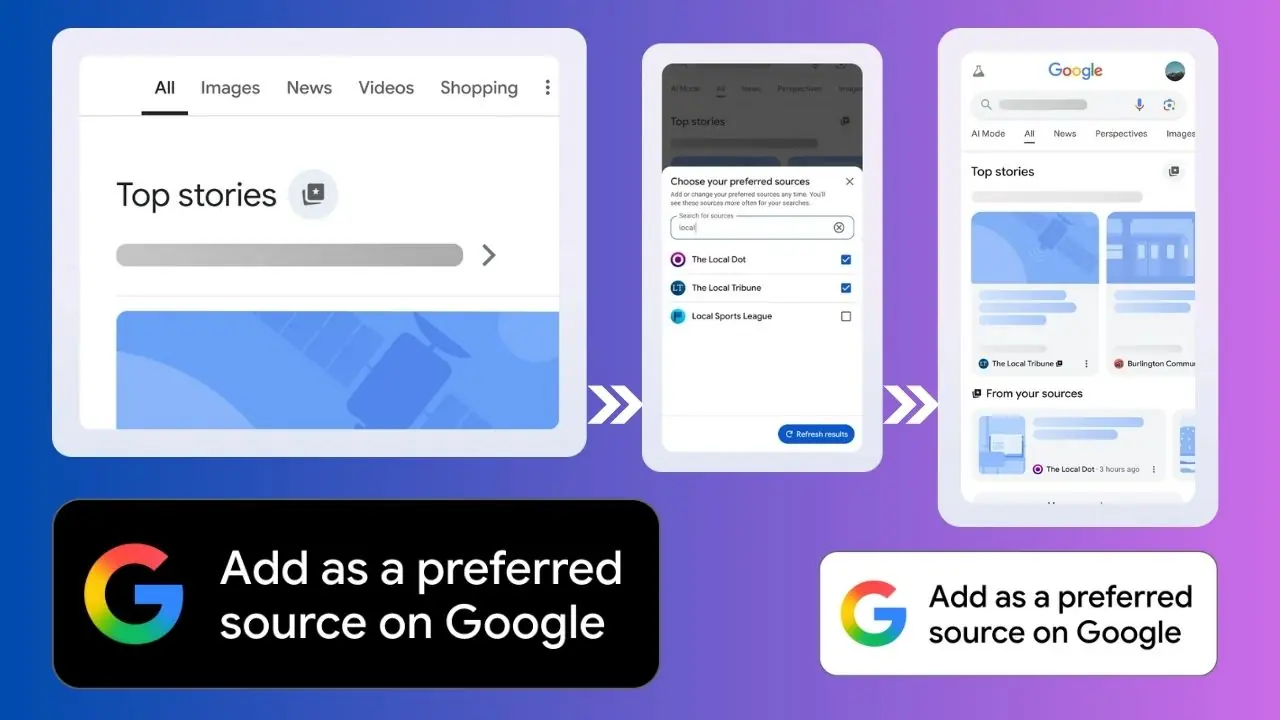
Google has started rolling out a feature called Preferred Sources, and it’s shaping up to be a useful boost for publishers. The idea is simple: readers can tell Google which websites they trust most, and Google will show more stories from those sites in Top Stories and a special “From your sources” section. It’s currently available in the U.S. and India and will reach more regions soon.
If you publish news, commentary, or any content that appears in Google’s news-related surfaces, this is a feature worth paying attention to. It gives you a chance to stay in front of the people who already like your work, without changing how you publish or rewriting your entire SEO strategy.
Let’s walk through what the feature does and how to set it up so your site is ready.
What Preferred Sources Actually Means
When a user adds your site as a preferred source, they’re basically saying, “Show me more from these folks.” Google then gives your articles more visibility any time your content matches what the user is searching for or following.
Here’s what changes for them:
- Your articles show up more often in Top Stories.
- Sometimes your stories appear in their own “From your sources” section.
- The user can edit or remove the site anytime, but choosing you tells Google they’re genuinely interested.
For publishers, this isn’t something you can force, but you can make it easy for people who already enjoy your work. Think of it as a lightweight loyalty feature built into Search itself.
Step 1: Help Readers Add Your Site
Google provides a button you can drop into your site. When a visitor clicks it, they immediately add your site as one of their preferred sources.
It’s small, simple, and worth placing where it will get seen. Good spots include:
- Your header or main menu
- The end of your articles
- Newsletter signup pages
- Your “About” page or sidebar
A clear call to action helps. Something like: “Add us as a preferred source on Google so you see more of our stories.”
It’s a small prompt, but people who already read you regularly often want to see more from you. This gives them a quick way to signal that.
Step 2: Make Sure Google Can Index Your Content
Even if users add your site, Google won’t show much if it can’t read your content properly. Before you promote the feature, double-check your indexing and structured data. Make sure:
- Your articles use structured data, such as the NewsArticle schema.
- Your site is verified in Google Search Console.
- Your content is fresh, relevant, and updated regularly.
This doesn’t require a full technical overhaul. It’s mainly about making sure Google understands what your articles are and that they’re part of a news-style feed. If your site is already optimized for search, you may just need a quick review to confirm everything’s still in place.
Step 3: Spread the Word to Your Audience
Once the button is live, tell people it exists. Many readers won’t know about Preferred Sources yet, so a simple explanation goes a long way.
You can:
- Add a short line in your newsletter: “Want to see more of our stories in Google Search? Add us as a preferred source.”
- Post about it on social media.
- Include a note at the end of blog posts or site announcements.
- Add a small banner or callout on your homepage.
Google says early testers tend to choose at least for websites. That’s good news for smaller or niche publishers, because you’re not competing for a single “top spot.” You just need to make sure your readers know the option exists.
Step 4: Watch Your Performance and Tweak as Needed
Preferred Sources doesn’t give you new analytics, but the usual tools still help. In Google Search Console, you can watch how your stories perform in Top Stories over time. Look for trends:
- Are certain topics performing better?
- Are impressions rising after you promote the button?
- Do users engage more when stories are published at certain times?
You can’t control who tags your site as a preferred source, but you can keep improving what they see. Update structured data when needed, write around topics your readers already value, and keep your publishing schedule steady.
Google Preferred Source Logo/Badges




How to choose your preferred sources
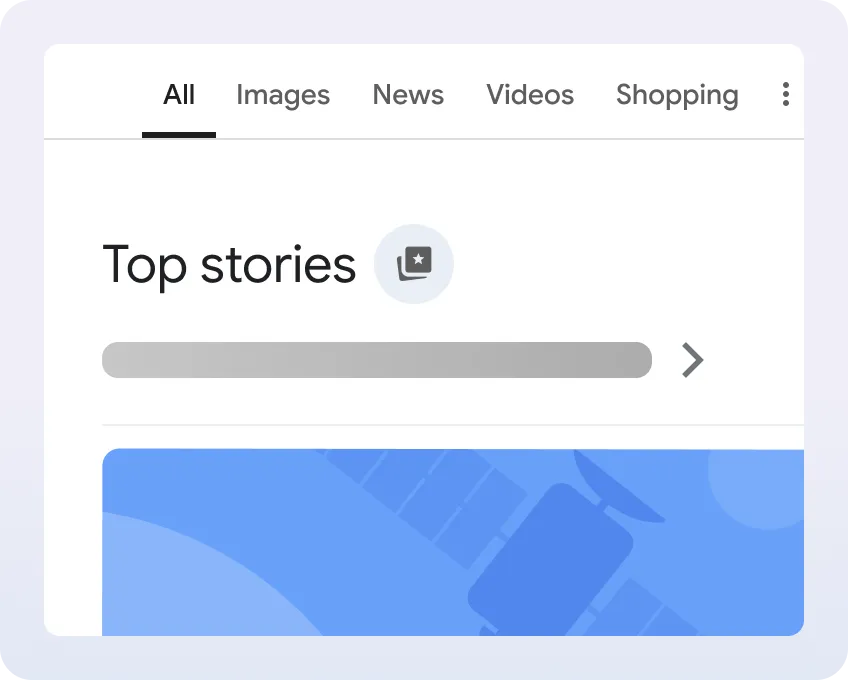
- Search for a news topic, then tap the small icon next to the Top Stories heading. 👇
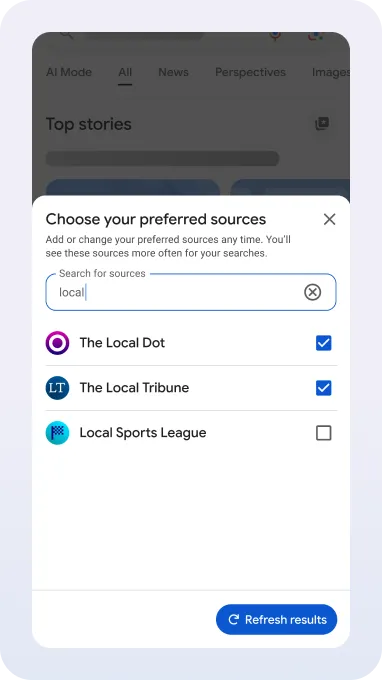
- Pick the sites you want to follow from the list that appears. 👇
- Refresh the page and you’ll start seeing more stories from the sites you selected. 👇

Preferred Sources is one of those features that isn’t complicated but can make a real difference. It puts some power in the hands of your loyal readers and gives you a simple way to stay visible in a very crowded search environment.
If you set it up, promote it a little, and keep your content strong, you’ll make it easier for Google to highlight your work to the people who already want more from you.