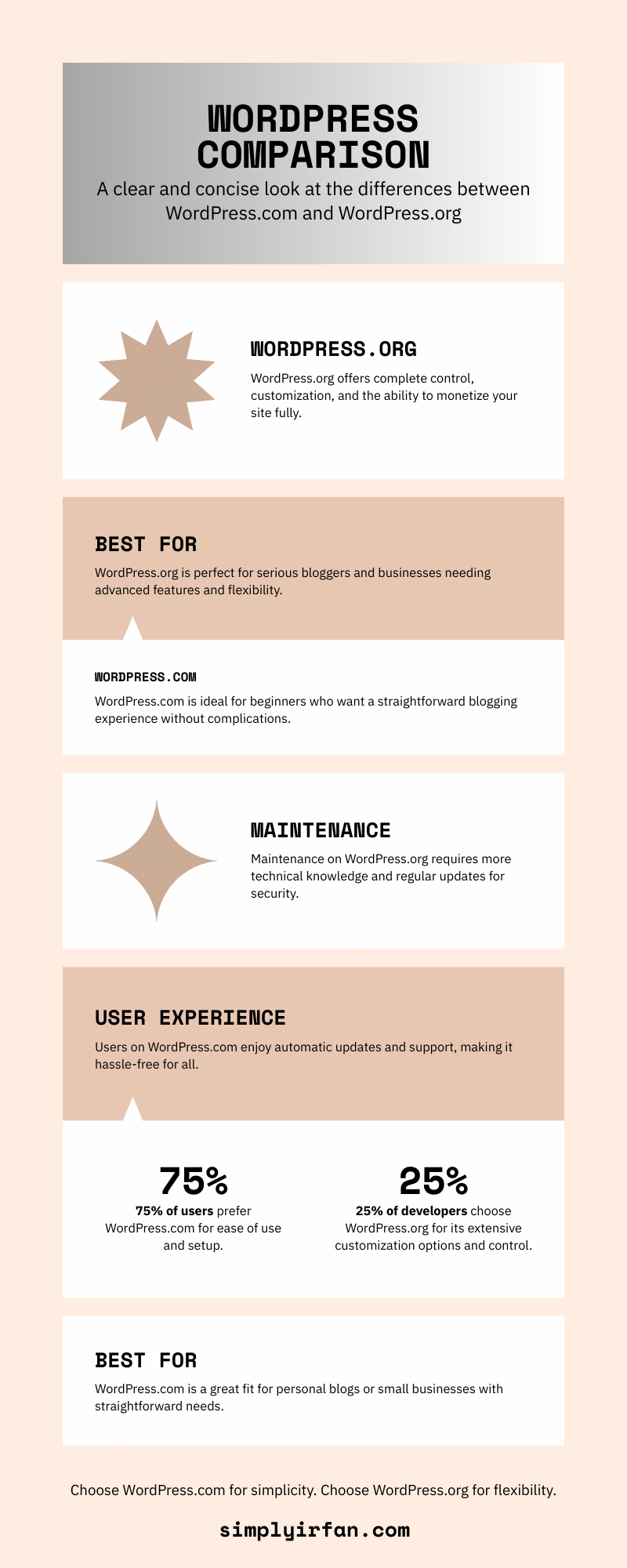
Before calculating your website budget or thinking about WordPress free or not, it helps to understand that WordPress.org and WordPress.com offer two different ways to build a WordPress website.
Although both use WordPress software, they handle hosting and website management differently. WordPress.org’s official documentation explains the distinction in detail.
WordPress.org: Free software, your own hosting
WordPress.org provides the open-source WordPress software that you can download and install on a hosting server.
You choose your hosting company, connect your domain, install themes and plugins, and manage your website. You can change your hosting provider or move your website to another server if you want to.
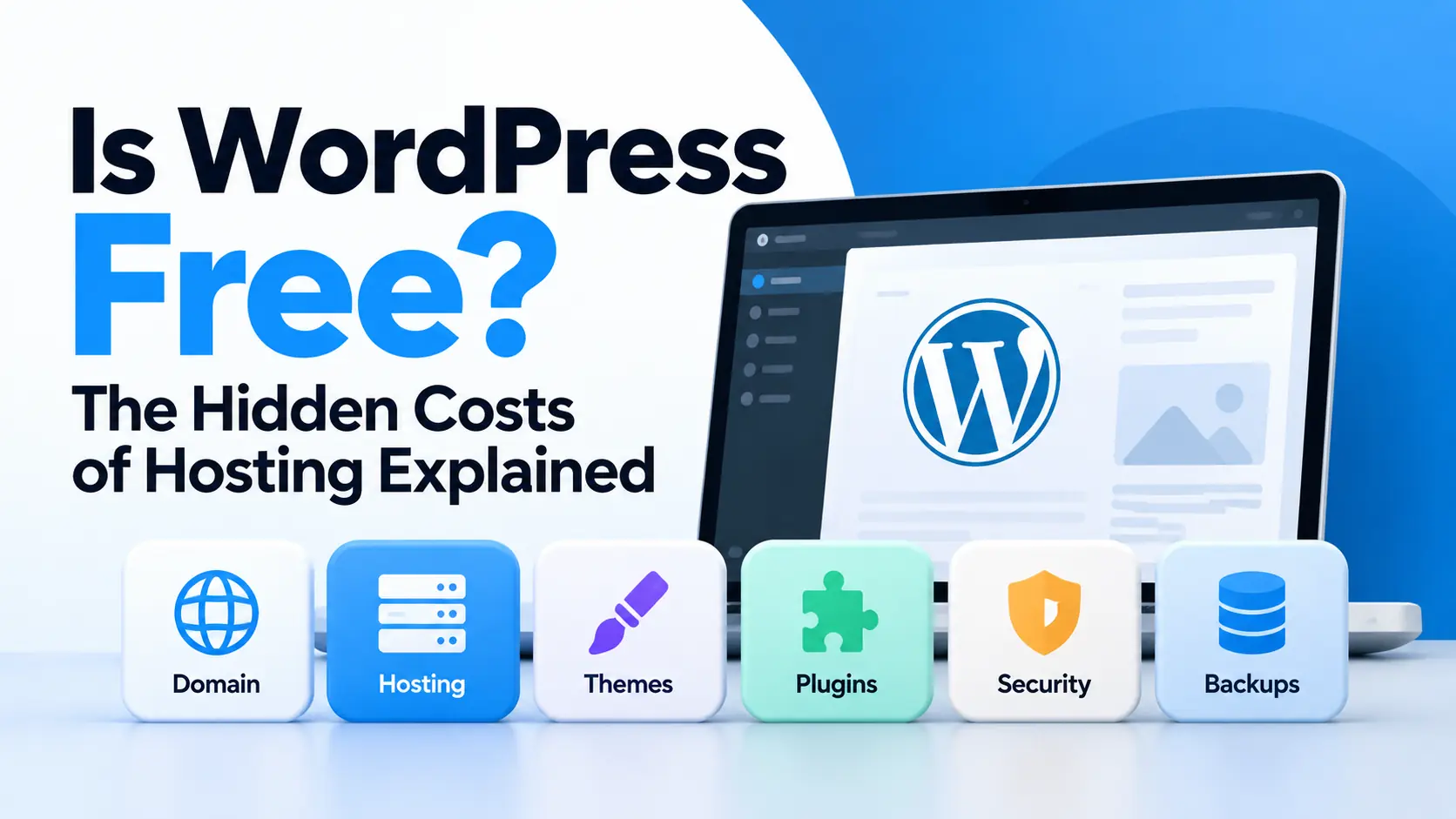
The software itself is free, but you normally pay for hosting and a custom domain. You may also spend money on premium themes, paid plugins, backups, security services, or professional support.
This option is popular with bloggers, publishers, businesses, developers, and website owners who want greater control over their websites.
WordPress.com: Hosting included
WordPress.com is a hosted service. Instead of arranging a separate hosting provider, you create your website on its platform.
It offers a free plan with a WordPress.com subdomain and limited features. Paid plans add options such as custom domains, additional customization, and plugin installation, depending on the plan.
Hosting is included, so you do not need to purchase a separate hosting package. However, you may pay a recurring subscription to access the features your website needs.
Which option is cheaper? It depends on your requirements. WordPress.com can be convenient for beginners who prefer a managed service. WordPress.org can provide more flexibility over hosting and expenses, particularly if you are comfortable managing the technical side.
What Are the Hidden Costs of Running a WordPress Website?
The word hidden does not necessarily mean that these costs are concealed or unfair. They are often expenses that beginners overlook when they hear that WordPress is free.
Let’s look at the most common ones.
1. Domain name registration
Your domain name is the address people type into their browsers to visit your website. For example, example.com is a domain name.
You can start a free WordPress.com site using a subdomain such as example.wordpress.com. But if you want your own domain, you will generally need to register one.
A typical domain might cost around $10–$25 per year, although prices vary considerably by extension, registrar, and special pricing. Some premium domains cost much more.
Remember that a domain advertised as free for the first year may renew at its regular price. Check the renewal fee before registering.
Other possible expenses include domain privacy services, premium DNS, or additional domain extensions to protect your brand. These are not essential for every website.
2. Web hosting
Hosting is one of the main expenses of a self-hosted WordPress website.
A hosting provider stores your website’s files, database, images, and other resources on a server connected to the internet. When someone visits your website, the server delivers the content to their browser.
Hosting prices depend on the server resources, support, security, performance, and management services included.
| Hosting type | Typical illustrative cost | Best suited for |
|---|---|---|
| Free hosting | $0 | Experiments and basic learning |
| Shared hosting | $2–$15/month | Small websites and beginner blogs |
| Managed WordPress hosting | $15–$100+/month | Site owners who want more managed services |
| VPS hosting | $10–$100+/month | Growing websites needing more control |
| Dedicated or enterprise hosting | $100s to $1,000s+/month | Demanding workloads and larger operations |
These are broad estimates, not guaranteed current prices. Introductory offers, renewal rates, server specifications, and regional pricing can differ substantially.
Free hosting may be sufficient for a small experiment, but it can come with limitations such as low resource limits, restricted customization, weaker support, or unreliable performance. Some free providers also restrict monetization or require their branding.
For a serious business website, dependable hosting is usually a worthwhile expense.
If you’re new to the platform, start with this guide to how WordPress works, including themes and blogging, to understand what you need before choosing a hosting plan.
3. SSL certificates and HTTPS
An SSL/TLS certificate enables an encrypted HTTPS connection between your website and its visitors.
Without HTTPS, browsers may warn users that a connection is not secure. HTTPS is particularly important for login forms, contact forms, online stores, and websites handling personal information.
The good news is that you often do not need to pay separately for an SSL certificate. Many hosting companies provide free certificates through services such as Let’s Encrypt.
Paid certificates and specialist services exist, but a paid certificate is not automatically more secure for an ordinary website. Check what your hosting plan already includes before purchasing one.
4. Premium WordPress themes
WordPress offers thousands of themes, including many free options. A free theme can be enough to build a professional-looking website.
However, you might choose a premium theme for specialized layouts, design controls, extra templates, or support from the developer.
A premium theme might involve a one-time payment or an annual licence, depending on the product. Some themes also offer paid upgrades.
Before buying one, ask yourself whether you actually need its additional features. A lightweight free theme with a good editor can often achieve the same result as a more expensive theme when configured properly.
Also check whether the theme is regularly maintained, compatible with your WordPress version, and accessible on mobile devices.
5. Premium plugins
Plugins extend WordPress with features such as contact forms, SEO tools, online payments, membership systems, caching, backups, and security controls.
Many useful plugins are free. Some developers sell premium versions that unlock advanced features or provide priority support.
For example, a basic blog might need only a small set of carefully selected plugins. An online store, membership website, or complex publishing platform may need more specialized tools.
The cost can add up when several plugins require annual subscriptions.
WordPress plugins can also extend how your content is delivered. For example, SimplyIrfan Markdown lets a WordPress site serve content in Markdown alongside its regular HTML pages.
Before paying for a plugin, check:
- Whether the free version already meets your needs
- Whether another maintained plugin offers the same functionality
- How much the licence costs to renew
- Whether the plugin is compatible with your WordPress version
- Whether it introduces unnecessary scripts or performance overhead
Installing more plugins does not automatically make a website slower or less secure. Their quality, configuration, and resource usage matter much more than the number alone.
6. Website backups
Backups are copies of your website files and database that you can restore if something goes wrong.
A failed update, accidental deletion, server problem, or security incident can damage a website. Without a usable backup, recovering your content may take considerably more time and money.
Some hosting providers include automatic backups, while others charge extra or limit how long backups are retained.
You can also use free backup plugins, paid backup services, or your own backup system.
For important websites, make sure backups are stored somewhere separate from the live server. A backup that disappears when the server fails is not much protection.
Check how frequently backups run, how easy restoration is, and whether the service covers both the database and website files.
7. Security and maintenance
WordPress itself is not a paid security product, and many essential security practices cost nothing. Keeping software updated, using strong passwords, limiting unnecessary access, and removing unused plugins can reduce risk.
Some website owners also purchase a security plugin, malware monitoring, a web application firewall, or professional maintenance.
These services can be useful, especially for business websites and stores, but avoid paying for several overlapping tools that promise the same protection.
A maintenance provider may also charge for updates, troubleshooting, malware cleanup, and emergency recovery. If you manage the website yourself, the direct expense may be lower, but you are investing your own time.
If you’re exploring ways to make your website easier for AI systems to understand, SimplyIrfan AI Content Discovery provides a machine-readable description of your site’s public content and available resources.
8. Website speed and content delivery networks
A fast website gives visitors a smoother experience and can help reduce the frustration caused by slow page loads.
Your hosting package, page design, images, database, plugins, and caching configuration all influence performance.
Some websites work well with the caching and content delivery network (CDN) features included in their hosting plan. Others may benefit from a paid caching plugin, a premium CDN, image optimization, or additional server resources.
A CDN can deliver cached content from servers closer to visitors. This can be particularly useful when your audience is spread across different countries.
However, a paid performance tool cannot compensate for every underlying problem. Before upgrading, identify what is slowing the website down and test whether your existing hosting and free tools can solve it.
9. Email hosting and business communication
Registering a domain does not necessarily mean that professional email hosting is included.
If you want an address such as hello@example.com, check whether your hosting plan includes email accounts. Some providers include them, while others sell email hosting separately.
You can also use a specialist email provider for business communication, shared inboxes, spam filtering, and collaboration.
For a personal blog, you may not need paid email hosting immediately. For a business that relies on customer enquiries, professional email can be worth budgeting for.
10. Developer and technical support
WordPress is designed to be customizable, but some changes require technical knowledge.
You might need a developer to fix a broken theme, improve a custom feature, migrate a website, investigate a database issue, or recover a hacked installation.
AI tools can also help with WordPress development tasks. Read Can ChatGPT Build a WordPress Website? to understand what AI can help you create and which technical responsibilities still require your attention.
The price depends on the complexity of the work and the developer’s experience. A small configuration change may cost little, while a custom integration or major redesign can cost much more.
You can reduce unnecessary spending by choosing well-maintained themes and plugins, documenting changes, keeping backups, and testing major updates on a staging site where possible.
Still, do not assume every technical problem requires a paid developer. WordPress documentation, community forums, and plugin support resources can help you solve many routine issues yourself.
How Much Does a WordPress Website Really Cost?
There is no single price for a WordPress website. A personal blog and a large online store have very different requirements.
The following examples use illustrative annual budgets for a self-hosted WordPress site. They are planning estimates, not supplier quotes, and exclude the value of your own time.
| Expense | Basic blog | Growing website | Business website |
|---|---|---|---|
| Domain | $10–$25 | $10–$25 | $10–$50 |
| Hosting | $24–$100 | $120–$600 | $300–$1,200 |
| Themes and plugins | $0–$50 | $0–$200 | $100–$500 |
| Backups and security | $0–$50 | $0–$150 | $100–$400 |
| Illustrative annual total | $34–$225 | $130–$975 | $510–$2,150 |
Your actual cost could be lower or higher. Some hosting packages include backups, security, SSL, and caching, so buying those services separately may be unnecessary. Premium tools may also use different billing models.
A simple website can operate with a domain and inexpensive hosting. A business site that depends on reliable uptime, custom functionality, and professional support needs a larger budget.
The best way to estimate your cost is to list the features you genuinely need and then check which ones are already included in your hosting package.
Is WordPress Free Hosting Worth It?
Free hosting can be useful when you are learning WordPress, testing a theme, or building a temporary demonstration website.
It is less attractive when your website becomes important to your business or income.
Before choosing a free hosting service, investigate its limitations. Consider whether you can use a custom domain, install the plugins you need, create backups, access your files, and move your website elsewhere if you outgrow the service.
Also examine resource limits and the provider’s policies on advertising and monetization.
A free plan is not necessarily poor quality, and a paid plan is not automatically good quality. What matters is whether the service meets your requirements and gives you a practical path to grow.
How to Reduce WordPress Costs Without Hurting Your Website
You do not need to purchase every premium tool advertised to website owners. A sensible setup can keep costs under control without sacrificing essential functionality.
Start with the essentials
Buy a domain and choose hosting that meets your website’s actual requirements. Avoid paying for enterprise-level resources before you need them.
Use a free theme first
Choose a reputable, maintained theme with a design that suits your website. Upgrade only when a specific premium feature becomes necessary.
Be selective with plugins
Install plugins to solve real problems, not simply because they are popular. Review what is already included in your theme, host, or other plugins.
Check renewal prices
Low introductory prices can rise significantly when a service renews. Compare the renewal price, contract length, and cancellation terms before committing.
Use included services
Your hosting plan may already provide SSL, backups, caching, email, malware scanning, or a CDN. Check before buying another subscription.
Maintain the website regularly
Keep WordPress, themes, and plugins updated. Remove software you no longer use, monitor backups, and test major changes carefully.
Upgrade based on evidence
If your website becomes slow, check its performance and resource usage before purchasing a larger hosting plan. An upgrade may be necessary, but the actual bottleneck should guide the decision.
WordPress.org vs. WordPress.com: Which Is Better for Your Budget?
The right choice depends on how much control you want and how much technical work you are prepared to handle.
Choose self-hosted WordPress.org if you want control over your hosting provider, server configuration, and website setup. It can be cost-effective, but you are responsible for choosing services and maintaining the installation.
Choose WordPress.com if you prefer a hosted platform that manages much of the infrastructure for you. The free plan is useful for trying out the service, while paid plans bundle hosting with additional features.
Neither option is universally cheaper. Compare the full annual cost of the features you need, including renewals, backups, support, and any premium tools.
Frequently Asked Questions
Is WordPress completely free?
The WordPress software available from WordPress.org is free and open source. However, running a self-hosted website usually involves paying for a domain and hosting. Themes, plugins, and professional services may add further expenses.
Can I build a WordPress website without paying?
Yes. You can start with the free WordPress.com plan, which includes hosting and a WordPress.com subdomain. Alternatively, you can experiment with WordPress locally on your computer. A custom domain and a publicly accessible self-hosted website generally require paid services.
Do I need to pay for WordPress every year?
You do not pay an annual licence fee for the WordPress.org software. You may, however, need to renew your domain, hosting, premium plugin licences, themes, and other subscriptions.
Is WordPress.org free forever?
WordPress.org distributes open-source software under the GNU General Public License. You can continue using the software without paying a WordPress licence fee. Your hosting provider and other service providers may still charge for their services.
Why is WordPress hosting not free?
Hosting requires servers, storage, network connectivity, maintenance, and technical support. Some providers offer free plans with restrictions, while others charge for the resources and services needed to keep a website online.
Can I monetize a free WordPress website?
It depends on the service and plan you use. Self-hosted WordPress.org gives you greater control over your website, subject to applicable laws and third-party service policies. WordPress.com has plan-specific features and restrictions, so check its current terms before choosing a monetization method.
What is the cheapest way to run a WordPress website?
For a public website using your own domain, one of the cheapest approaches is to use the free WordPress software, a reasonably priced domain, affordable hosting, and maintained free themes and plugins. Your final cost will depend on the services included in your hosting package.
Does WordPress include hosting?
The WordPress.org software does not include hosting. You install it on a hosting service of your choice. WordPress.com includes hosting as part of its hosted service, including its free plan.
Final Thoughts
So, is WordPress free? Yes, the WordPress software is free, but running a website can cost money.
A domain and hosting are the main expenses for most self-hosted websites. Premium themes, plugins, backups, security tools, and professional support are additional costs that depend on your needs.
You do not have to buy everything at the beginning. Start with the essentials, use reliable free tools where they are sufficient, and invest in paid services when they solve a real problem.
The goal is not to spend as little as possible at any cost. It is to build a website that fits your budget, performs reliably, and can grow without paying for features you do not need.
Official Resources
- WordPress.org: Difference Between WordPress.org and WordPress.com
- WordPress.org: Hosting
- WordPress.org: License
- WordPress.com: Plans and Pricing