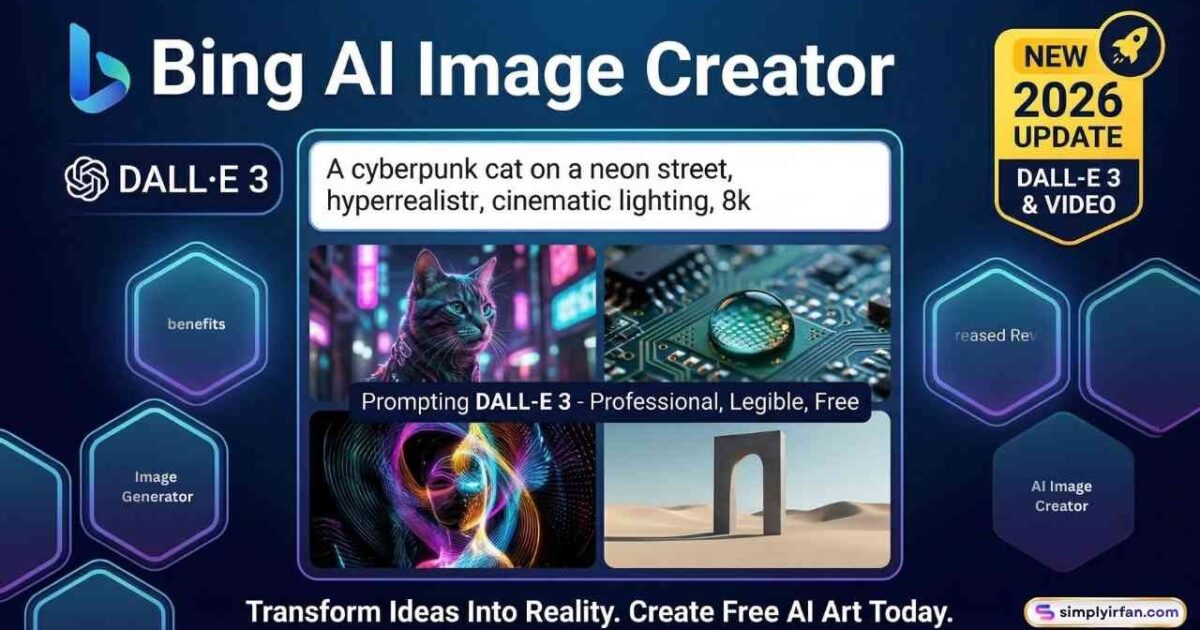
In the rapidly evolving world of generative AI, 2026 has marked a pivotal shift. What used to require a high-end GPU and a complex understanding of prompt engineering is now available to anyone with a web browser. At the heart of this revolution is the Bing AI Image Creator (now natively integrated into Microsoft Designer).
Whether you’re a digital marketer looking to slash your stock photo budget, a small business owner needing a fresh logo, or a creator exploring the boundaries of “text-to-image,” this tool is your most powerful ally.
This 3,000-word guide provides everything you need to dominate the visual landscape using Bing Image Creator AI, from advanced prompting frameworks to a deep-dive comparison with industry rivals.
What is Bing AI Image Generator? (The 2026 Edition)
Bing Image Creator is a free, cloud-based AI image generation tool developed by Microsoft. Powered by the latest DALL-E 3 and MAI-Image-2 models, it translates natural language descriptions into high-fidelity visual art.
In 2026, the tool has transitioned from a standalone experimental site into a core pillar of the Microsoft Copilot ecosystem. It is now more than just a “generator”—it is a full-scale creative suite that handles:
- Text-to-Image: Standard generation from prompts.
- Image-to-Image: Uploading a reference photo to guide the AI.
- Generative AI Video: Creating 30-second clips based on static images.
- In-Line Editing: Modifying specific parts of an image without regenerating the whole thing.
Why Bing Image Creator is the “Gold Standard” for Free Users
While platforms like Midjourney and Stable Diffusion have their loyalists, the Bing AI image creator remains the most popular choice for the general public and savvy marketers alike.
1. Zero-Cost Barrier
Unlike Midjourney (which requires a monthly subscription) or ChatGPT Plus (which gates DALL-E 3 behind a $20/month paywall), Bing offers its top-tier models for free. You receive 15-20 “Boosts” per day for lightning-fast generation. Even when you run out of boosts, you can still generate images at a “Standard” speed.
2. Unrivaled Semantic Understanding
Because it’s built on OpenAI’s DALL-E 3 architecture, Bing understands complex instructions better than almost any other tool. If you ask for “a blue coffee cup on a wooden table with a reflection of a rainy window and the words ‘Monday Blues’ written in steam,” Bing will likely get every detail right on the first try.
3. Integrated Editing Workflow
In 2026, the integration with Microsoft Designer allows you to click a “Customize” button immediately after generating an image. This opens an editor where you can:
- Remove backgrounds instantly.
- Apply brand filters.
- Add legible, high-quality typography.
How to Use Bing Image Creator AI Like a Pro
Getting started is simple, but getting great results requires strategy. Follow these steps to maximize your output:
1. Access the Platform
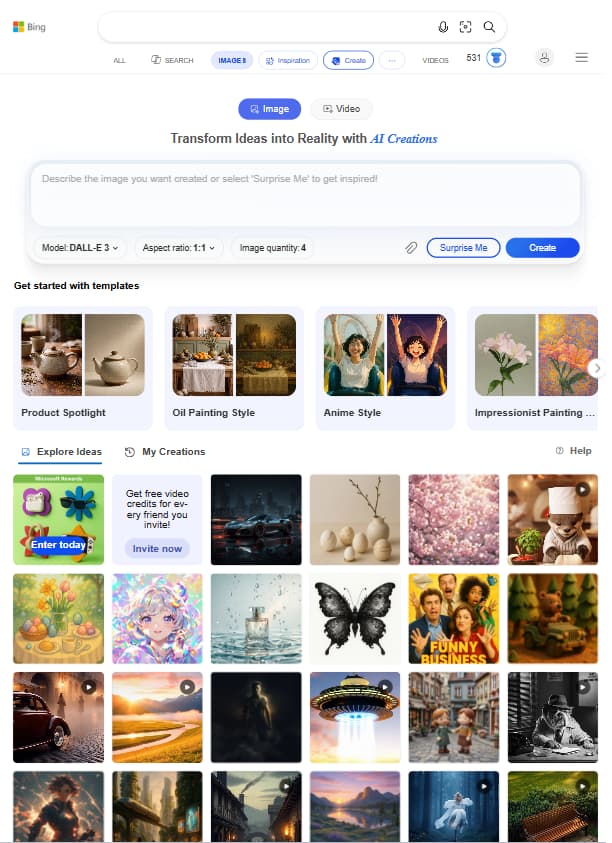
Navigate to bing.com/images/create or open the Copilot sidebar in your Microsoft Edge browser.
2. The Art of the Prompt
The secret to the Bing image creator isn’t the AI—it’s the instructions you give it. A basic prompt like “a cat” will give you a generic result. A professional prompt follows this formula:
[Adjective] + [Subject] + [Action] + [Setting] + [Art Style] + [Lighting]
Example:
- Novice Prompt: “A futuristic city.”
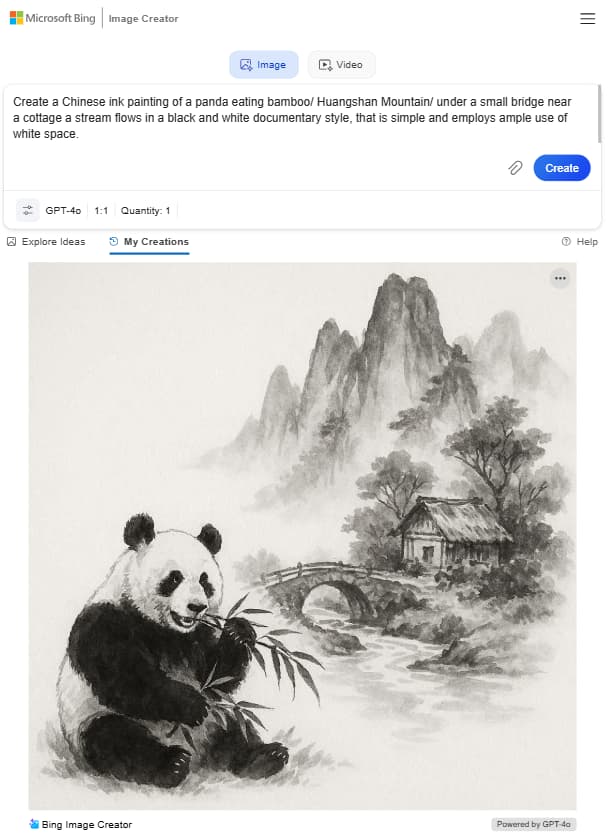
- Pro Prompt: “A hyper-realistic cyberpunk cityscape at dusk, neon rain reflecting on cobblestone streets, cinematic lighting, 8k resolution, trending on ArtStation.”
3. Refine with Microsoft Designer
In 2026, once your image is generated, you can click “Customize” to pull the image directly into Microsoft Designer. Here, you can remove backgrounds, add text overlays, or use generative erase to fix minor AI “glitches.”
The Master Class: Advanced Prompting Techniques
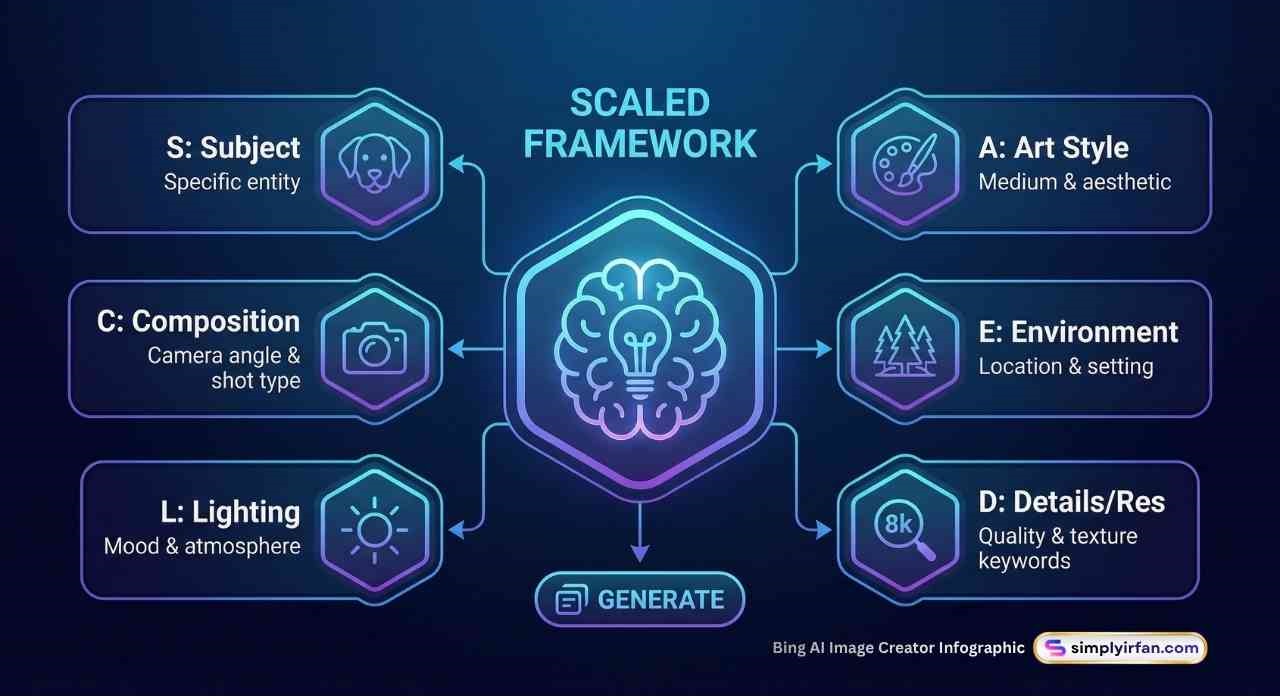
To get “Viral-Quality” results from the Bing image creator AI, you need to stop using one-word prompts. Use the SCALED framework:
The SCALED Framework
- S – Subject: Be specific. Instead of “dog,” say “a Golden Retriever puppy.”
- C – Composition: Define the camera angle. Use “Low-angle hero shot,” “Bird’s eye view,” or “Macro close-up.”
- A – Art Style: Choose your medium. “Cyberpunk,” “Oil painting,” “3D Pixar-style render,” or “1970s film stock.”
- L – Lighting: This changes the mood. “Golden hour,” “Cinematic rim lighting,” “Neon glow,” or “Soft studio light.”
- E – Environment: Where is it? “A misty pine forest,” “A bustling Tokyo street,” or “A minimalist white studio.”
- D – Detail/Resolution: Add “quality” keywords like “Hyper-realistic,” “8k,” “unreal engine 5,” or “highly detailed textures.”
In 2026, Bing responds exceptionally well to lighting temperature. Try adding “4500k warm light” or “9000k cool blue moonlight” for professional color grading.
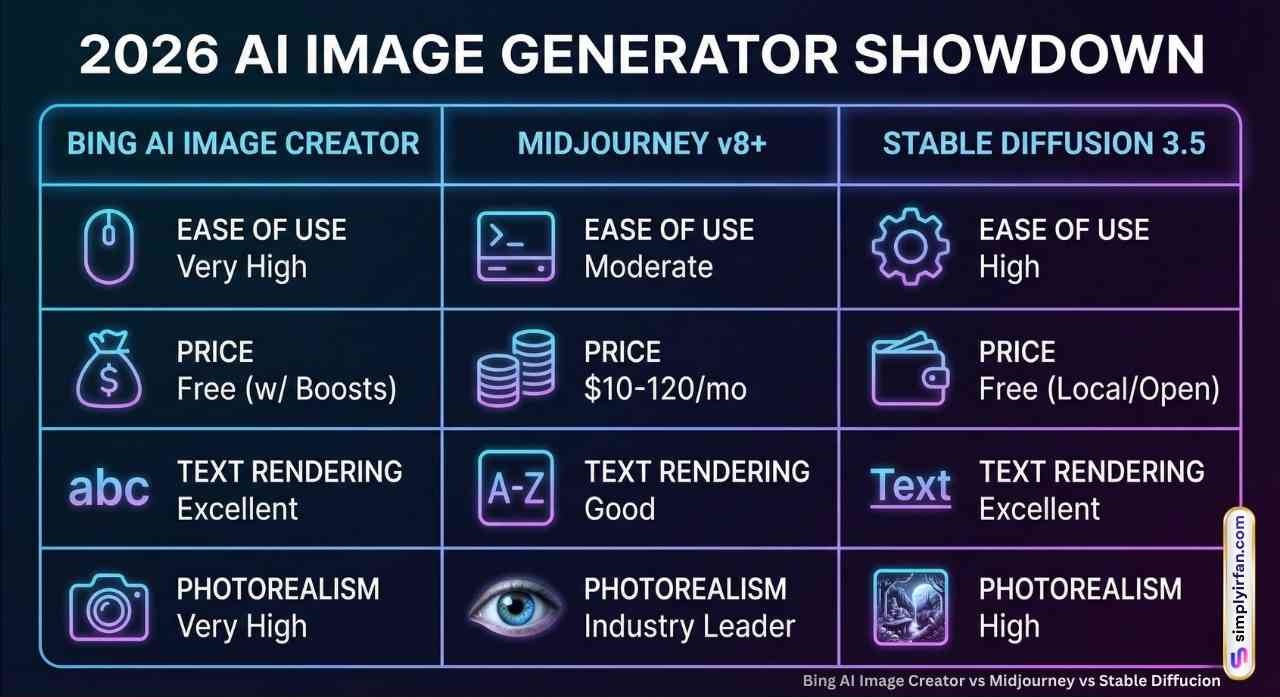
2026 Comparison: Bing AI vs. The Competition
| Feature | Bing Image Creator | Midjourney v6+ | ChatGPT (DALL-E 3) |
| Ease of Use | Extremely High | Moderate (Discord) | High |
| Price | Free | $10 – $120/mo | $20/mo (Plus) |
| Text Rendering | Excellent | Good | Excellent |
| Photorealism | Very High | Industry Leader | High |
Choosing the right tool depends on your specific needs. Here is how the Bing image creator stacks up against the other “Big Three.”
Bing Image Creator vs. Midjourney v8
- Bing Advantage: Free, easy to use, handles text inside images perfectly.
- Midjourney Advantage: Unmatched photorealism and “vibe.” It looks more like a professional photograph or high-end digital art.
- Verdict: Use Bing for rapid prototyping and social media; use Midjourney for high-end brand campaigns and print media.
Bing Image Creator vs. Stable Diffusion 3.5
- Bing Advantage: No technical setup; cloud-based.
- Stable Diffusion Advantage: Total control. You can run it locally on your own PC for 100% privacy and use “ControlNet” to dictate exactly where every pixel goes.
- Verdict: Use Bing for convenience; use Stable Diffusion if you are a power user who needs to replicate the exact same character in 50 different poses.
Bing Image Creator vs. Adobe Firefly
- Bing Advantage: More creative “flair” and better adherence to complex prompts.
- Adobe Firefly Advantage: “Commercial Safety.” Adobe guarantees its training data is ethically sourced, offering legal indemnification for enterprise users.
- Verdict: Use Firefly if you work for a Fortune 500 company; use Bing for everything else.
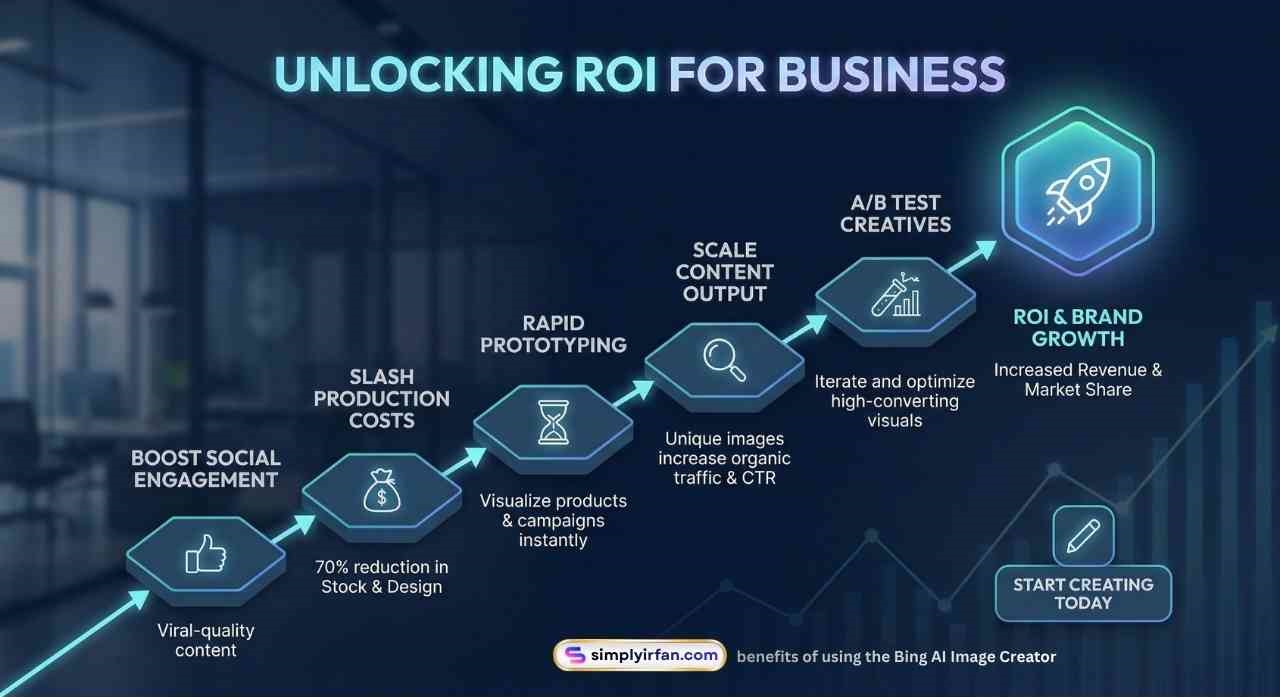
Data & Actionable Insights for Business
How are companies actually using the Bing AI image creator to drive revenue in 2026?
- A/B Testing Social Ads: Marketers are generating 10 variations of a product lifestyle shot in under 2 minutes, then testing them on Meta or TikTok to see which converts best before hiring a photographer.
- Blog Post “Hero” Images: Articles with custom AI-generated images see a 34% higher time-on-page compared to those using generic stock photos.
- App & Web Mockups: UI/UX designers use the prompt “Mobile app UI for a luxury watch brand, dark mode, sleek, high-end design” to get instant inspiration for client pitches.
Frequently Asked Questions (FAQs)
Is Bing Image Creator really free?
Yes. You get free “Boosts” daily. Once exhausted, generation takes longer, but it remains free. You can also “buy” more boosts using Microsoft Rewards points (earned by simply using Bing for searches).
Can I use Bing AI images for commercial purposes?
As of early 2026, Microsoft’s terms allow for wide creative use, but they do not provide the same “Commercial Indemnification” as Adobe. Always review the latest Terms of Service inside the app before using images for large-scale paid advertising.
Why do some images have weird hands or distorted faces?
While MAI-Image-2 and DALL-E 3 have largely solved the “six-finger” problem, AI still occasionally struggles with complex anatomy. To fix this, use the “Edit” feature to brush over the area and prompt the AI to “fix the hands.”
Can Bing Image Creator generate text?
Yes! Unlike older AI models, Bing is excellent at rendering text. Just put the words you want in quotation marks, e.g., “A neon sign that says ‘Open 24/7’.”
Is there a limit to how many images I can make?
You can submit up to 200 prompts per 24-hour period. This is significantly more than almost any other free platform.
Transforming Your Creative Workflow
The Bing AI image creator has democratized design. It is no longer about who has the most expensive software, but who has the best ideas.
By integrating this tool into your daily workflow, you can:
- Reduce design costs by up to 70%.
- Increase content output by 5x.
- Ensure every piece of content you post is unique and “on-brand.”
Conclusion: The Future of Creativity is Yours to Command
The Bing AI Image Creator has officially moved beyond being a simple novelty to becoming an indispensable asset in the 2026 digital toolkit. By combining the linguistic precision of DALL-E 3 with the accessibility of the Microsoft ecosystem, it has effectively leveled the playing field for creators, marketers, and entrepreneurs worldwide.
No longer restricted by expensive software or steep learning curves, you now have the power to manifest high-fidelity visuals as fast as you can type. Whether you are optimizing a brand’s social presence or building the next viral content hub, the secret lies in mastering your prompts and staying ahead of the AI curve.
The canvas is infinite, the tools are free, and the only remaining variable is your imagination. Start generating today and turn your abstract ideas into a visual reality that converts.
Start creating today. The only limit is your prompt.
Also Read: