TL;DR: The 2026 Roadmap
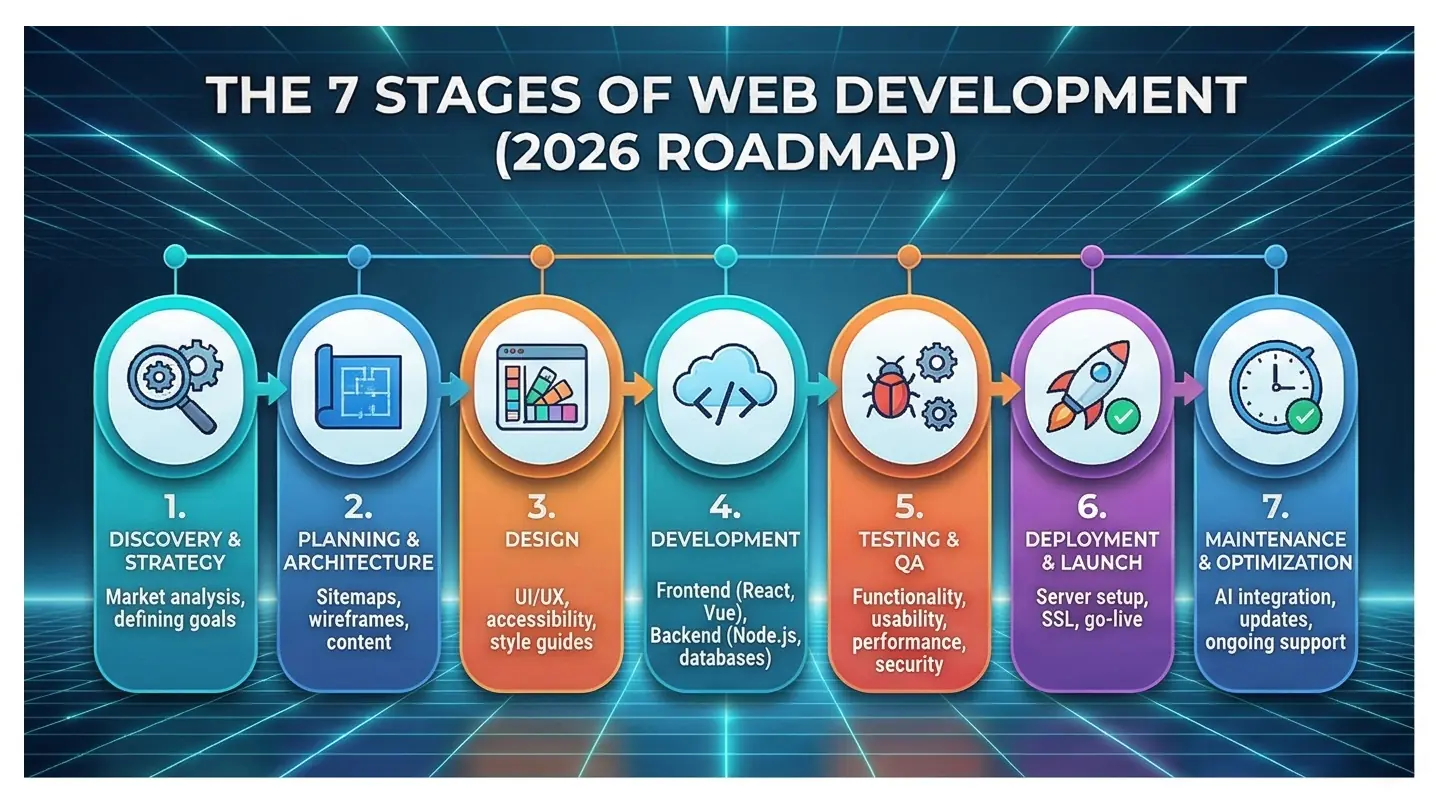
Building a website today isn’t just about code; it’s about AI-driven experiences, speed, and user intent. The process follows seven core phases:
- Discovery: Defining “the why” and the audience.
- Planning: Sitemaps, tech stacks (React/Next.js), and SEO strategy.
- Design: UI/UX with a focus on accessibility and motion design.
- Development: Turning pixels into code (Frontend & Backend).
- Testing: Speed, security (Zero-Trust), and cross-device checks.
- Launch: Going live and monitoring initial traffic.
- Maintenance: Continuous AI optimization and security patches.
The Secret Life of a High-Performing Website
Imagine you’re walking down a busy city street in 2026. Every store window is trying to grab your attention. Some use bright lights, others use sleek minimalism, and a few just look… tired.
Your website is that storefront. But in the digital world, your “passersby” have an attention span of about two seconds. If your page doesn’t load instantly or feels like it was built in 2015, they’re gone.
Website development in 2026 has evolved. It’s no longer a “set it and forget it” project. It’s a living, breathing ecosystem that combines psychology, high-level engineering, and increasingly, Artificial Intelligence. Whether you’re a founder looking to launch the next big SaaS or a business owner modernizing your brand, understanding the stages of development is the difference between a digital paperweight and a lead-generating machine.
Let’s pull back the curtain on how a professional site actually gets built today.
The 7 Pillars of Modern Website Development
1. Discovery and Strategy: Finding the “Why”
Before a single line of code is written, you need a map. Most failed projects skip this part because they’re “too excited to start.” Don’t be that person.
In this stage, we ask the hard questions:
- Who are we actually talking to?
- What is the one thing we want them to do?
- What does success look like in six months?
In 2026, discovery includes AI-driven persona mapping. We use data to understand not just who the users are, but how they search. Are they using voice commands? Are they looking for quick answers via an AI chatbot, or do they want deep-dive editorial content?
2. Planning: Architecture and Tech Stacks
Once we know the “why,” we build the “how.” This involves two main pieces: the Sitemap (the skeleton) and the Wireframe (the blueprint).
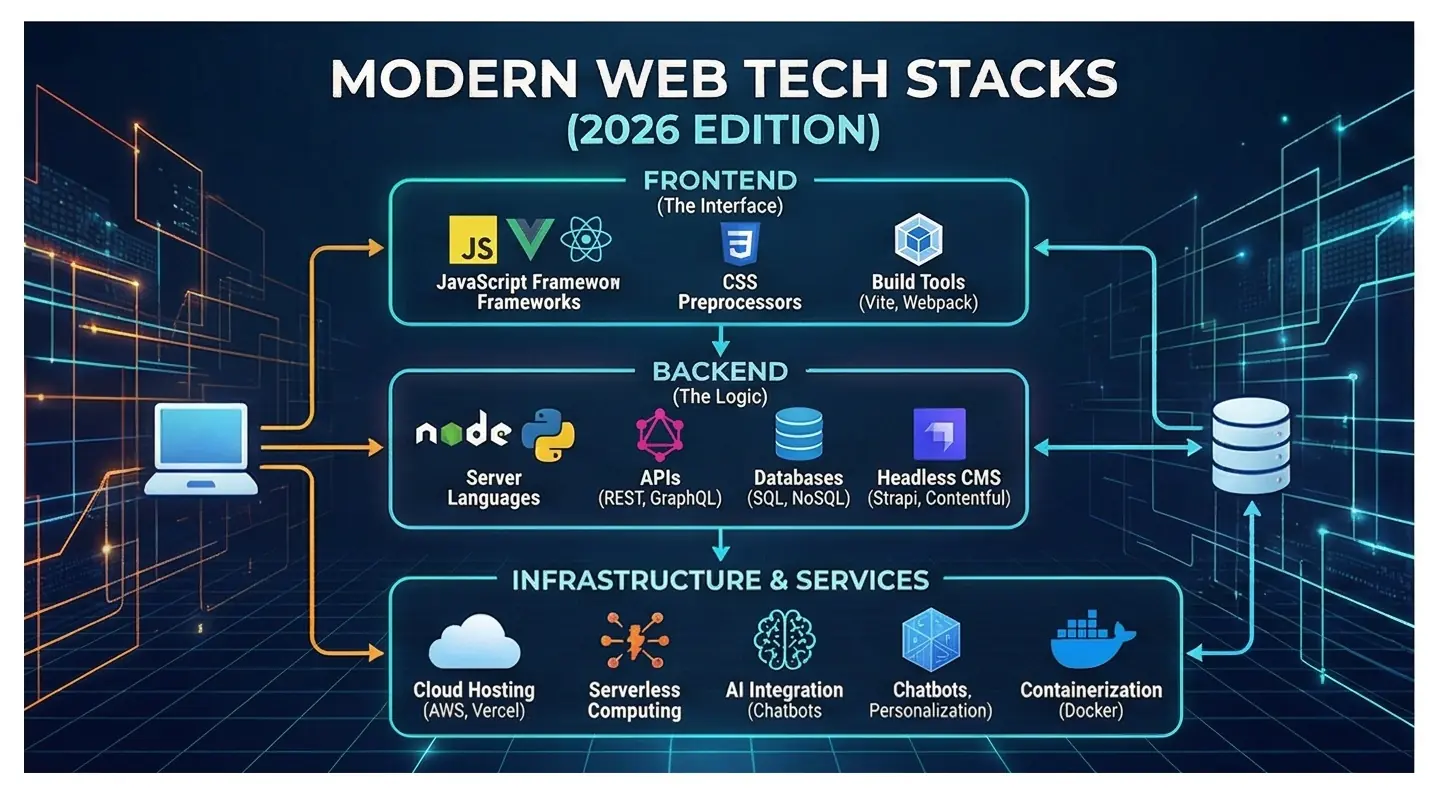
Choosing your tech stack is a massive decision here. In 2026, the industry has shifted heavily toward Next.js and TypeScript for speed and scalability. If you’re building a store, you’re likely looking at a “Headless” setup—where the frontend (what you see) is separate from the backend (the data), allowing for lightning-fast performance.
3. Design: More Than Just a Pretty Face
Modern design is about UX (User Experience). It’s about making sure a user never feels lost. Current trends favor “Micro-interactions”—those tiny animations when you click a button or scroll—that make the site feel alive.
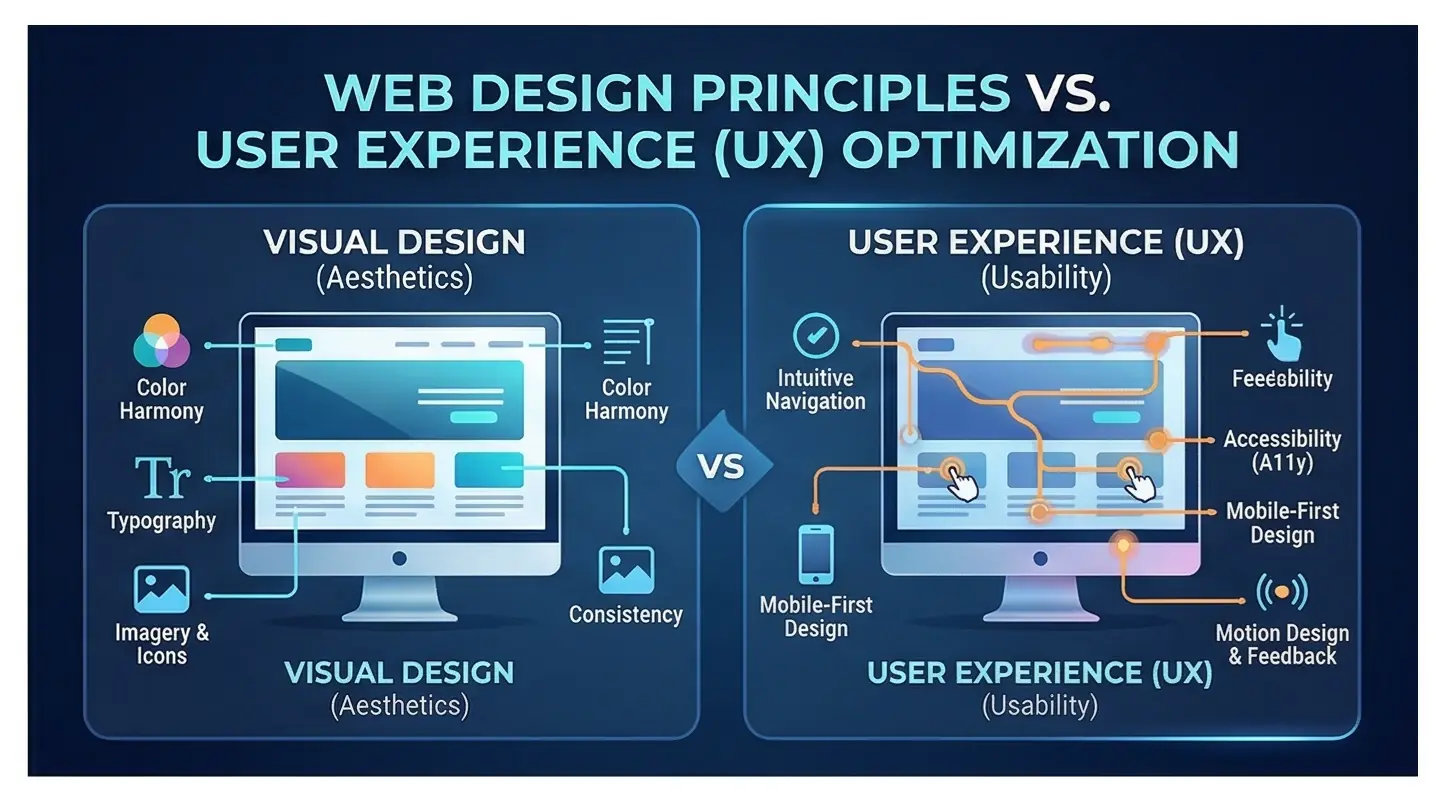
We also prioritize Accessibility (A11y). If your site isn’t usable by everyone, including those with visual impairments, you’re leaving money on the table and risking legal headaches.
4. Development: The Construction Phase
This is where the magic happens. The designs are handed over to the developers who break the work into:
- Frontend: The “skin” of the site (HTML, CSS, JavaScript).
- Backend: The “brains” (Databases, APIs, Server logic).
A major trend in 2026 is AI-Assisted Coding. Developers now use tools like GitHub Copilot to handle repetitive tasks, allowing them to focus on complex logic and custom features.
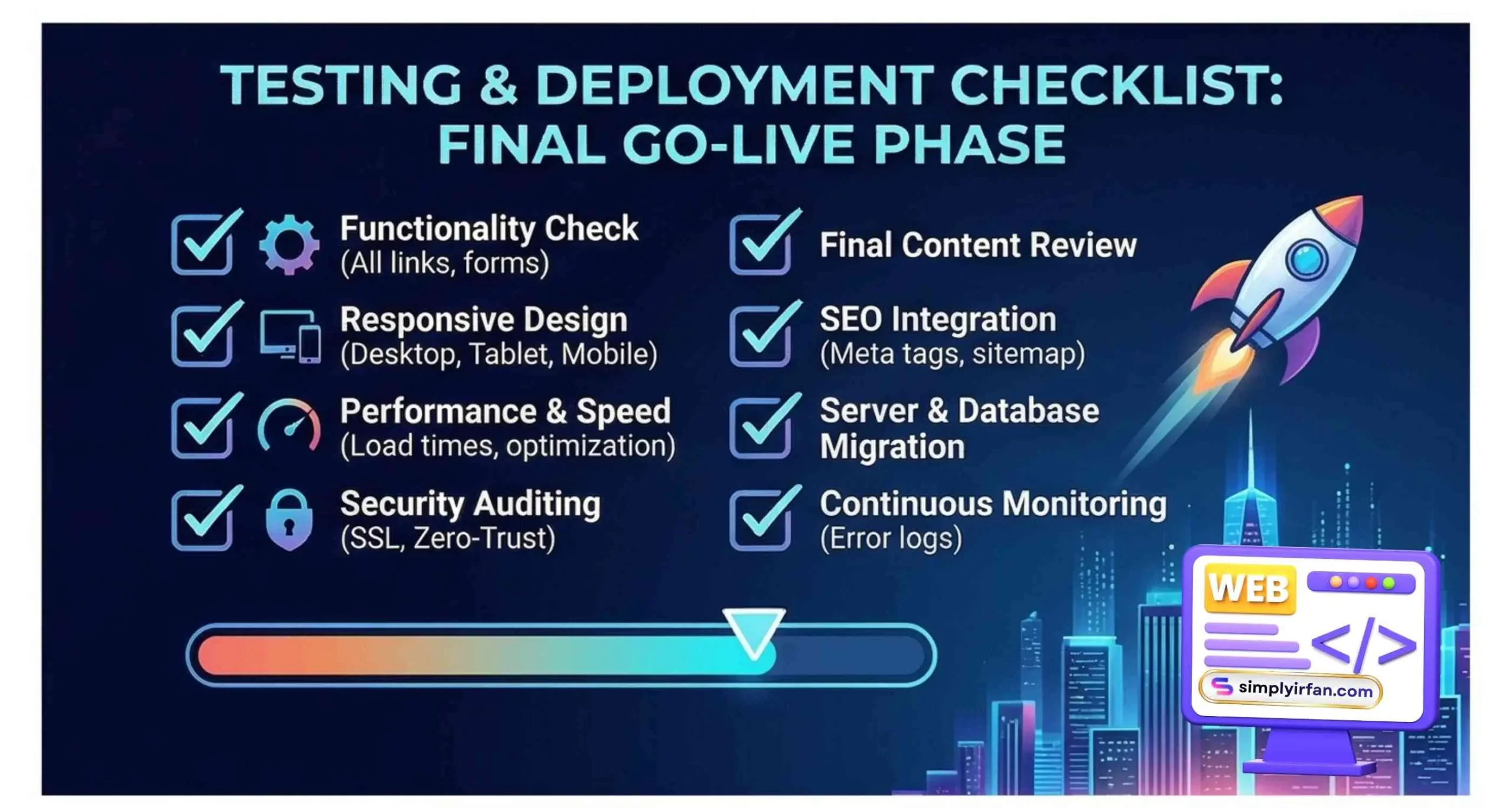
5. Testing and Quality Assurance
We don’t just “hope” it works. We break it on purpose.
- Speed Tests: If it takes more than 1.5 seconds to load, we optimize.
- Security: Implementing Zero-Trust Architecture to protect user data.
- Responsiveness: Does it look as good on a foldable phone as it does on a 32-inch monitor?
6. The Launch: Flipping the Switch
The big day. But it’s not just uploading files. We handle domain redirects, SSL certificates (for security), and ensure search engines can “crawl” the site immediately.
7. Post-Launch: The “Forever” Phase
A website is never truly “done.” You need regular security patches, content updates, and A/B testing. In 2026, we use AI to watch how people use the site and automatically suggest layout changes to improve sales.
2026 Development Statistics & Comparisons
To give you a better idea of the landscape, let’s look at the current market data.
Market Trends at a Glance
| Metric | 2024 Data | 2026 Projection |
| Global Web Dev Market | $80.6 Billion | $87.75 Billion |
| Mobile Traffic Share | 58% | 64% |
| AI Integration in Apps | 22% | 77% |
| Avg. Load Time (Top Tier) | 2.1s | 1.2s |
Cost Comparison by Project Type (Global Averages)
| Project Type | Complexity | Estimated Cost | Timeline |
| Small Business / Portfolio | Low | $2,000 – $5,000 | 3-5 Weeks |
| E-commerce Store | Medium | $10,000 – $30,000 | 2-4 Months |
| Custom SaaS / Web App | High | $50,000+ | 6+ Months |
Actionable Insights for Success
- Mobile-First is Dead; Mobile-Only is Coming: Design for the thumb first. If it works on a phone, it will work on a desktop.
- Own Your Data: With privacy laws tightening, don’t rely solely on third-party cookies. Use your website to build a first-party email list.
- Focus on Core Web Vitals: Google rewards sites that don’t “jump around” while loading. Stable, fast sites win the SEO game.
FAQ: Common Questions About Website Development
Q: How much does website development actually cost in 2026?
A: It varies wildly. A simple site might cost $3,000, while a custom enterprise platform can exceed $100,000. The biggest cost drivers are custom functionality, AI integrations, and the level of unique design.
Q: Do I really need a custom site, or is a builder like Wix okay?
A: If you’re just starting or need a simple blog, builders are great. However, for “true” website development that scales, handles high traffic, and offers unique features, a custom-coded solution (like a Next.js site) is far superior for SEO and performance.
Q: How long does the development process take?
A: A professional, mid-sized website typically takes 8 to 12 weeks. This includes time for feedback, testing, and content creation.
Q: Is SEO included in the development stages?
A: It should be! A good developer builds with “Technical SEO” in mind (clean code, fast speeds). However, “Content SEO” (keywords and blogs) is usually an ongoing strategy that happens after launch.
Q: What is a Progressive Web App (PWA)?
A: It’s a website that acts like a mobile app. It can work offline, send push notifications, and be added to a user’s home screen without going through an App Store.
The Bottom Line
The world of website development is faster and more competitive than ever. But here’s the good news: the tools available today are more powerful than anything we’ve had before. By following a structured process—Discovery, Planning, Design, Development, Testing, Launch, and Maintenance—you aren’t just building a page; you’re building a business asset.
Ready to turn your vision into a high-performance digital reality? The best time to start was yesterday. The second best time is right now.
Want to see how your current site stacks up? Reach out for a performance audit and let’s get you ready for 2026.
Also See: