
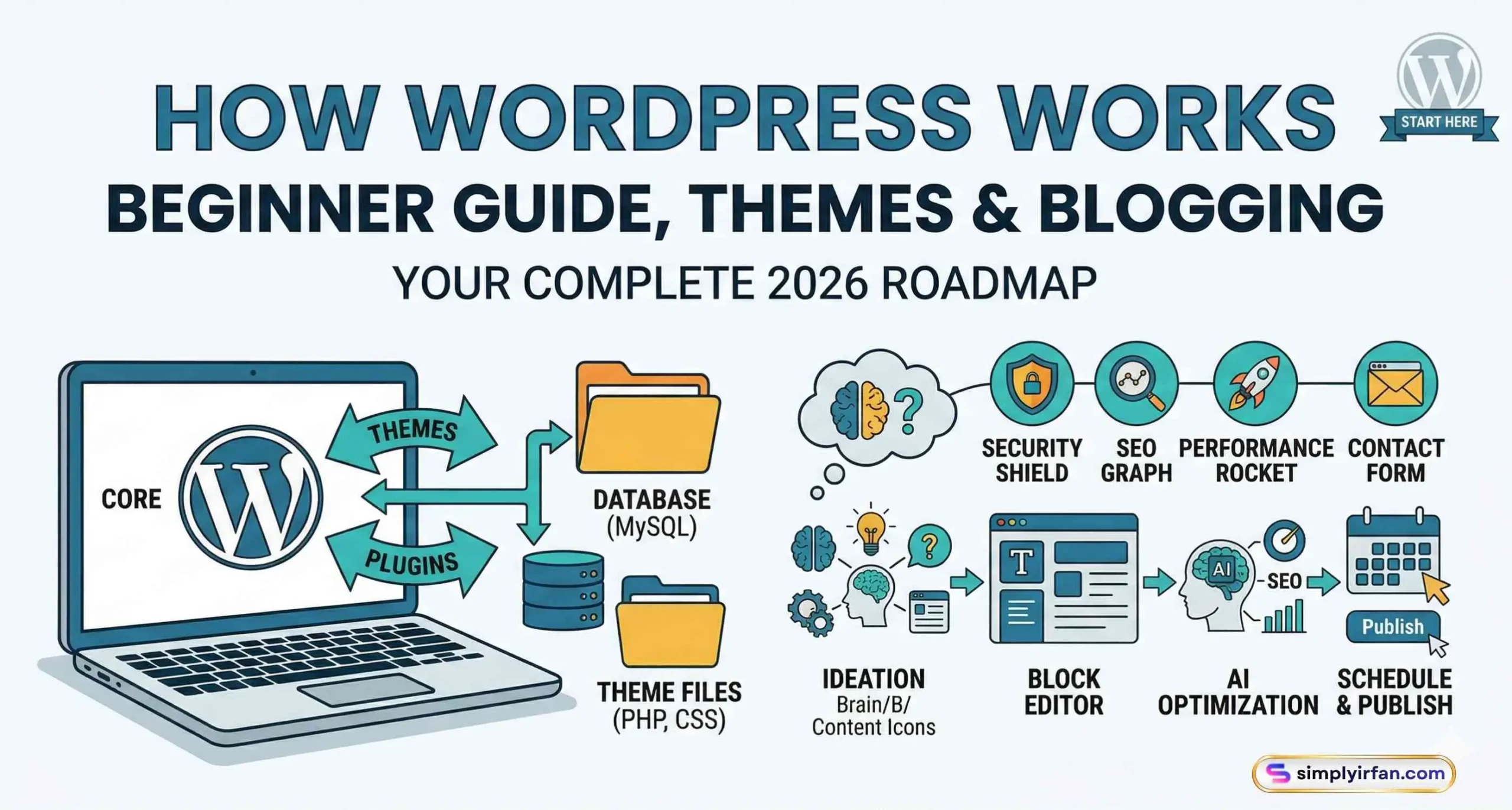
Short intro about how WordPress Works
- What it is: A Content Management System (CMS) that powers 43%+ of the web.
- How it works: It uses PHP (the engine), MySQL (the filing cabinet), and Themes/Plugins (the paint and tools).
- Key components: WordPress themes control the look; wordpress plugins add functionality.
- 2026 Update: Focus is now on Full Site Editing (FSE) and AI-assisted content creation.
Have you ever looked at a stunning website and thought, “I wish I could do that, but I don’t speak ‘Matrix code'”? You’re not alone. Back when I started my first blog, I thought a “plugin” was something you did to a toaster and a “theme” was just for birthday parties.
But here’s the secret: WordPress is essentially the ultimate LEGO set for adults. It’s a powerhouse that runs nearly half of the entire internet, yet it’s friendly enough that your grandma could probably launch a sourdough review blog by lunchtime.
In this deep-dive guide, we’re going to peel back the curtain. We’ll look at how WordPress works, why WordPress themes are your best friend, and how WordPress plugins can turn a simple page into a global empire. Whether you want to share your poetry, sell vintage watches, or build the next big tech news site, this is your roadmap.
1. The Engine Under the Hood: How WordPress Actually Works
Imagine you’re walking into a high-end restaurant. You don’t see the chef chopping onions or the dishwasher scrubbing plates; you just see a beautiful menu and eventually, a delicious meal. WordPress is that entire restaurant operation.
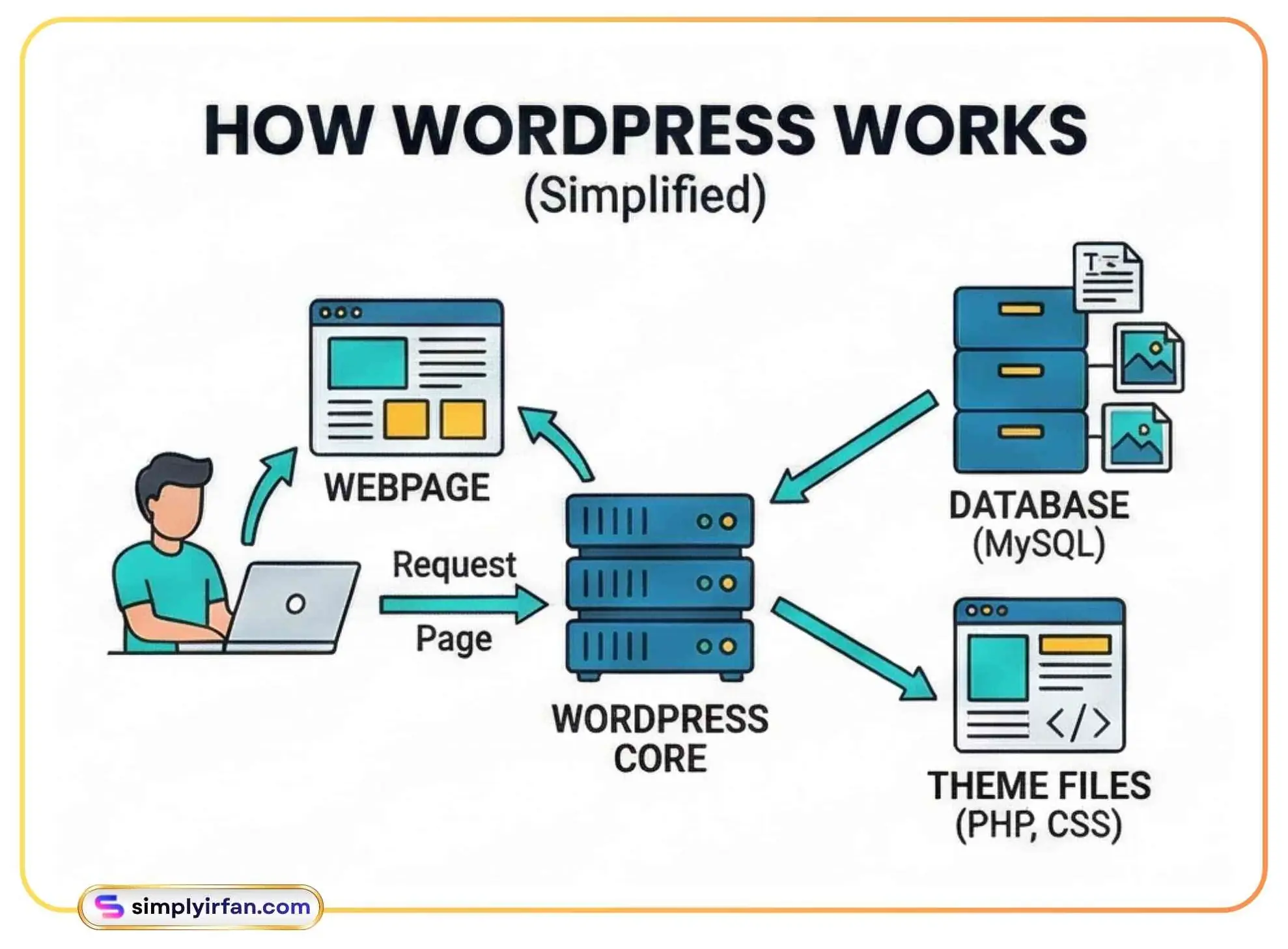
When you type a URL into your browser, a silent, lightning-fast conversation happens. Your browser asks the server, “Hey, can I see Irfan’s blog?” The server then wakes up WordPress, which acts as the head chef.
The Three Musketeers of WordPress
WordPress isn’t just one file; it’s a team of three main components working in harmony:
- PHP (The Brains): This is the programming language WordPress is built on. Think of it as the chef. It takes your request, looks at the recipe, and starts putting things together.
- MySQL Database (The Filing Cabinet): This is where every single word you’ve ever written, every password, and every setting lives. When the chef (PHP) needs the “About Me” text, it pulls it from this drawer.
- HTML/CSS (The Plate): This is the final result. Once PHP has gathered the ingredients from the database, it turns them into code that your browser understands, showing you a pretty webpage instead of a raw pile of data.
Statistics: Why Everyone Uses It
| Metric | 2026 Data |
| Market Share | 43.4% of all websites |
| CMS Dominance | 62.8% of the CMS market |
| Daily New Sites | ~10,000+ per day |
| Active Plugins | 59,000+ free options |
In 2026, WordPress has evolved. It’s no longer just for “blogging.” It’s a full-scale application framework. With the rise of the Block Editor (Gutenberg) and Full Site Editing (FSE), the technical barrier has dropped to an all-time low. You don’t need to be a “web developer” anymore; you just need to be a “web curator.”
2. Dressing Your Site: The Power of WordPress Themes
If the WordPress core is the engine, WordPress themes are the body of the car. They determine whether you’re driving a rugged Jeep (a survivalist blog), a sleek Ferrari (a luxury portfolio), or a reliable minivan (a corporate site).
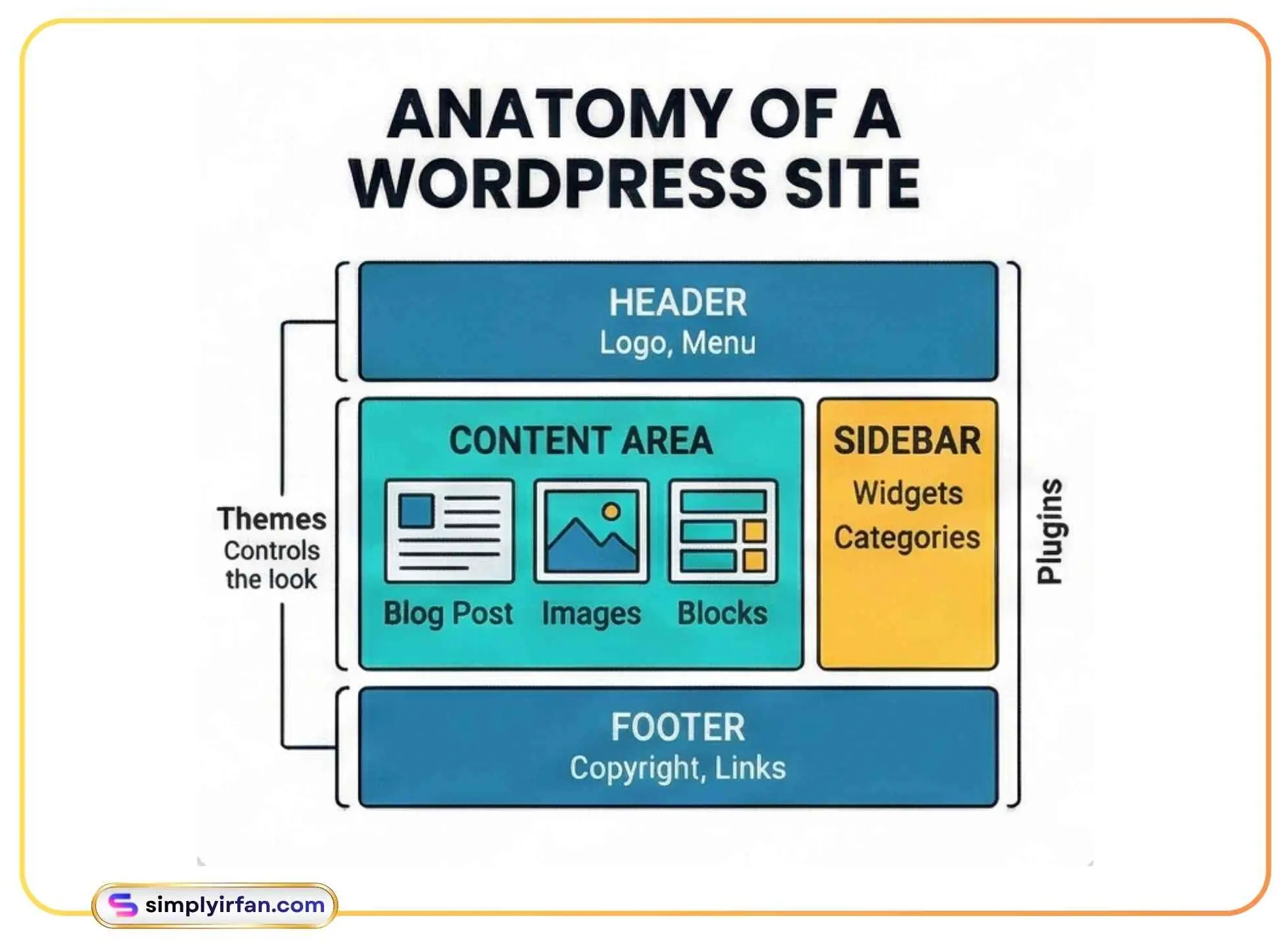
A common mistake beginners make is thinking a theme is just a “coat of paint.” In reality, a modern theme in 2026 handles everything from how fast your site loads to how it looks on a foldable smartphone.
Choosing the Right Look
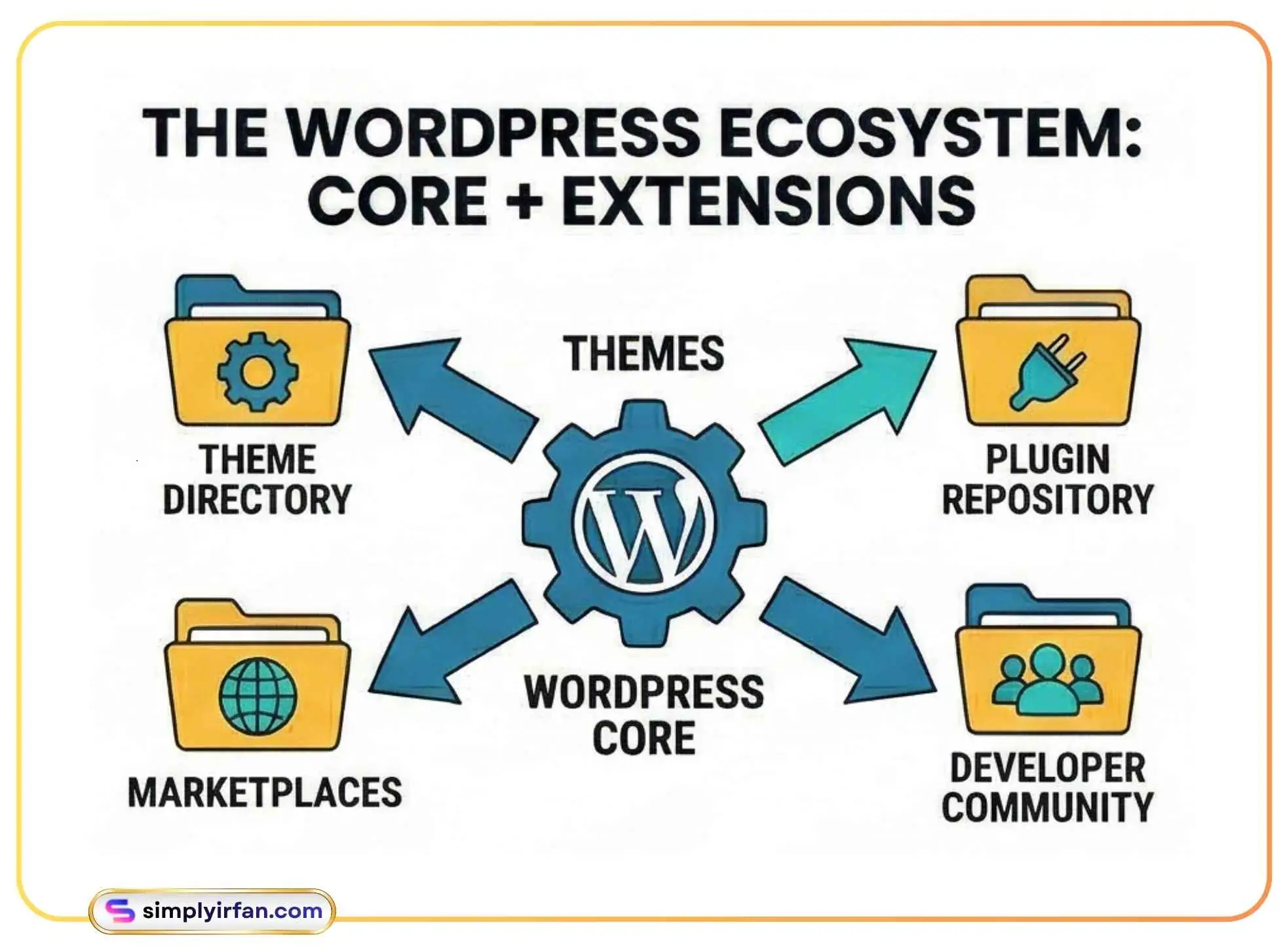
When you go to the WordPress theme directory, you’ll see thousands of options. It’s like being in a candy store where everything is free, but some candies give you a toothache. Here’s what you should look for:
- Speed is King: In the age of 5G and instant gratification, a slow theme is a dead theme. Look for “lightweight” or “performance-optimized.”
- Responsiveness: In 2026, over 65% of web traffic is mobile. If your theme doesn’t look perfect on a phone, toss it.
- Compatibility: Ensure your theme plays nice with popular WordPress plugins like WooCommerce (for selling stuff) or Yoast (for SEO).
Comparison: Popular Themes in 2026
| Theme Name | Best For | Speed Score | Key Feature |
| Astra | Multipurpose | 99/100 | Huge template library |
| GeneratePress | Performance Nerds | 100/100 | Cleanest code possible |
| OceanWP | eCommerce | 94/100 | Deep WooCommerce integration |
| Neve | Mobile-First | 98/100 | FSE & Block-based |
The Rise of Full Site Editing (FSE)
In the old days, if you wanted to change your footer or your header, you had to dive into code. Today, themes like Astra and Neve support Full Site Editing. This means you can click on any part of your site—even the stuff usually “off-limits”—and change it visually. It’s a game-changer for beginners who want total control without the headache.
3. Adding Superpowers: The Magic of WordPress Plugins
If I could only explain one thing to a “smart friend” about WordPress, it would be this: WordPress plugins are like apps for your website.
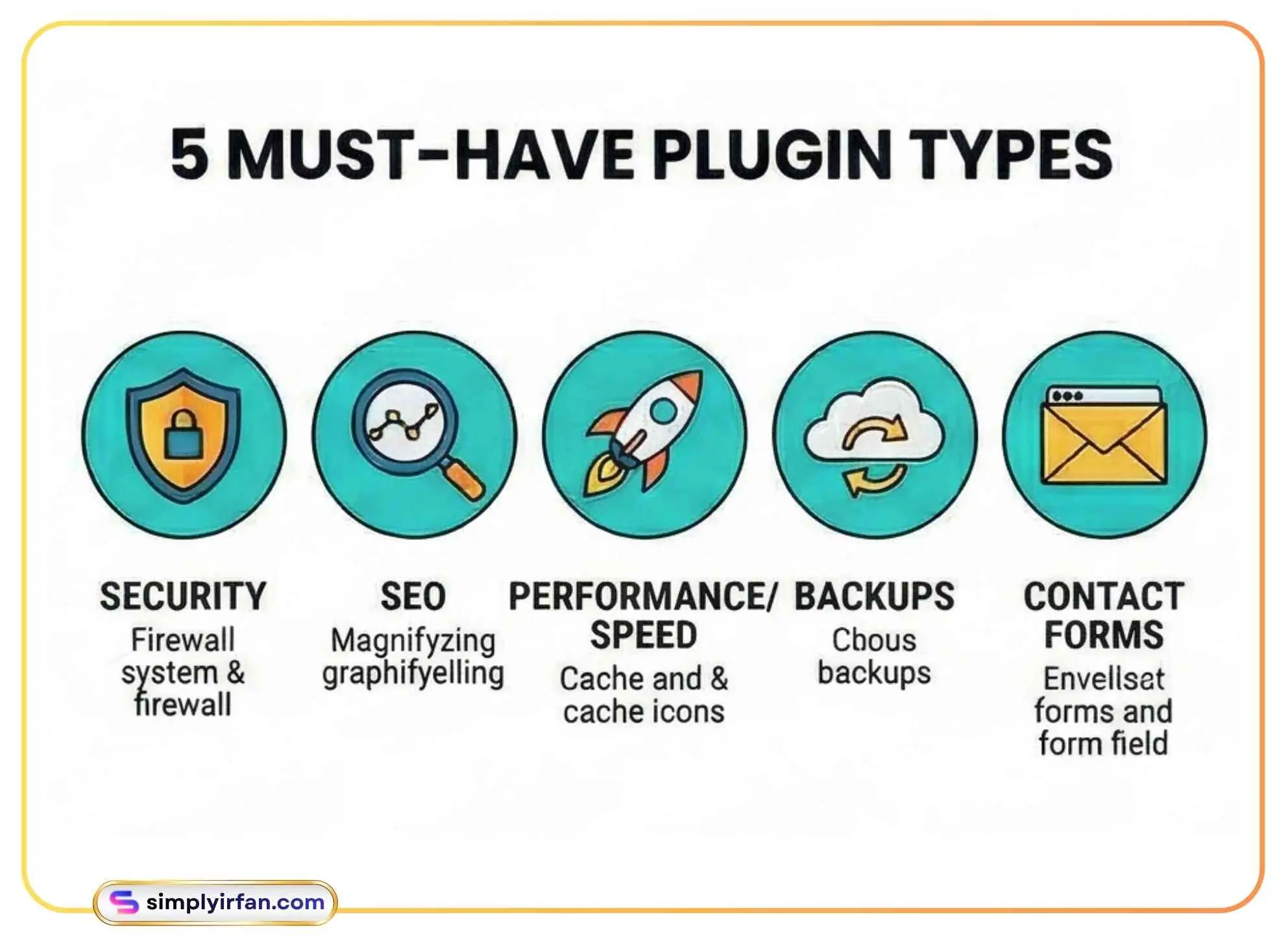
Want a contact form? There’s a plugin for that. Want to turn your site into a social network? There’s a plugin for that. Want to protect your site from hackers who have nothing better to do on a Tuesday night? Yep, there’s a plugin for that too.
The “Must-Have” Starter Pack
You don’t need 50 plugins. In fact, having too many can slow your site down to a crawl. For a fresh 2026 blog, you really only need a few essentials:
- SEO Plugin (e.g., Yoast SEO or Rank Math): These act like a digital marketing consultant, telling you exactly how to write so Google actually finds you.
- Security Plugin (e.g., Wordfence): Because the internet can be a neighborhood you don’t want to walk through alone at night.
- Caching Plugin (e.g., WP Rocket): This “pre-makes” your pages so they load instantly for visitors.
- Backup Plugin (e.g., UpdraftPlus): Because “oops” happens to the best of us.
A Real-World Example
Think of a plugin like adding a sunroof to your car. The car works fine without it, but the sunroof adds a specific feature you want. However, if you add a sunroof, a spoiler, four extra exhausts, and a disco ball, the car is going to get heavy and slow. Use plugins intentionally.
Pro Tip: Always check the “Last Updated” date. If a plugin hasn’t been touched in two years, stay away. It’s like eating leftovers from 2024, just don’t do it.
4. The Heart of the Hustle: Mastering the Art of Blogging
Now that your “house” is built and decorated, you need to invite people over. That’s where blogging comes in. But blogging in 2026 isn’t just about “journaling” your thoughts on avocado toast. It’s about solving problems.
Content is Still King (But Strategy is Queen)
When you sit down to write, don’t just dump text onto a screen. Human readers and AI search engines crave structure and value.
- Solve a Problem: Every post should answer a question. “How do I fix a leaky faucet?” “What’s the best way to learn Python?”
- The Hook: You have about 3 seconds to catch someone’s attention. Start with a bold claim, a surprising stat, or a relatable story.
- Readability: Use short paragraphs. Use bullet points. If your post looks like a giant wall of text, people will close the tab faster than you can say “bounce rate.”
SEO Optimization
People often get scared of SEO (Search Engine Optimization), thinking it’s for robots. But Google’s job is to find what humans like.
- Long-tail keywords: Instead of just trying to rank for “shoes,” try “best running shoes for flat feet in 2026.”
- Search Intent: If someone searches for “how WordPress works,” they want a guide. If they search for “buy WordPress theme,” they want a shop. Make sure your content matches their goal.
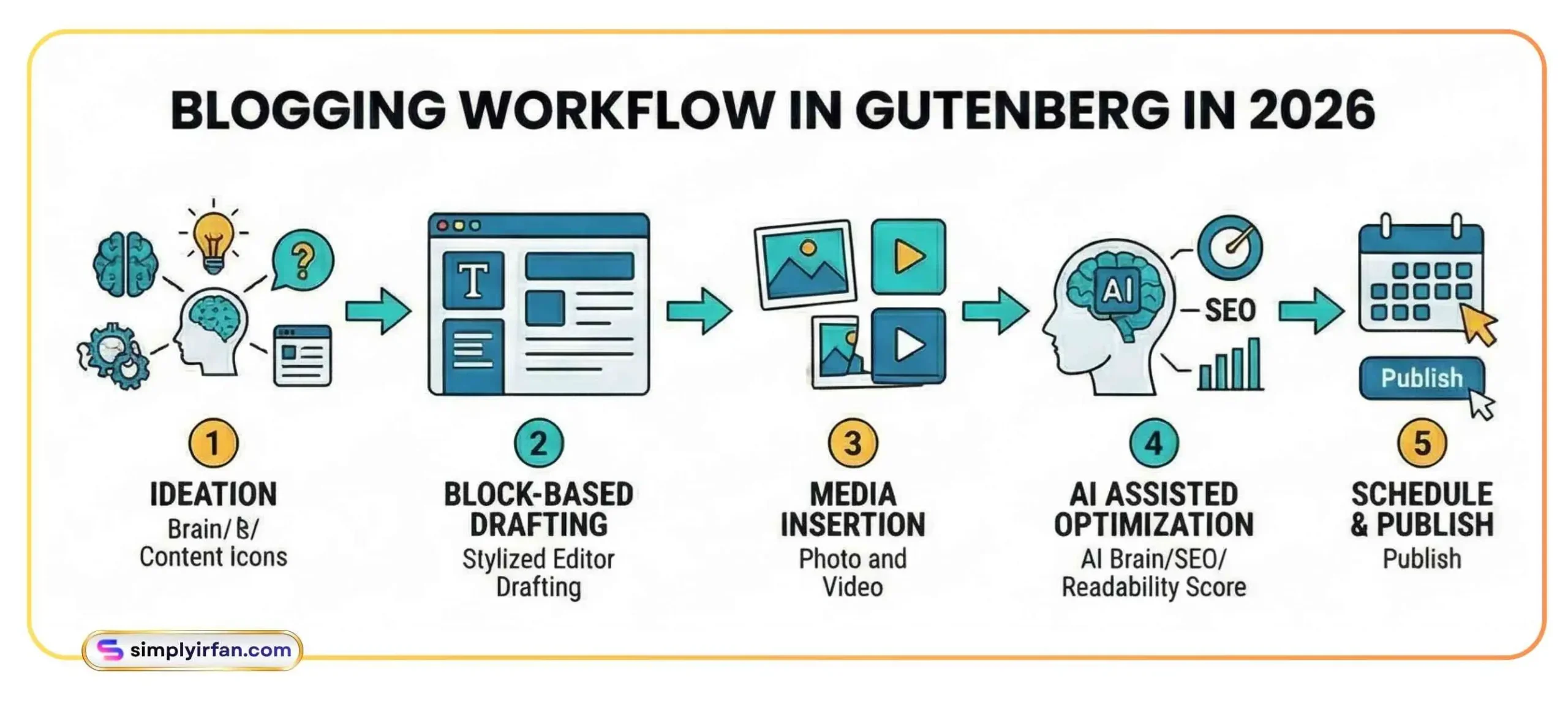
The 2026 Blogging Workflow
Blogging has become a collaborative effort between you and AI. Tools built directly into the WordPress dashboard now help you:
- Generate catchy headlines.
- Summarize long articles into TL;DR sections.
- Suggest relevant internal links to keep readers on your site.
FAQ: Everything Else You’re Wondering
Q: Is WordPress free?
A: The software itself (WordPress.org) is free and open-source. However, you’ll need to pay for a domain (your address) and hosting (your plot of digital land). Think of it like a free house, but you still have to pay for the land it sits on.
Q: What is the difference between WordPress.com and WordPress.org?
A: This is the #1 point of confusion. WordPress.com is like renting an apartment; it’s easy, but you have rules and limits. WordPress.org (self-hosted) is like owning your home; you can knock down walls and paint it neon pink if you want. Most professionals use .org.
Q: Do I need to know how to code?
A: Not anymore! With the modern Block Editor and visual WordPress themes, you can build 99% of a website without touching a single line of CSS or PHP.
Q: How many plugins are too many?
A: There’s no magic number, but most high-performing sites stay under 15–20. Focus on quality over quantity. One badly coded plugin is worse than ten well-coded ones.
Q: Can I change my theme later?
A: Yes! That’s the beauty of WordPress. Your content (the words and images) is separate from the design. You can swap your theme in a few clicks, though you might need to do some “redecorating” to make sure everything fits the new layout.
Final Thoughts: Your Journey Starts with One Click
Building a website can feel like standing at the base of a mountain. But WordPress is the gear that makes the climb easy. You’ve learned how WordPress works, explored the world of WordPress themes, and seen how WordPress plugins can elevate your site to new heights.
The internet is built by people who simply decided to start. You don’t need to be an expert today; you just need to be a student. So, go grab a domain, install WordPress, and start sharing your voice with the world.
The best time to start was ten years ago. The second best time? Right now.
Ready to launch? Start by picking a lightweight theme and writing your first 500 words. You’ll be surprised at how quickly the “scary” stuff becomes second nature. Happy building!
Also See:
AI Content Discovery Plugin for WordPress